
 Share
Share
 Print
Print
|
|
|
|
|


WOTCSHOPITEM - Enable The Shop Item Field

Enable The Shop Item Field
Affected window: w_wo_shop_eu_0
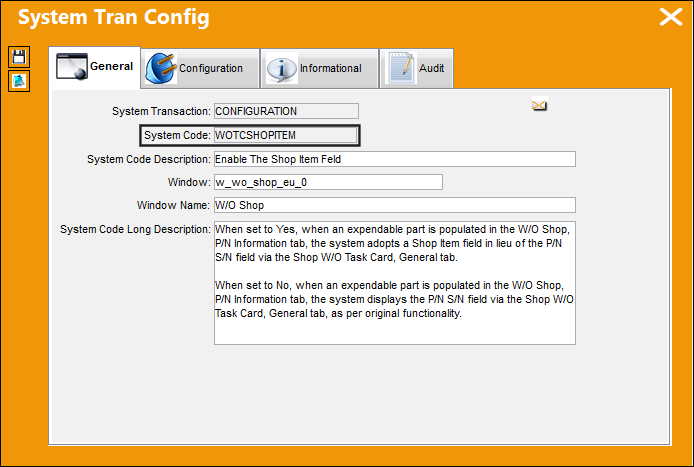
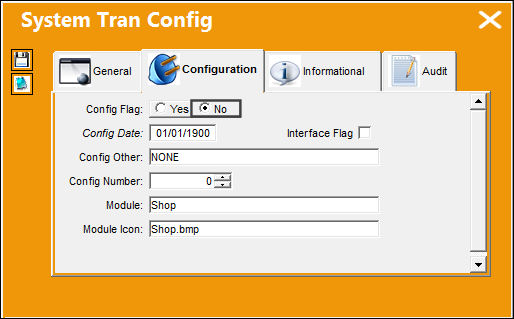
Switch Set to Yes:
When set to Yes, when an expendable part is populated in the W/O Shop, P/N Information tab, the system adopts a Shop Item field in lieu of the P/N S/N field via the Shop W/O Task Card, General tab.
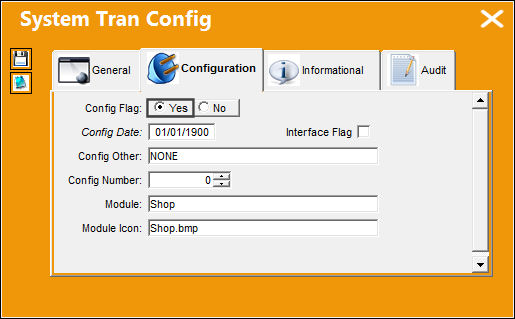
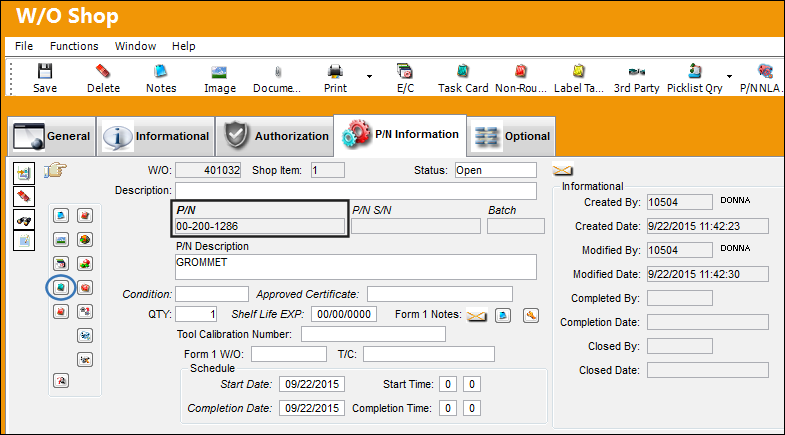
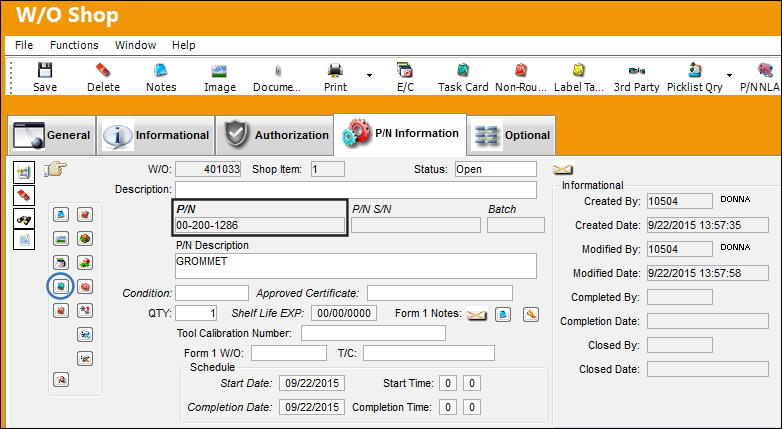
From the W/O Shop, P/N Information tab, enter an expendable part in the P/N field and save the record. Select the Task Card  button.
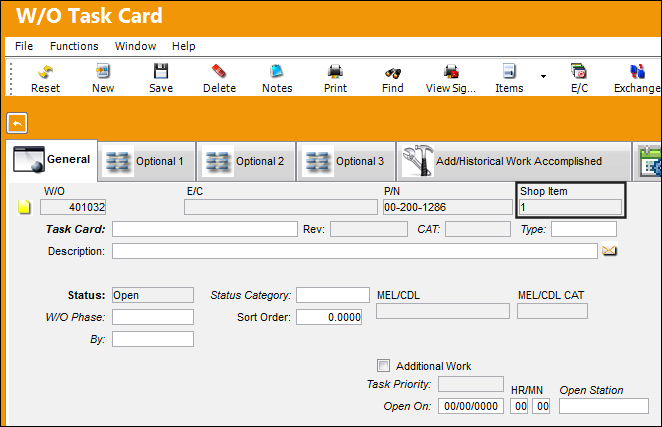
From the Shop W/O Task Card, General tab, the Shop item field is enabled and is auto populated with the Shop Item number. This item number reflects the number of expendable parts (or items) on the Shop Work Order and listed in the P/N Information tab.
Switch Set to No:
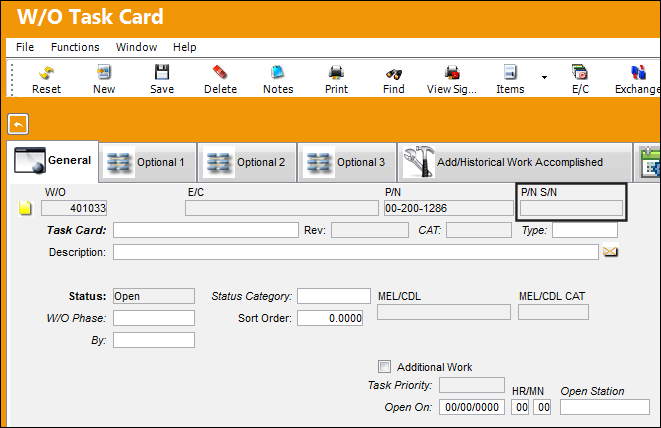
When set to No, when an expendable part is populated in the W/O Shop, P/N Information tab, the system displays the P/N S/N field via the Shop W/O Task Card, General tab, as per original functionality.
From the W/O Shop, P/N Information tab, enter an expendable part in the P/N field and save the record. Select the Task Card button.
From the Shop W/O Task Card, General tab, the P/N S/N field is available as per original functionality and is not populated as is correct for an expendable part number.
Share
Print
|
©1997-2026 Trax USA Corp. All rights reserved. This manual may not be copied, photocopied, reproduced, translated, or converted to any electronic or machine-readable form, in whole or in part, without prior written approval from Trax USA Corp. |
 |