 Download Online Help
 Print
|
|
|
|
|


The Release for Authorization  button releases the Customer Contract for authorization.
The following Customer Contract is in 'Under Revision' status. Select into the detail of the contract.
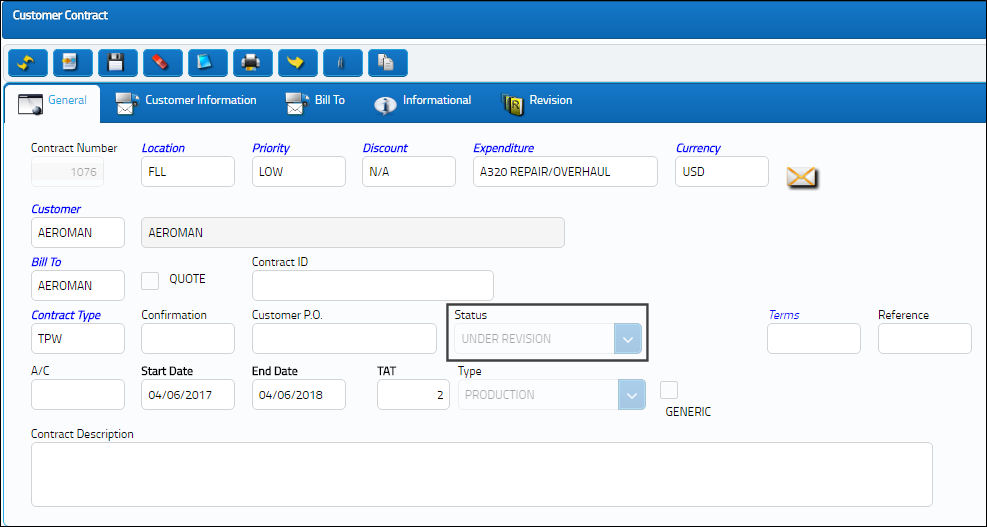
From the Customer Contract Detail, select the Authorization button.
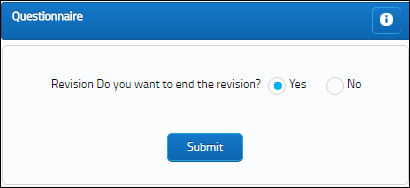
The following prompt appears asking the user if they would like to end the revision. Select 'Yes' to end the revision.
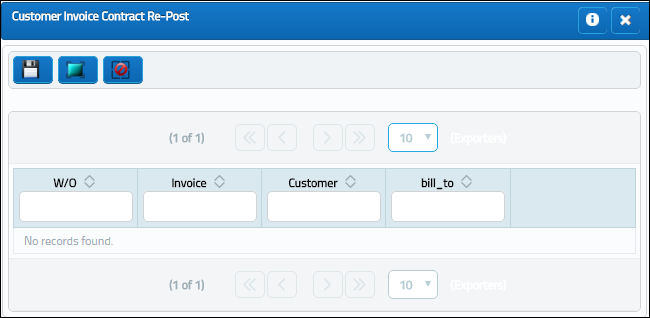
The Customer Invoice Contract Re-Post window appears displaying any Work Orders associated to the current contract. If you would like to apply this revision of the contract to these Work Orders, select 'Yes'. If not, select 'No' to exit the window.
For more information about Re-Posting a contract, refer the the Customer Invoice Contract Re-Post topic.
In this example, the contract does not have any W/Os associated to it. The user is going to exit the window and return to the Customer Contract Header.
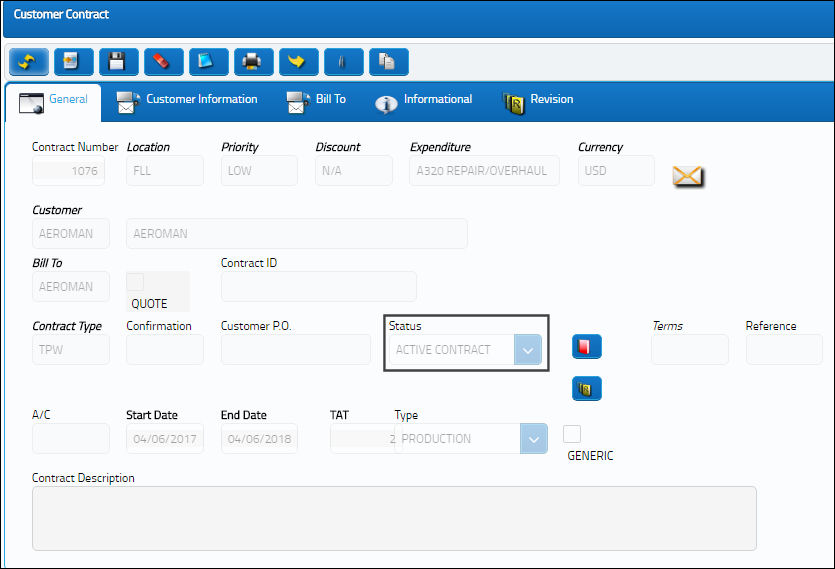
From the Customer Contract Header, select the Reset  button.
The status of the contract is updated to 'Active Contract' and it can now be linked to a Third Party Work Order.
Download Online Help
Print
|
©1997-2018 Trax USA Corp. All rights reserved. This manual may not be copied, photocopied, reproduced, translated, or converted to any electronic or machine-readable form, in whole or in part, without prior written approval from Trax USA Corp. |
 |