
 Share
Share
 Print
Print
|
|
|
|
|



The Run Simulation  button allows planners to forecast for planning events without first scheduling man hours to complete tasks. This option allows planners to see what man hours are available and then schedule work based on the results of the availability.
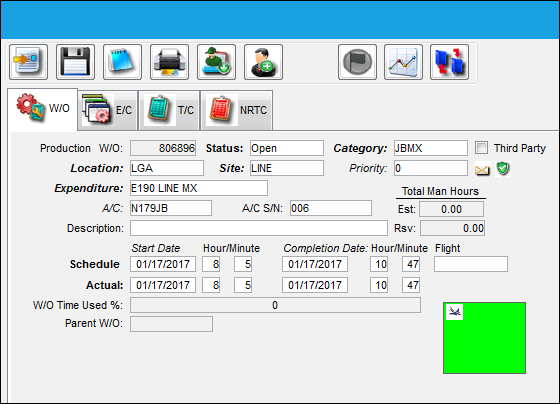
From the Work Order, select the Planning  button.
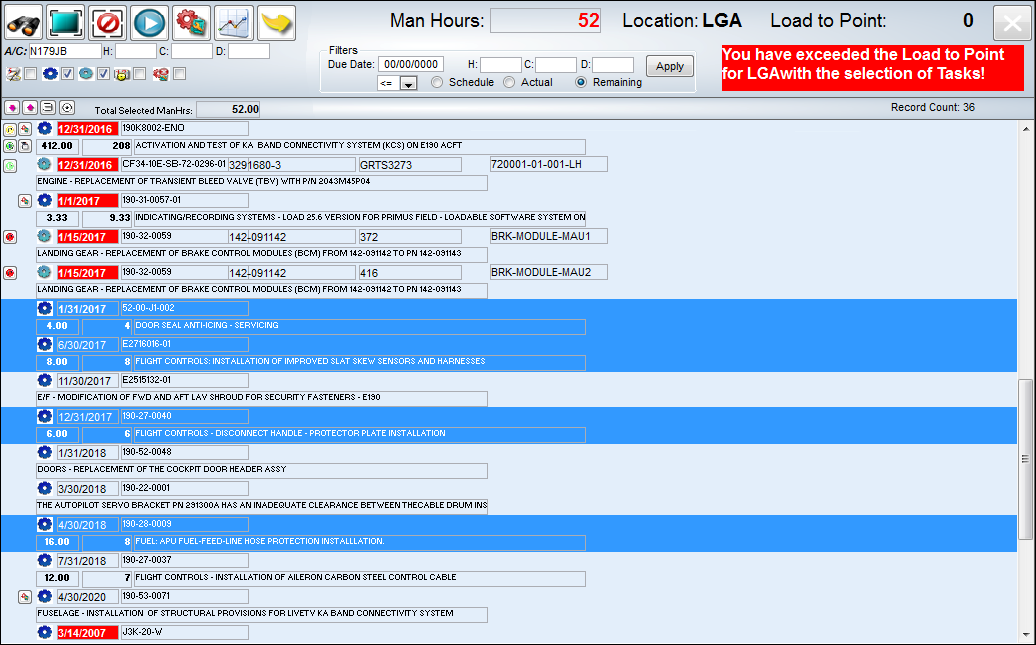
From the Planning Query window, the following tasks have been selected (highlighted). Exit the window.
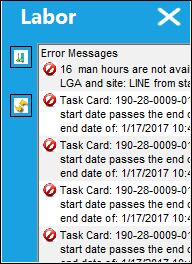
Once the Planning Query window is closed, the following Labor pop up window appears. In this window, there is information pertaining to the Man Hours and Task Cards before planning events are scheduled.
Share
Print
|
©1997-2026 Trax USA Corp. All rights reserved. This manual may not be copied, photocopied, reproduced, translated, or converted to any electronic or machine-readable form, in whole or in part, without prior written approval from Trax USA Corp. |
 |