
 Share
Share
 Print
Print
|
|
|
|
|


The Task Card Closing  button allows the user to close Task Cards one at a time. This feature allows the user to manually enter the Task Card information, select a Task Card from the drop down selection menu, or scan the Task Card information using a barcode scanner.
 This button is security controlled via the Security Explorer/ Shop/ Update/ Shop W/O/ Shop Work Order Task Card Status Update - Closing. For additional information, refer to the Security Explorer via the System Administration Training Manual.
From the W/O Task Card window, select the Task Card Closing button.
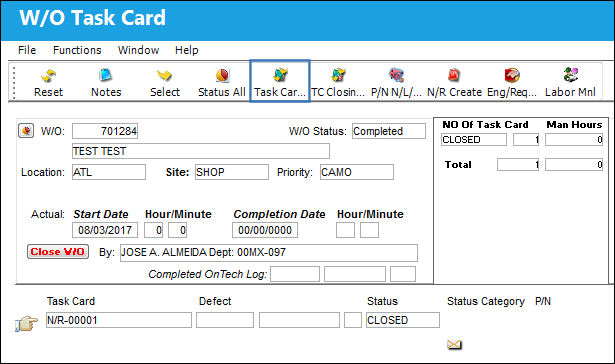
The system displays the following window. Choose a Task Card and change the status.
The user may manually enter the Task Card information, select a Task Card from the drop down selection menu, or scan the Task Card information using a barcode scanner.
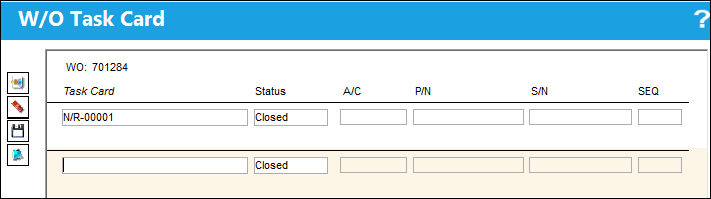
The status will be defaulted to Closed automatically upon opening the window.
Task Cards cannot be reopened once the associated W/O Engineering Control has been reset. However, Non-Routine Task Cards can be reopened if the W/O E/C has been reset.
Note: If several Task Cards on the Work Order share the same P/N, you will be asked to specify the serial number associated with the Task Card to be closed.
Once the Task Card is entered, the Description field will appear populated.
Select the Save  button to save the status change.
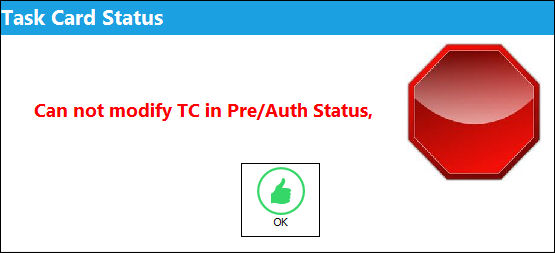
Cannot Close Task Cards in Pre/Auth Status:
Users may not modify Task Cards that are in 'Pre/Auth' status.
From the Shop W/O Task Card window, select the Task Card in 'Pre/Auth' status. Select the Task Card Closing button.
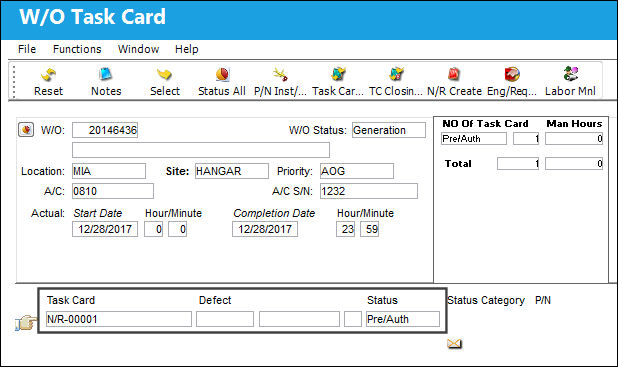
Populate the Task Card field with Task Card 0170 and select the Save button.
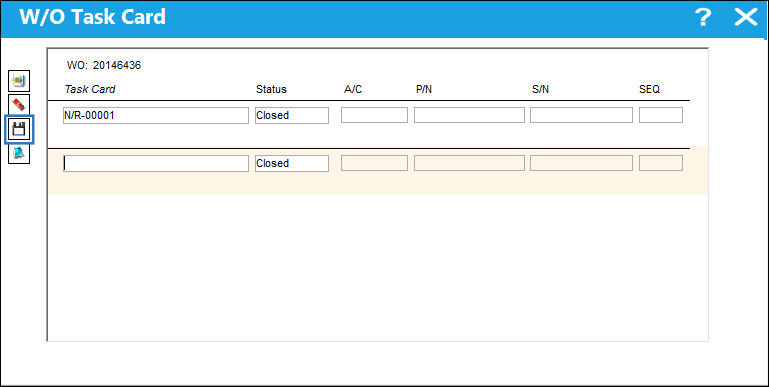
The system displays the following error:
Share
Print
|
©1997-2026 Trax USA Corp. All rights reserved. This manual may not be copied, photocopied, reproduced, translated, or converted to any electronic or machine-readable form, in whole or in part, without prior written approval from Trax USA Corp. |
 |