
 Share
Share
 Print
Print
|
|
|
|
|


Through the T/C Work  button of the Shop Work Order window, once all Task Cards associated to the Shop Work Order have been actioned (closed, deferred, canceled), the Shop W/O status changes to Completed.
The Close W/O  button can then be used to change the W/O status from Completed to Post Completed, which writes compliance records to the attached E/Cs, P/N E/Cs, and P/N Controls.
When Production Switch  WOPOSTCM is set to Yes, when a user closes a Shop W/O using the Shop W/O Closing window, or Shop W/O Task Card, Close W/O button, the W/O status changes from Completed to Post Completed. Compliance records are written for controls attached to the W/O and repeat schedules are reset. Users can return to stock (RTS) unused material that was issued to the W/O to credit the Shop W/O Actuals. When WOPOSTCM is set to No, when the user closes a W/O the W/O status changes from Completed to Closed. Compliance records are written and schedules reset; unused material cannot be RTS to credit the W/O Actuals because the W/O and its financials are closed.
 Note: In Version 15, switch WOPOSTCM must be set to Yes because the No setting is no longer supported. Work Order Statuses will only go from 'Completed' to 'Post Completed', and not from 'Completed' directly to 'Closed'.
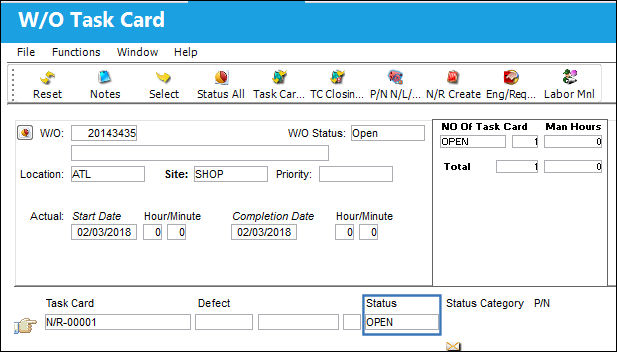
For example, notice the Status for the following Shop W/O is Open and it contains one Task Card.
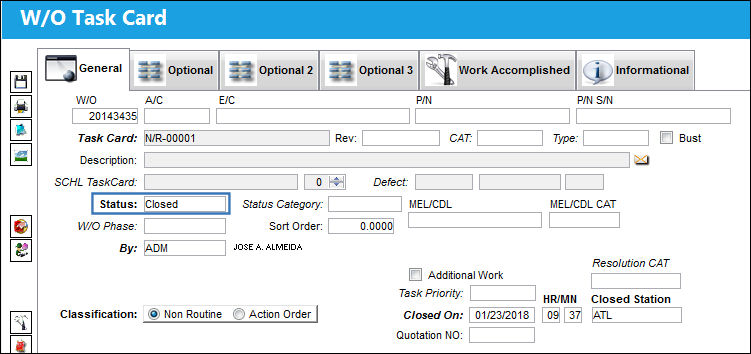
Select into the Task Card, set the status to Closed and select the Save  button.
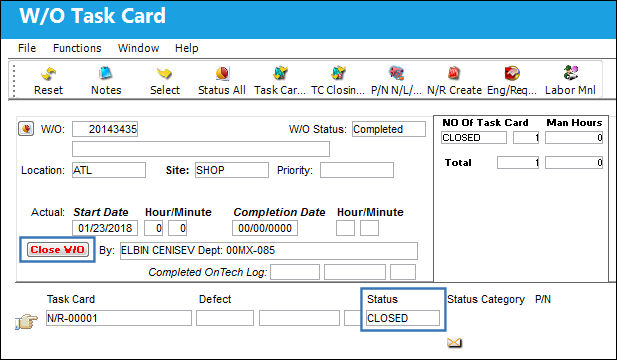
Once all Task Cards are closed, the Shop W/O status automatically changes from Open to Completed and the Close W/O button appears.
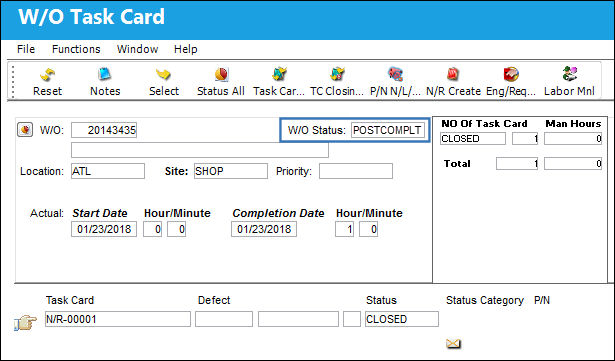
Verify the Completion Date and Time and then select the Close W/O button. The W/O status changes from Completed to Post Completed.
When Production Switch WOPOSTCM is set to No, once the user selects the Close W/O button, the W/O status changes from Completed to Closed. Compliance records are written for the controls, however unused material cannot be RTS to credit the W/O Actuals because the W/O and its financials are now closed.
Note: In Version 15, switch WOPOSTCM must be set to Yes because the No setting is no longer supported. Work Order Statuses will only go from 'Completed' to 'Post Completed', and not from 'Completed' directly to 'Closed'.
Once the Shop W/O Actuals have been reviewed and all unused material returned to stock, the Shop W/O can be set to Closed status via the Shop W/O Closing Post Completion window.
E/C P/N Warning:
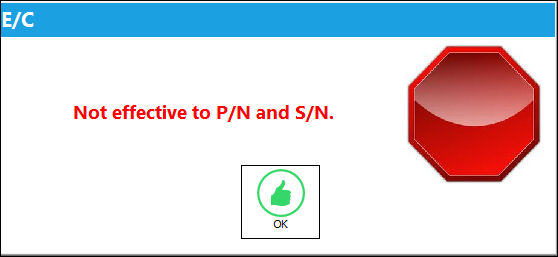
If a Work Order has multiple P/N E/Cs for the same existing P/N and from the list of P/N E/Cs one has a modified P/N, then a soft warning will display upon W/O closing.
The following soft warning is displayed upon W/O closing:
For additional information on the P/N Modify To field refer to P/N Control Button, via Engineering Control in the Engineering - E/C Training Manual.
Share
Print
|
©1997-2026 Trax USA Corp. All rights reserved. This manual may not be copied, photocopied, reproduced, translated, or converted to any electronic or machine-readable form, in whole or in part, without prior written approval from Trax USA Corp. |
 |