 Download Online Help
 Print
|
|
|
|
|


A/C Assignments Tab
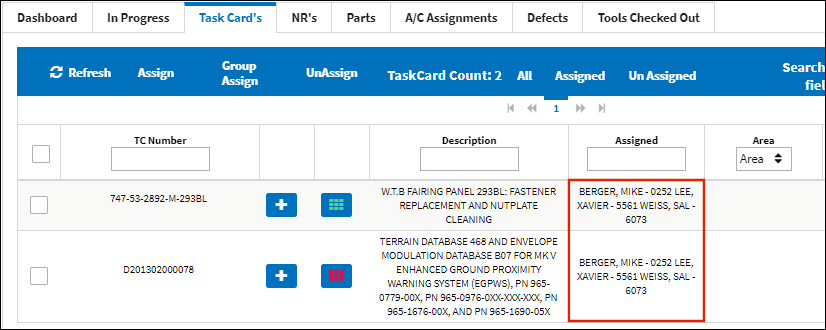
The A/C Assignments tab allows a supervisor to assign individual employees and/or groups of employees to aircraft tasks. Once an employee or group has been assigned to the aircraft tasks, these employees will be listed in the 'Assigned' field in the Task Card tab and the NR tab.
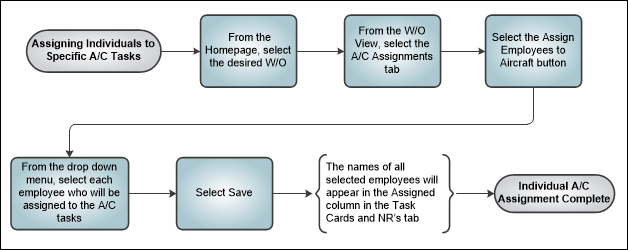
Assigning Individuals to Specific A/C Tasks
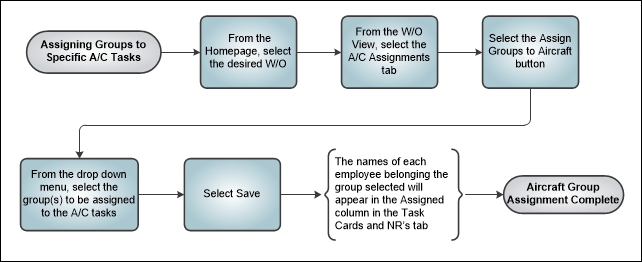
Assigning Groups to Specific A/C Tasks
 This tab is security controlled via Line Control/ Update/ A/C Assignments. For additional information, refer to the Security Explorer.
In the following example, the task of assigning individual employees to an aircraft will be illustrated. The process for assigning groups to an aircraft is the same.
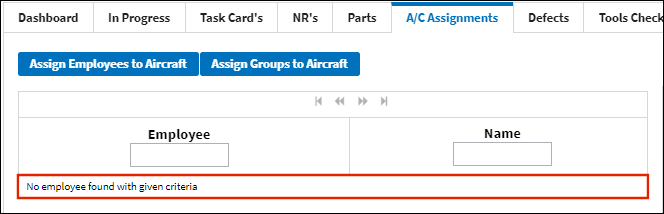
From the A/C Assignments tab, there are currently no employees to assign all tasks to.
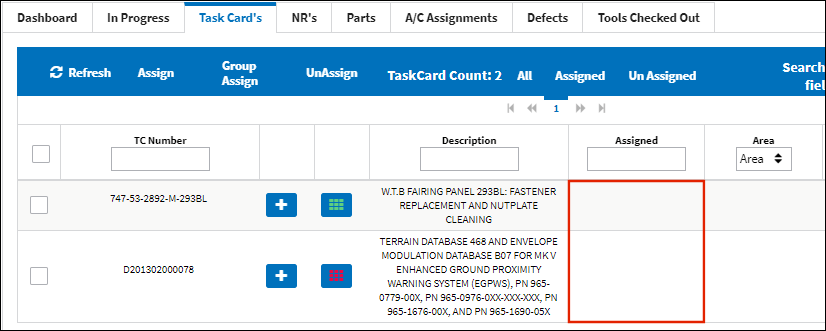
From the Task Cards tab, no employees have been assigned to any of the Task Cards.
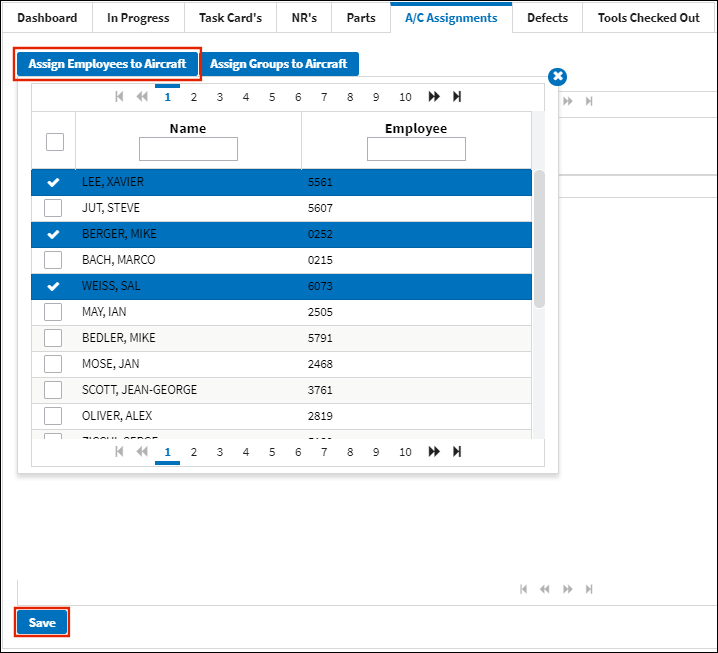
From the A/C Assignments tab, select the Assign Employees to Aircraft option. The following drop down menu appears with a list of employees that can be assigned to the tasks for the Work Order. Select the employees to be assigned to the tasks and save.
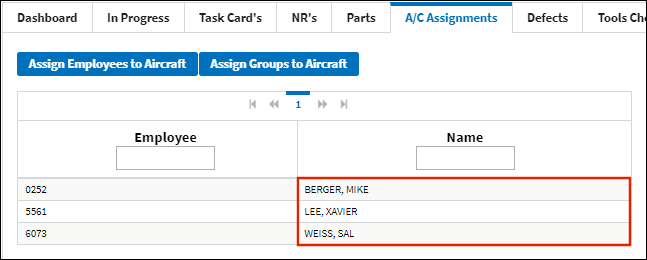
The employees selected have been assigned.
Note: If assigning groups to an aircraft, all members of the group will be listed the same as shown below for individual employees.
The employees selected in the A/C Assignments tab have all been assigned to each task against the Work Order.
Download Online Help
Print
|
©1997-2018 Trax USA Corp. All rights reserved. This manual may not be copied, photocopied, reproduced, translated, or converted to any electronic or machine-readable form, in whole or in part, without prior written approval from Trax USA Corp. |
 |