
 Share
Share
 Print
Print
|
|
|
|
|


The View Message  button allows the user to view messages in .XML format.
Select the View Message  button.
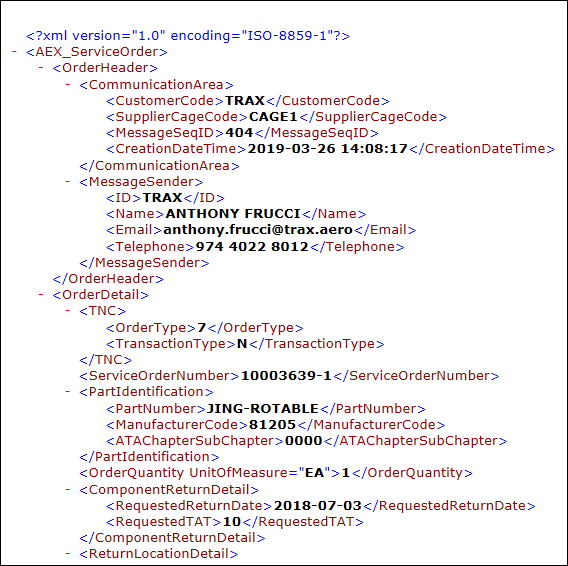
The XML with the embedded message is shown below.
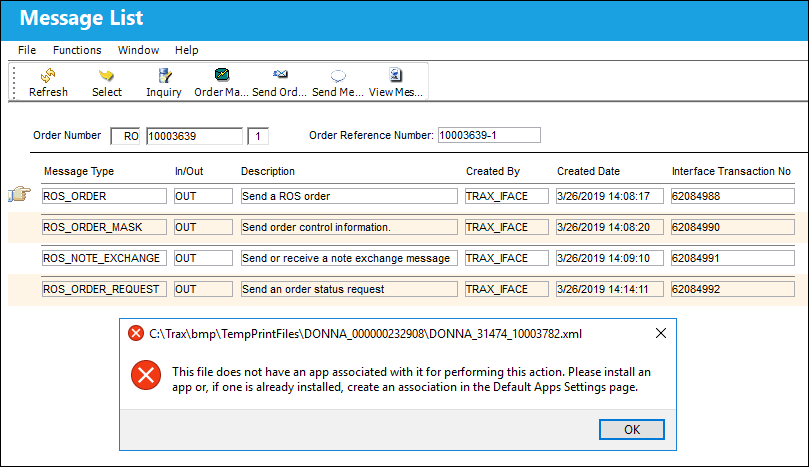
If the user receives the following error message, this means that a program needed to open the .XML file is not configured.
Follow the below steps to configure a program to view the .XML.
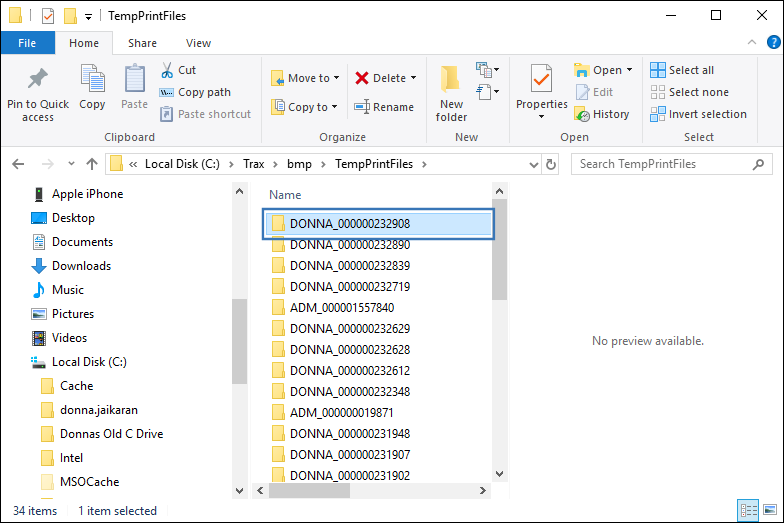
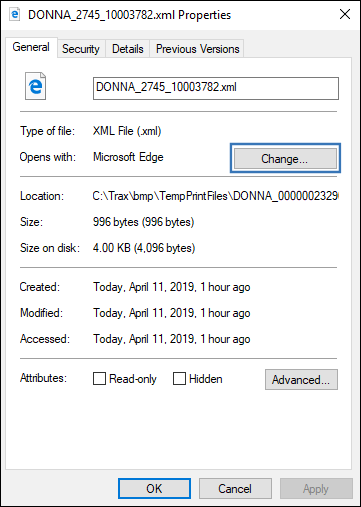
Go to the TempPrintFiles folder and locate the .XML file.
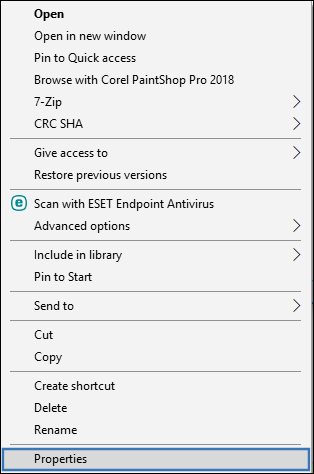
Right-click on the .XML file and go to Properties.
From the General tab, select the Change button.
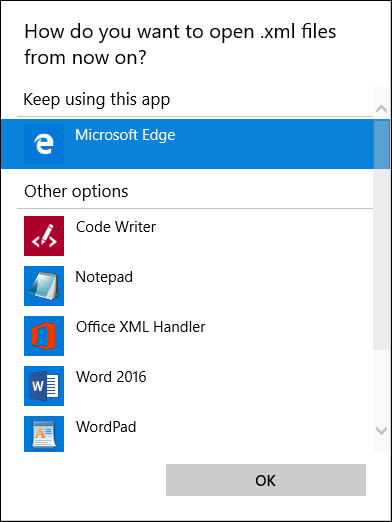
Select one of the following programs to open the .XML file.
Trax recommends using a browser such as Microsoft Edge, Chrome or Safari to view .XML files.
Share
Print
|
©1997-2026 Trax USA Corp. All rights reserved. This manual may not be copied, photocopied, reproduced, translated, or converted to any electronic or machine-readable form, in whole or in part, without prior written approval from Trax USA Corp. |
 |