
 Share
Share
 Print
Print
|
|
|
|
|


The R/I Requirement List Tab will display any notes that have been set up for the received part via the Settings/ Update/ P/N/ Technical Engineering Tab/ R/I Notes button. If the part that is being received is an NHA or NLA, the associated components will appear listed on the R/I Requirement List Tab. All components in the assembly will appear on the Tab, regardless of which component in the assembly is being received. If there is a note added, the R/I Requirement List tab will appear first when selected.
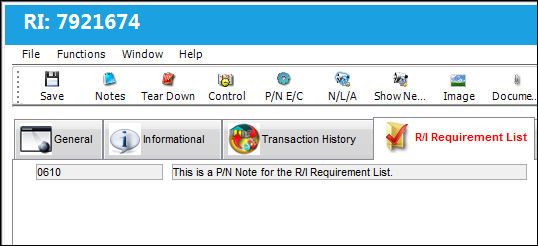
The following information/options are available in this window:
_____________________________________________________________________________________
P/N
The Part Number reference for the aircraft part.
Requirement
Relevant P/N receiving inspection information.
_____________________________________________________________________________________
Share
Print
|
©1997-2026 Trax USA Corp. All rights reserved. This manual may not be copied, photocopied, reproduced, translated, or converted to any electronic or machine-readable form, in whole or in part, without prior written approval from Trax USA Corp. |
 |