
 Share
Share
 Print
Print
|
|
|
|
|


From the Session tab of the Security window administrators can link a username with an employee's session domain and session username. This link between TRAX username and their Windows domain information allows users to log in to their TRAX session through the Login As option. The Login As option validates the user's TRAX username with their Windows username/password. And because users' credentials are validated automatically, there is no need to enter the TRAX username and password at login.
The Security, Session tab can be accessed when creating a new user (New User  button) or when updating an existing user (Update User
  button). For more information refer to the New User / Update User Buttons.
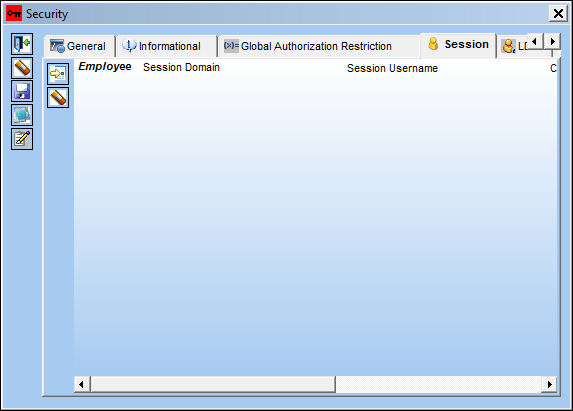
When the Session tab is accessed, it appears as follows:
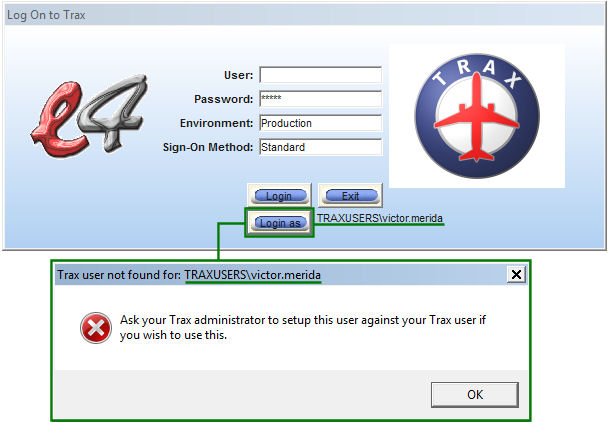
Because the user does not have his TRAX username linked to his session domain/username, the Login As options does not work.
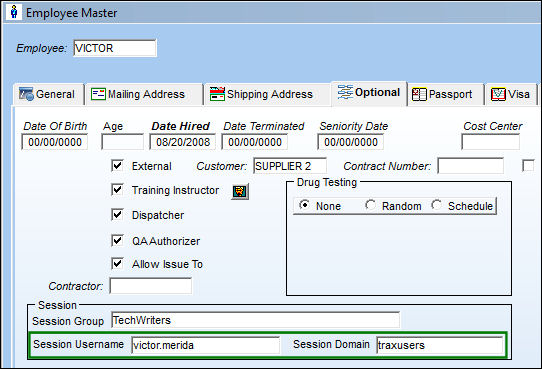
To create this link, the user's Employee records must contain a Session Username and a Session Domain. This Session information is added in the Employee Master, Optional tab.
From the Security, Session tab, the Employee name is added and the Session information is copied over from the Employee's record.
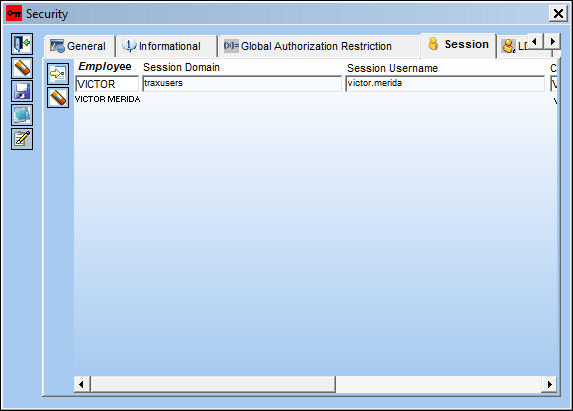
The following information/options are available in this window:
_____________________________________________________________________________________
Employee
The user's Employee record.
Session Domain
The Windows domain name where the user logs in through. If this field is not populated, the Login As option will not work correctly.
Session Username
This is the same as the user's Windows Username. If this field is not populated, the Login As option will not work correctly.
Created By
The user who created the record.
Created Date
The date the record was created.
Modified By
The user who last modified the record.
Modified Date
The date the record was last modified.
New button
Allows users to link multiple Employee sessions. This would be useful from organizations with one group log-in with multiple work stations.
Delete  button
Allows users to delete Employee session records. Deleting a record will break the link from the TRAX username to the Windows domain.
_____________________________________________________________________________________
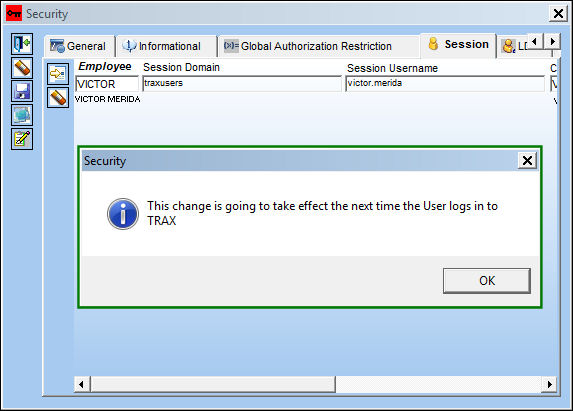
When saved, the following pop-up appears indicating that the change will be effective at the user's next login.
For more information regarding the Login As sign-in method refer to the Session Sign On Method via the System Administration Training Manual.
Share
Print
|
©1997-2026 Trax USA Corp. All rights reserved. This manual may not be copied, photocopied, reproduced, translated, or converted to any electronic or machine-readable form, in whole or in part, without prior written approval from Trax USA Corp. |
 |