
 Share
Share
 Print
Print
|
|
|
|
|


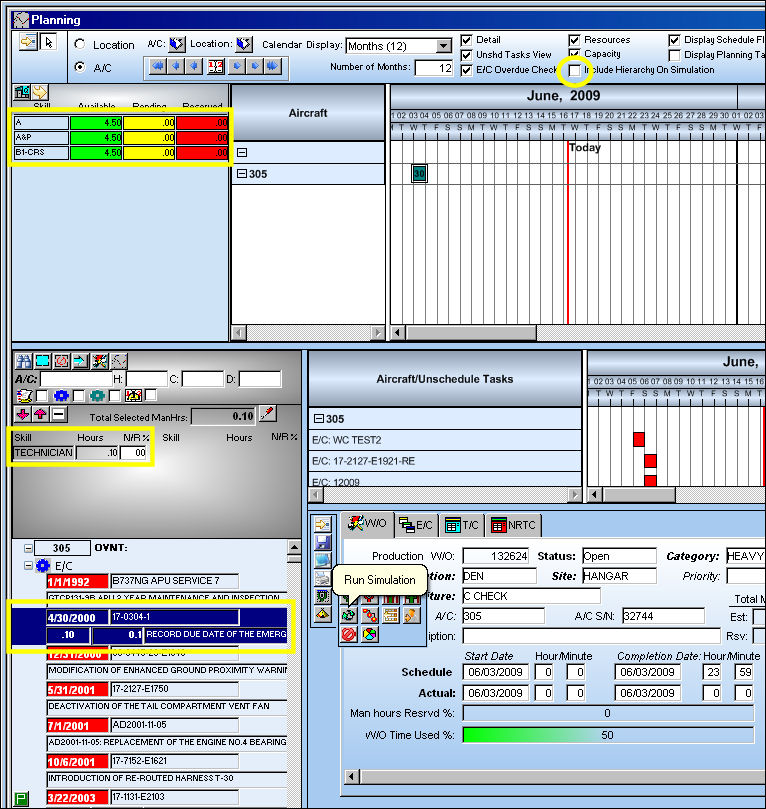
In the following example, the user will run the simulation without the Include Hierarchy On Simulation checkbox selected. Note that the particular task requires the Skill of a TECHNICIAN which is unavailable at the this point.
Select the Run Simulation  button:
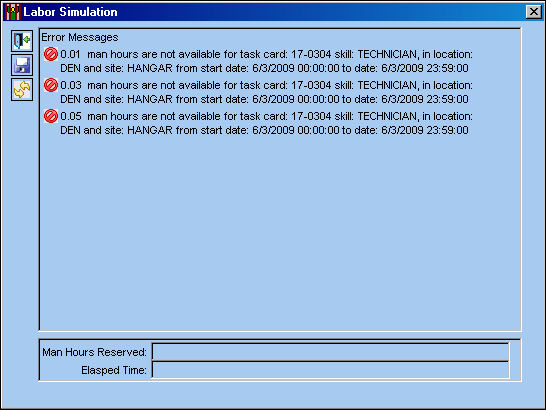
The following errors appear in the Labor Simulation window letting the planner know that there are no available Man Hours for the Skill TECHNICIAN, which is expected.
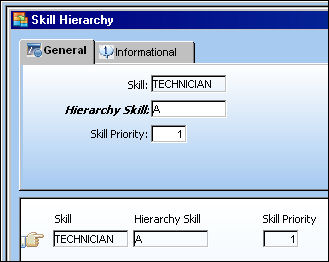
Go to Settings/Update/Skill Master.
Add a hierarchy to the Skill TECHNICIAN.
For additional information regarding the Skill Hierarchy, refer to the Hierarchy Button via Skill Master which can be found in the Settings Training manual.
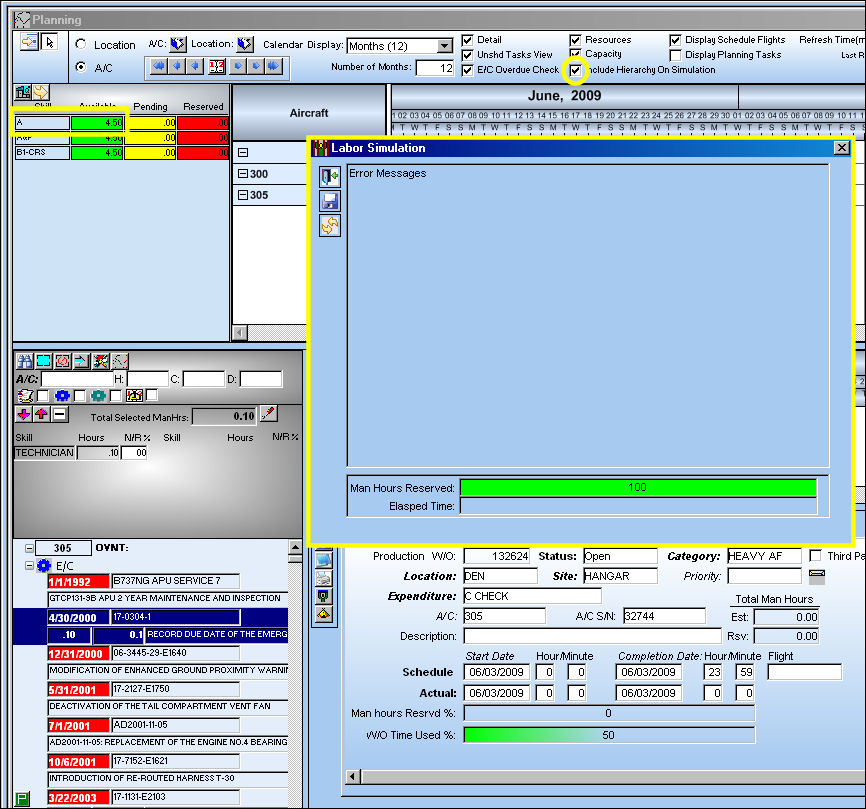
Now that a Skill hierarchy has been created for the Skill TECHNICIAN with Skill 'A' set as a priority 1, run the simulation again, only this time be sure the Include Hierarchy On Simulation checkbox is selected.
Now that the Include Hierarchy On Simulation checkbox is selected, the Labor Simulation window appears with no error messages. Even though the Skill TECHNICIAN is not available, the system did a search for the next available Skill set up in the Skill Master as a hierarchy to Skill TECHNICIAN which was Skill 'A.'
Select the Save  button.
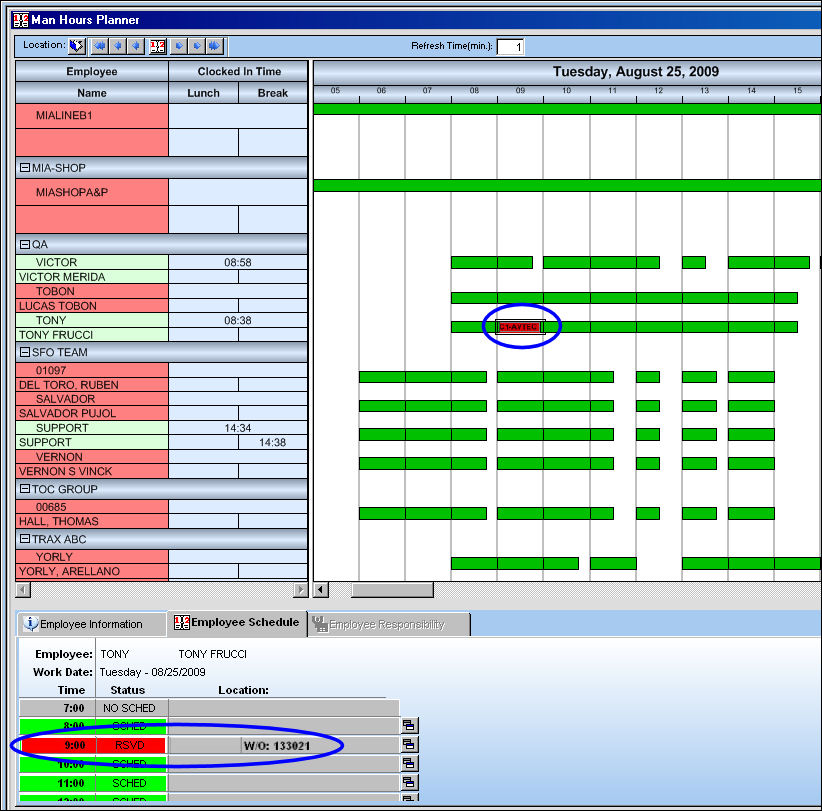
Go to Planning/Query/Man Hour Schedule Planner.
The employee reservation is also reflected in the Man Hours Planner:
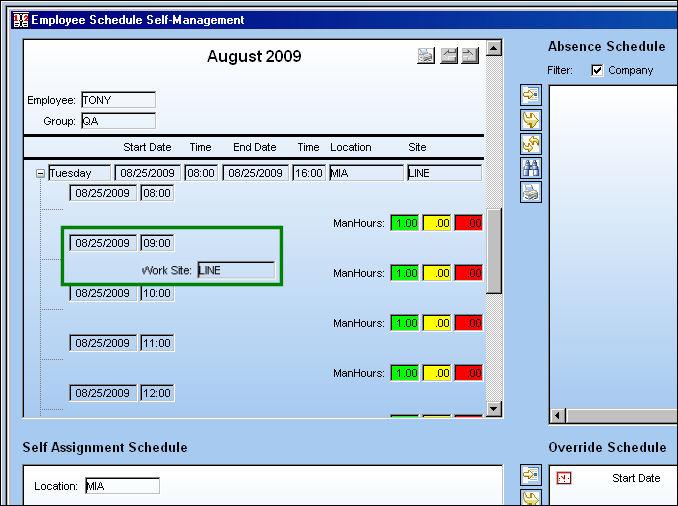
The below examples (Man Hours Planner and Employee Schedule Self Management) do not reflect the same Work Order that was used in the above example.
Go to Planning/Update/Employee Schedule Self-Management.
The employee reservation is also reflected in the Employee Schedule Self Management window:
Share
Print
|
©1997-2026 Trax USA Corp. All rights reserved. This manual may not be copied, photocopied, reproduced, translated, or converted to any electronic or machine-readable form, in whole or in part, without prior written approval from Trax USA Corp. |
 |