
 Share
Share
 Print
Print
|
|
|
|
|


How to Fix TraxDoc Image Converter
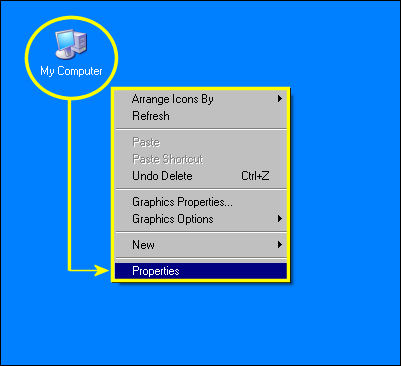
From the Desktop, right click on the 'My Computer; icon.
Select the 'Properties' option from the drop down selection.
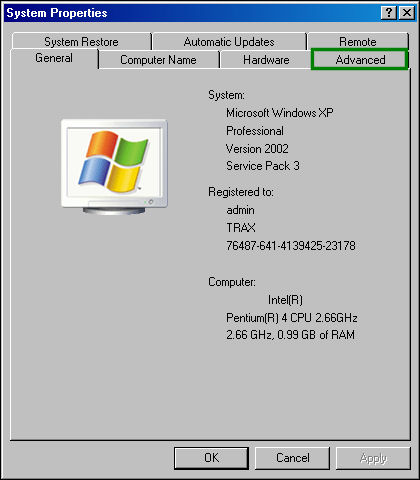
From the System Properties window, select the 'Advanced' tab.
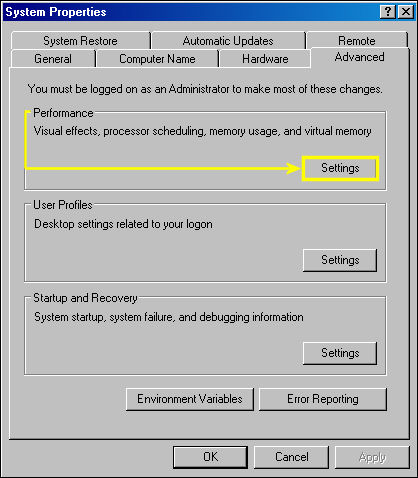
From the 'Advanced' tab, select 'Settings' from the Performance option:
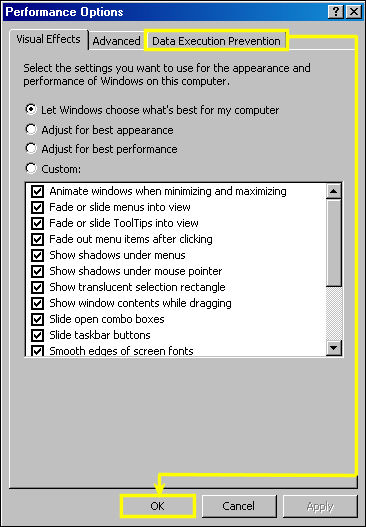
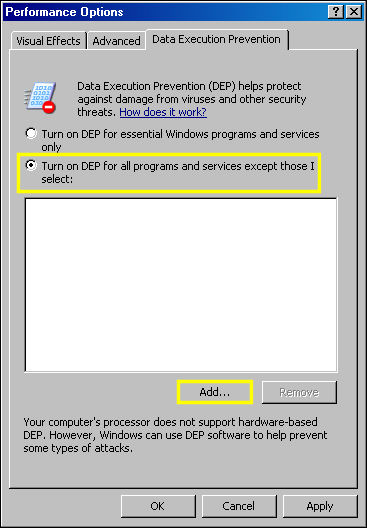
From the Performance Options menu, select the 'Data Execution Prevention' tab. Select 'OK.'
From the 'Data Execution Prevention' tab select the highlighted radio button. Select the 'Add' button.
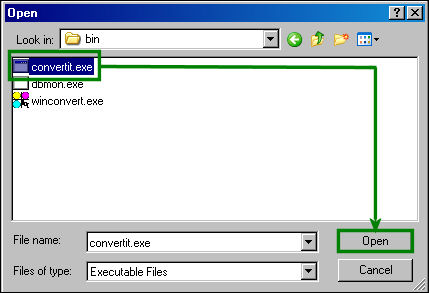
The following file browser becomes available.
Follow the specified path:
Local disk (C):/Trax/ocx/sdi/bin/convertit.exe
Select the convert.it.exe file and select 'Open.'
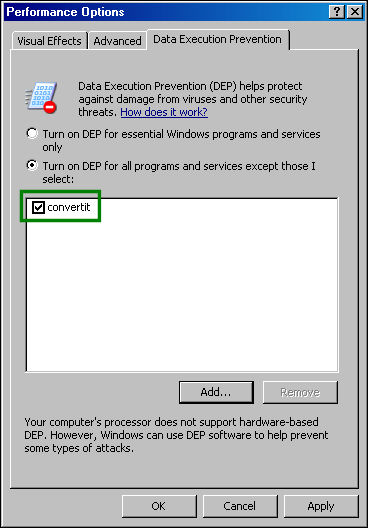
The 'converit' file is now added to the Data Execution Prevention text box. Select 'OK' to close the window.
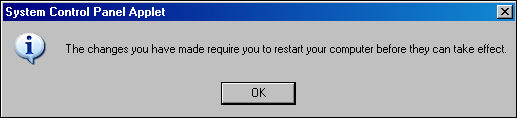
The following information box appears. Select 'OK' and restart your computer.
Share
Print
|
©1997-2026 Trax USA Corp. All rights reserved. This manual may not be copied, photocopied, reproduced, translated, or converted to any electronic or machine-readable form, in whole or in part, without prior written approval from Trax USA Corp. |
 |