
 Share
Share
 Print
Print
|
|
|
|
|


How to Load OEM TraxDoc Manuals: Preparing the System
Set up SGML Designator:
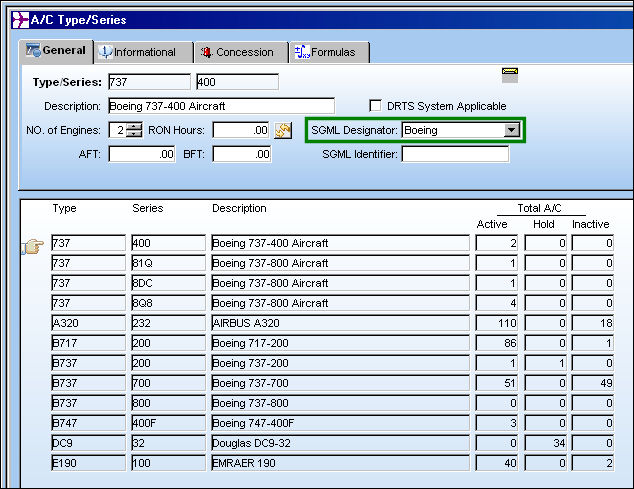
Go to Settings/Update/Aircraft Type/Series.
Make sure that the SGML Designator is set to the correct OEM for any types that the manual is effective to:
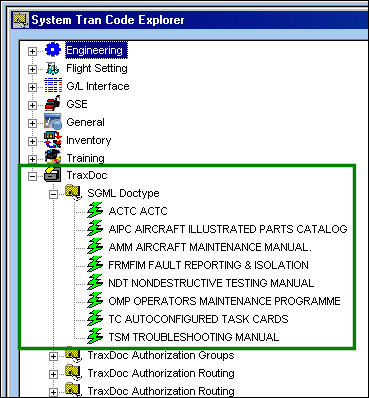
If it does not already exist, create a Transaction Code in TraxDoc for the manual to be imported.
Go to Settings/Explorer/System Transaction Code/TraxDoc.
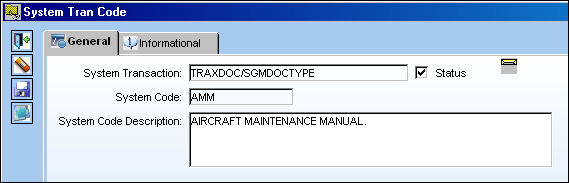
Create a new Transaction Code:
If the user is going to import Task Cards, E/Cs, or P/N Master records, create a Transaction Code in TraxDoc->SGML Doctype for the manual to be imported.
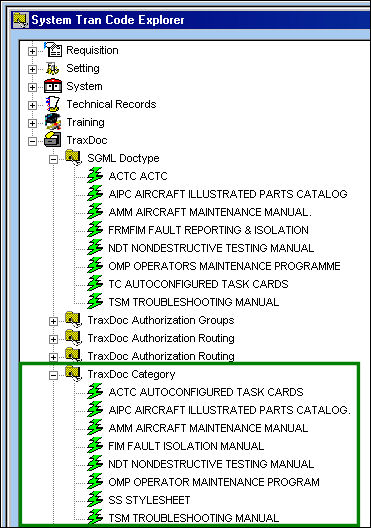
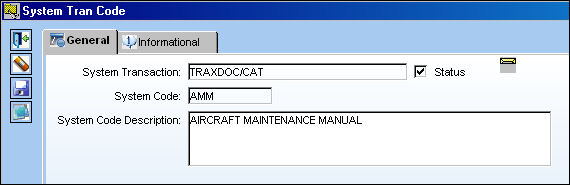
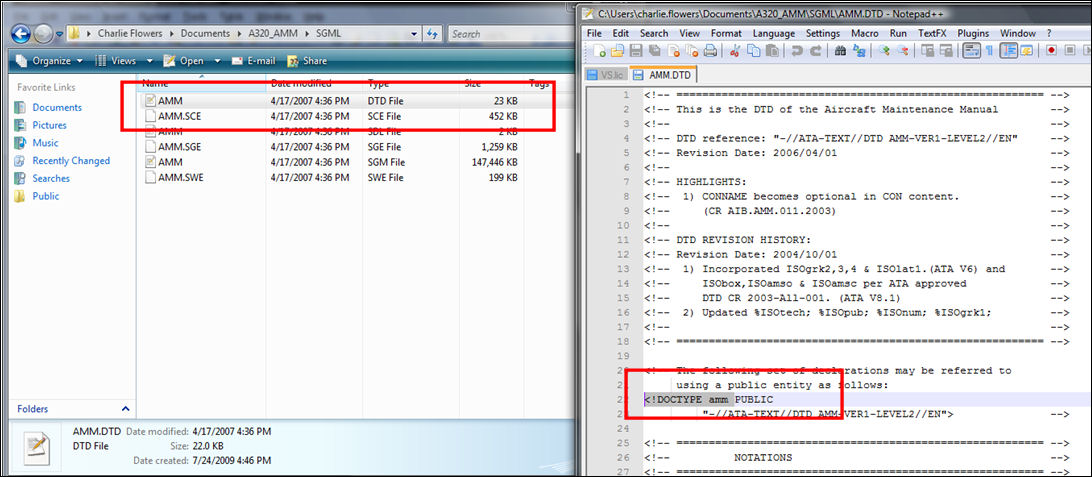
This is usually the same as the manual category entered above, except for ACTC manuals, which have the SGML Doctype TC. If in doubt, the user may determine this value from the manual’s DTD file, where it is specified in the <!DOCTYPE field.
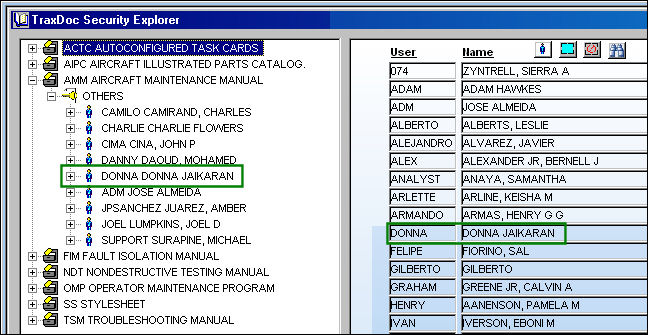
The user must add their name to the manual category specified above:
Go to TraxDoc/Explorer/TraxDoc Security Explorer.
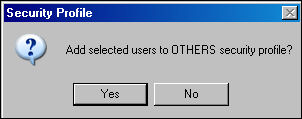
The following prompt appears. Select 'Yes.'
It is suggested that the user have full security access. Select the Select All  button and save.
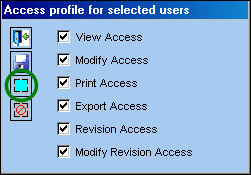
Make sure the user has full access to TraxDoc>TraxDoc Master subfields.
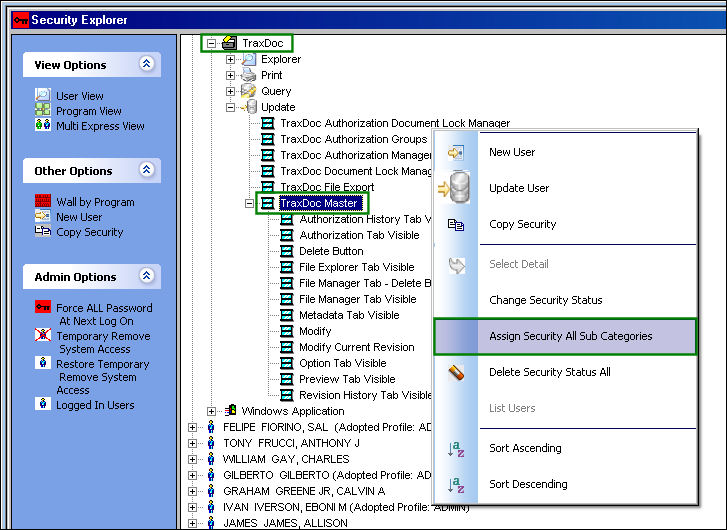
Go to Security Explorer/TraxDoc/Update/TraxDoc Master.
Right click on TraxDoc Master and select Assign Security All Sub Categories.
Share
Print
|
©1997-2026 Trax USA Corp. All rights reserved. This manual may not be copied, photocopied, reproduced, translated, or converted to any electronic or machine-readable form, in whole or in part, without prior written approval from Trax USA Corp. |
 |