
 Share
Share
 Print
Print
|
|
|
|
|


Export Software Configuration Process, via Manufacturer Data Import

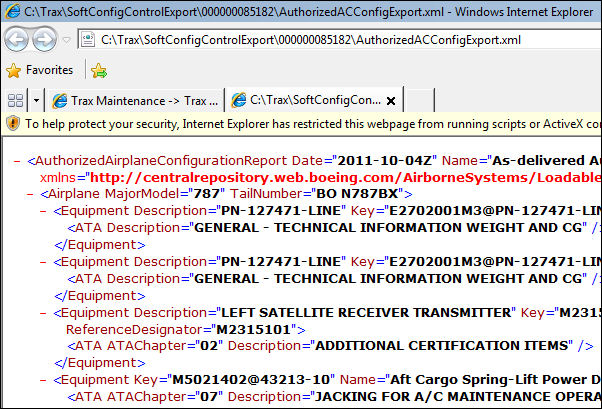
The Export Software Configuration Process allows users to export authorized P/N Software Configurations to an XML document for the selected Aircraft. This report lists the accepted configurations (main parts and software) for a given aircraft. The exported files are the schema used by a Boeing SCX tool that compares what is configured in TRAX against what is installed in the Aircraft. This Boeing tool will then explain what needs to be updated in TRAX/the aircraft.
This export is the same as the Authorized Configuration Export Button in the P/N Software Configuration window.
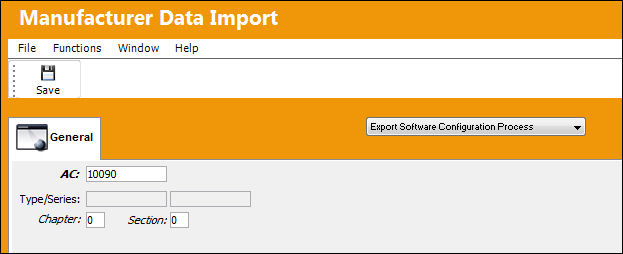
Go to Engineering/ Update/ Manufacturer Data Import/ Export Software Configuration Process.
Select an Aircraft and select the Save  button.
The export is complete:
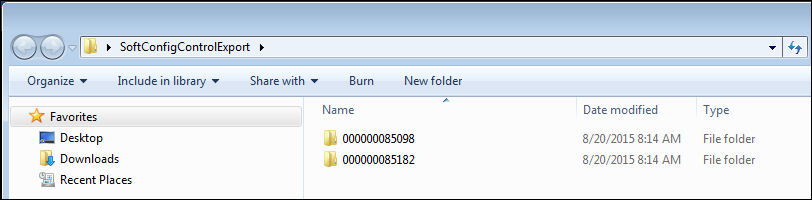
The file is exported to the following location:
The .xml file is shown below:
Share
Print
|
©1997-2026 Trax USA Corp. All rights reserved. This manual may not be copied, photocopied, reproduced, translated, or converted to any electronic or machine-readable form, in whole or in part, without prior written approval from Trax USA Corp. |
 |