
 Share
Share
 Print
Print
|
|
|
|
|


The Allowed Location Override tab is used to recommend locations and/or sites where work can be performed for attached Task Cards and Defect Reports.
 This tab is security controlled via Production/ Update/ W/O/ Allowed Location Override tab. For additional information, refer to the Security Explorer via the System Administration Training Manual.
If Switch  LOCSITEALLOWED is set to No, the Allowed Location Override tab will not be displayed in the Work Order Detail.
From the Work Order Detail, Allowed Location Override tab, select the Allowed Location Populate  button. Upon selecting this button, the common Locations and/or Sites for all Routine, Non Routine Task Cards and Defect Report locations that were brought into the Work Order, will populate below. This will override the Location and Site that was initially specified on the Task Card and/or Defect Report of the Work Order.
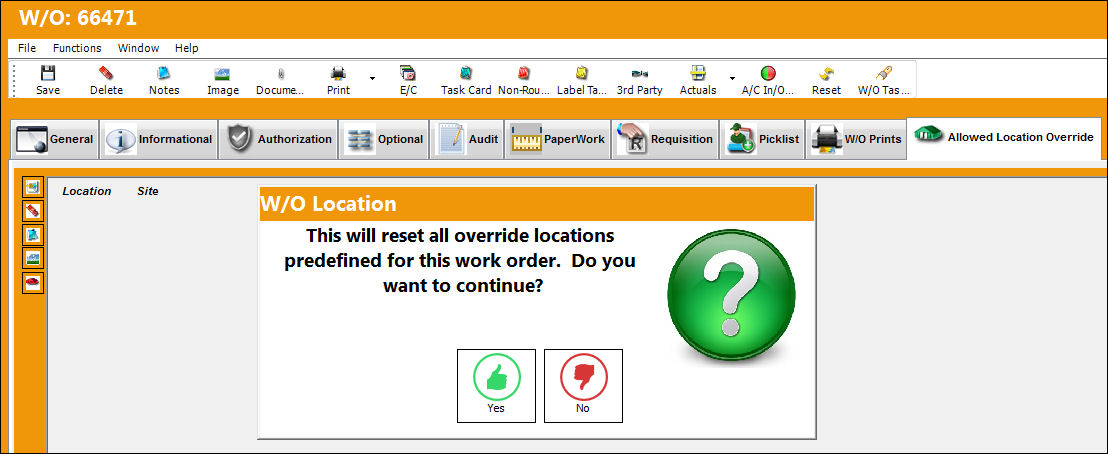
The Location and Site columns will auto-populate:
If Switch LOCSITEHIDE is set to Yes, the Site field will not be visible in the Work Order Detail, Allowed Location Override tab.
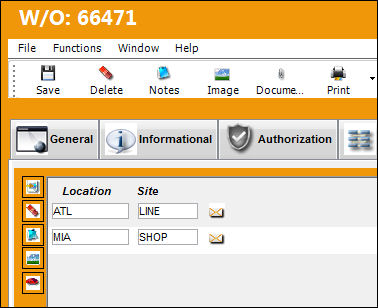
The Defect Report tied to the Work Order shown above has two common locations. The Location and Site are set as common stations when the Allowed Location Populate button is selected in the Allowed Location Override tab, Work Order window:
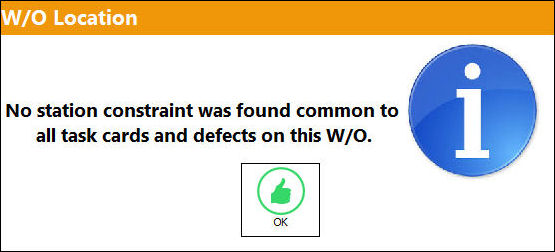
If the assigned Task Cards and/or Defects do not have any common stations, than the system displays the following W/O Location pop-up message:
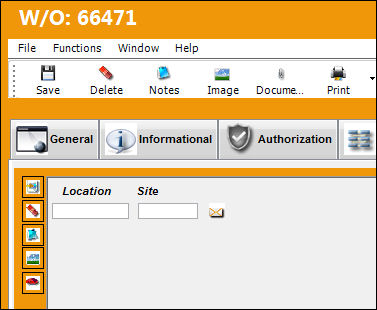
To enter the Location and Site override manually, select the New  button. The Location and Site field can now be entered manually:
Additional information can be included through the Allowed Locations Helper  , Notes
  , and Image
  buttons.
Share
Print
|
©1997-2026 Trax USA Corp. All rights reserved. This manual may not be copied, photocopied, reproduced, translated, or converted to any electronic or machine-readable form, in whole or in part, without prior written approval from Trax USA Corp. |
 |