
 Share
Share
 Print
Print
|
|
|
|
|


Shop W/O Task Card Assignment Workshop
The Shop Work Order Task Card Assignment Workshop window allows employees to manage their workload by utilizing the search options to self-assign work. The Workshop provides a one-stop resource for mechanics and inspectors to sign onto the system then start, stop, and complete work along with numerous other options available for handling their assignments. Multiple employees can access the same window due to Wall Password protection which allows workers to each sign on from the same workstation. These users can then view and manage their workloads and apply various useful functions. Once T/C work is completed through the Shop W/O T/C Assignment Workshop window, the electronic signature functionality can be utilized depending on the configuration of Production Switch  WOTCESIGN (for more information refer to the Production Switches Manual).
The functionality found in this window is not compatible with the Man Hours Schedule by Head Count functionality (Planning Switch LBRBYHCNT must be set to No). The Man Hour Schedule functionality must be implemented. For more information refer to the Man Hours Schedule and Man Hours Schedule Generation portions of the Planning Training Manual.
In the following documentation, this window is separated into two tabs in order to better explain the functionality found throughout:
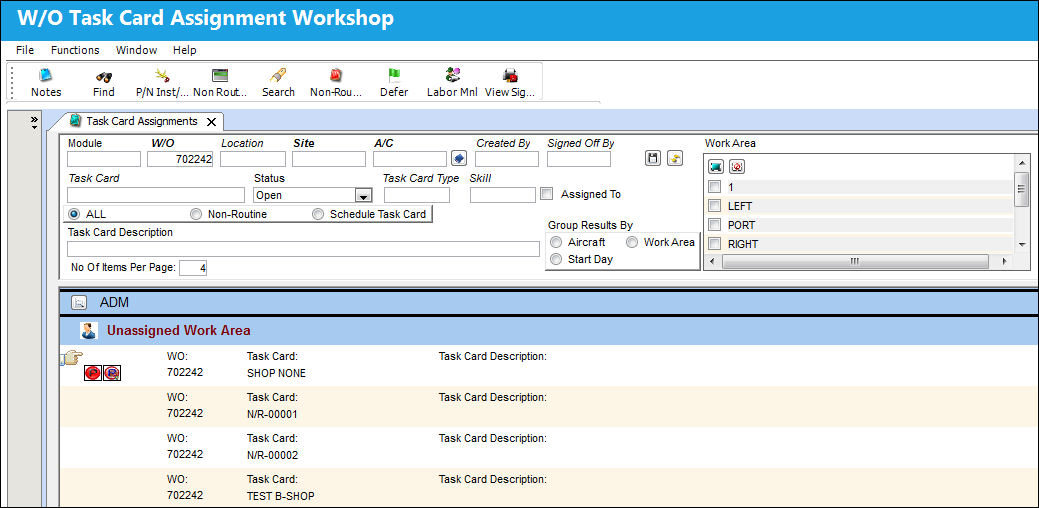
For more information on the available functionality, refer to the following:
- Sign On / Sign Off Tab
- Task Card Assignments Tab
- Notes Button
- P/N Install/Remove Button
- Non Routine Express Button
- Non-Routine Button
- Defer Button
- Labor Manual Button
- View Signed PDF Button
Share
Print
|
©1997-2026 Trax USA Corp. All rights reserved. This manual may not be copied, photocopied, reproduced, translated, or converted to any electronic or machine-readable form, in whole or in part, without prior written approval from Trax USA Corp. |
 |