
 Share
Share
 Print
Print
|
|
|
|
|


Physical Inventory Count Dashboard, General Tab

The search results of the Physical Inventory Count Dashboard include the Scheduled, Unscheduled, and Completed counts that have been generated. Additionally, counts of Related Quarantine Locations, as specified in the Location Master, General tab, are shown. From here, the progress of the counts can be monitored and handled, as needed.
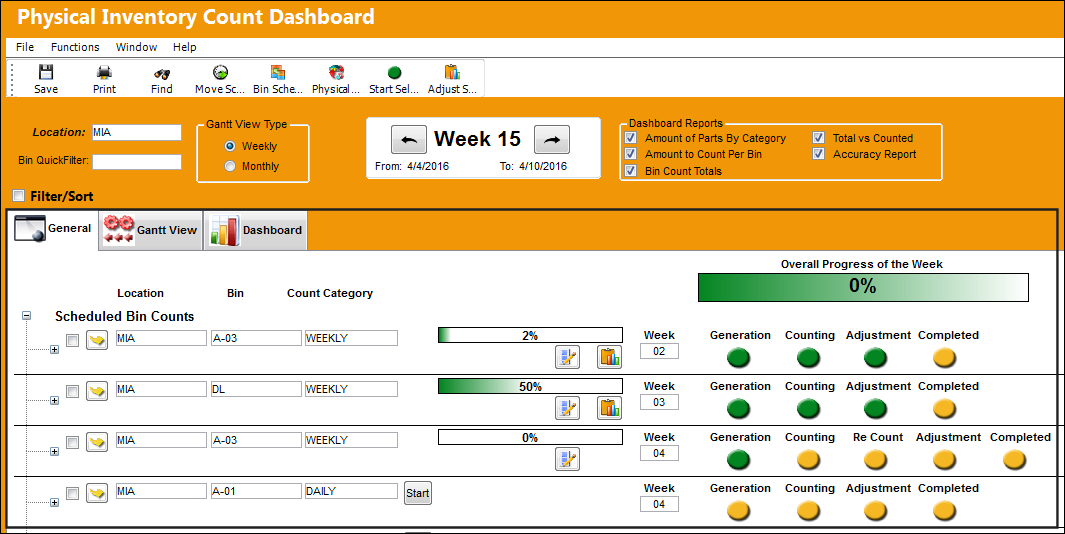
The following table explains the functionality of the the fields, checkboxes and buttons in the above highlighted screenshot.
The following information/options are available in this window:
_____________________________________________________________________________________
Select  button
Click on the Select button to view the Physical Inventory Count for the selected Bin.
Start  button
Select the Start button to start an individual Bin Count.
Re-Count  button
Select the Re-Count button to recount a specific Bin.
 This button is security controlled via Inventory/ Update/ Physical Inventory Count Dashboard/ Recount Button. For more information, refer to the Security Explorer via the System Administration Training Manual.
Adjust  button
Select the Adjust button to make an adjustment to a specific Bin. This button works the same way the Adjust Select Button works only for an individual Bin.
Count Steps
The Steps of the Count can be seen for the Generation, Counting, Re-Count, Adjustment, and Completed steps of the Count process. These steps indicate where in the Count process the user currently is at.
Yellow  icon - Step has been scheduled, but not yet started.
Green  icon - Step has been started
The Re Count step/icon is only available if the physical reconciliation recount is conducted, or necessary for the particular count, which can be utilized through the Re Count  button. For more information, refer to the Physical Reconciliation Recount.
_____________________________________________________________________________________
All counts of the specified week, along with counts of previous weeks that have not been completed, are shown for each Bin of the specified Location, and can be seen in a list through the Expand  button of the Bin, displaying the Count Name, Generated Date, and Generated Number. The detail of the individual Physical Inventory Count can be opened through selecting into the Count Name.
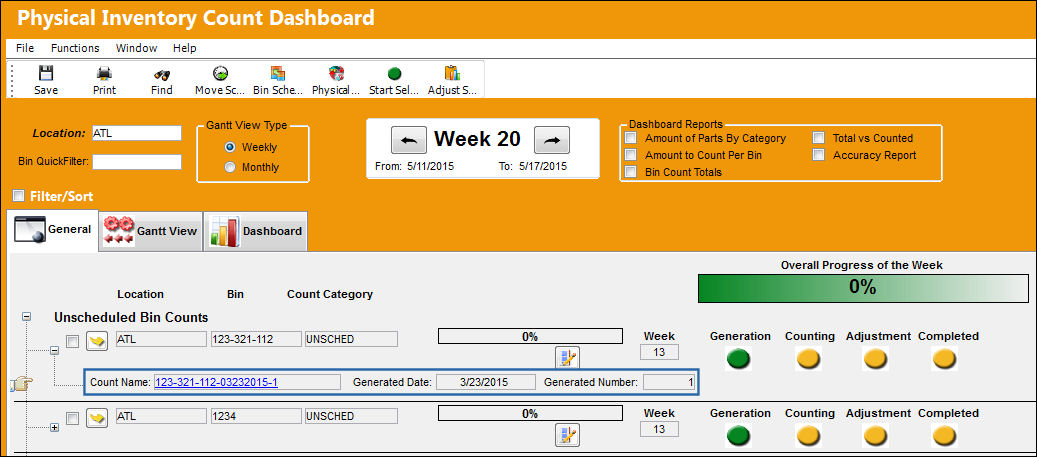
A Progress Bar is provided for each Bin and the Week as a whole to monitor the completion of the count(s).

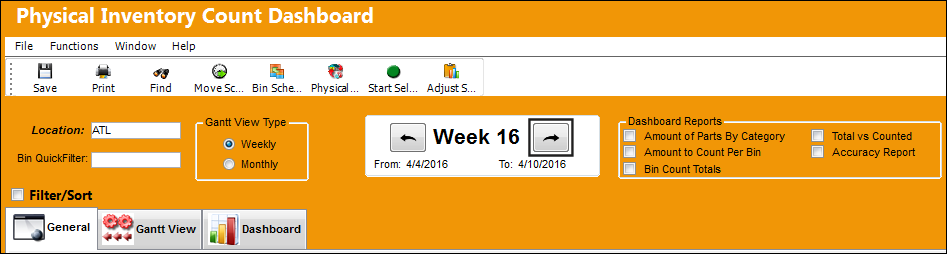
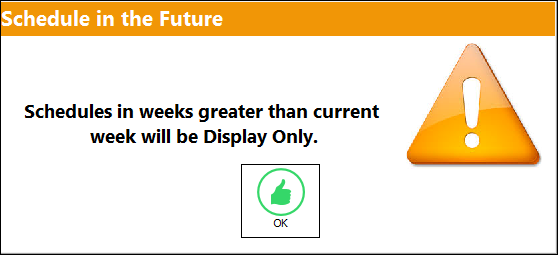
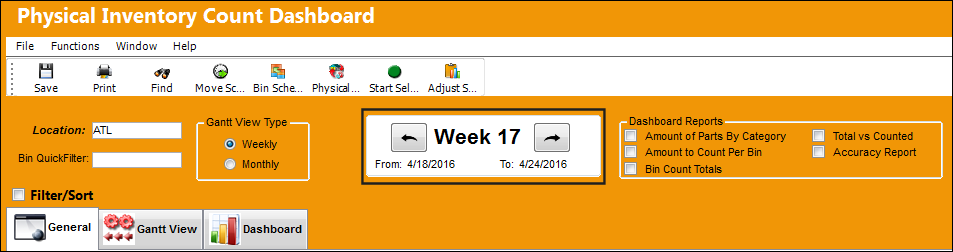
If the user tries to move between the weeks and try to go to the future, the first time when opening the window, an information box appears informing the user that future weeks are read only, and that they cannot begin a Bin generation for future weeks.
Select the Week Forward  button.
The following informational pop up message appears. Select 'OK'.
The user will now be able to move one week forward and view the Bins to be counted for that future week.
Share
Print
|
©1997-2026 Trax USA Corp. All rights reserved. This manual may not be copied, photocopied, reproduced, translated, or converted to any electronic or machine-readable form, in whole or in part, without prior written approval from Trax USA Corp. |
 |