
 Share
 Print
|
|
|
|
|


A/C Controller Panel (v8.1)

The A/C Controller Panel option allows users to view the status of all aircraft alongside their discrepancies, part information, and other maintenance-related processes.
The information presented in this window is divided between expandable panels:
- Authorization Queue Panel
- A/C Out of Service Summary Panel
- MCC Pending Summary Panel
- Open Defects Panel
- Open W/O Panel
- A/C Detail Panel
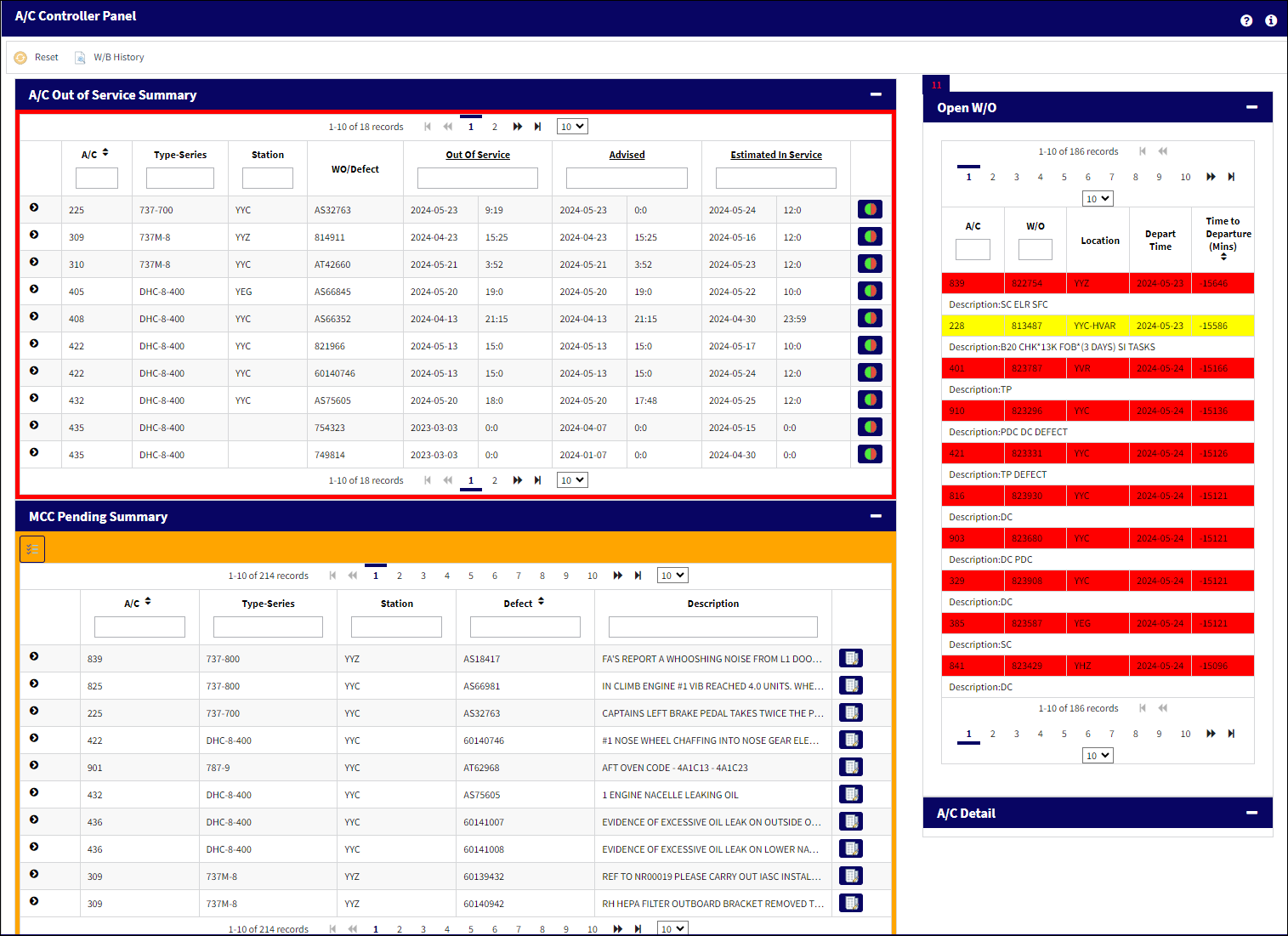
 Note: The A/C Controller Panel has been redesigned for added efficiency and usability. This redesigned version of the window replaced the original A/C Controller Panel for all eMRO operators as of v8.1. The previous layout of the window remains in effect for all operators on eMRO versions prior to v8.1.
Further, this updated version of the A/C Controller Panel can be made available in version 7.5 if requested. Please contact Trax Product Support for more information.
Expand  Button
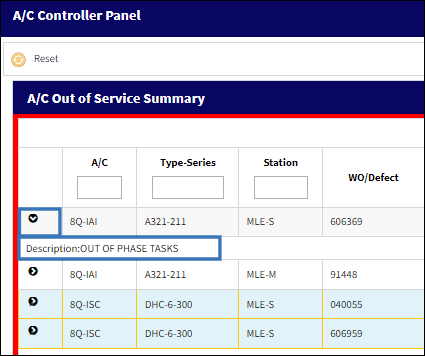
Users can view additional details on the records displayed by selecting the Expand button that appears alongside them. The expanded information will vary depending on the record (i.e., Service Event) selected.
The following buttons are available for each aircraft specifically (within the table):

 Add New Defect button (creates new Defect Report for selected A/C)
- New W/O button (creates new Work Order for selected A/C)
- New Non-Routine button
- ETOPS Downgrade button
- ETOPS Restore button (available if ETOPS has been downgraded)
- Update Notification button
Refresh Timer
The A/C Controller Panel includes a Refresh Timer  that continuously counts down once the user accesses the A/C Controller Panel window. Once the timer reaches zero, the window automatically refreshes and the timer restarts.
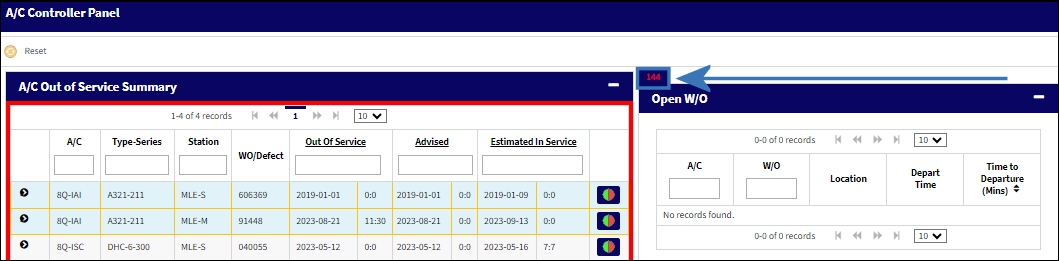
Note: The length of the Refresh Timer is determined by Switch  ACCPRR's Config Number field. If a User does not enter a specific value, the Config Number field will default to the value of 60 (i.e., 60 seconds).
A/C Controller Panel Notifications
Select the Reset  button to reset the current screen (if information entered in error and not saved). A message box will appear to allow confirmation of reset.
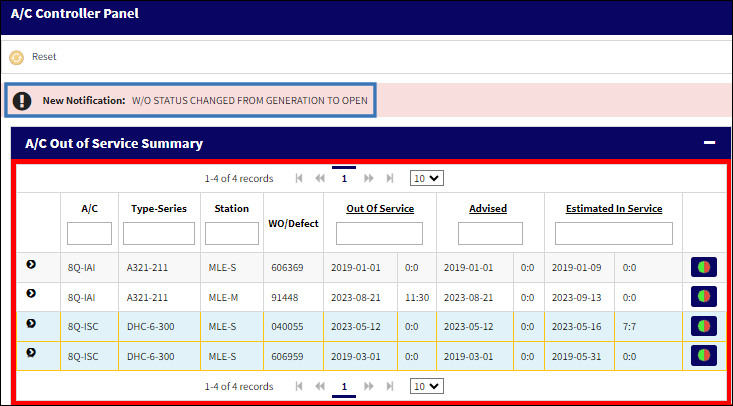
Upon refreshing the window, the A/C Controller Panel window will display relevant changes made in the system as a red notification message at the top of the window.
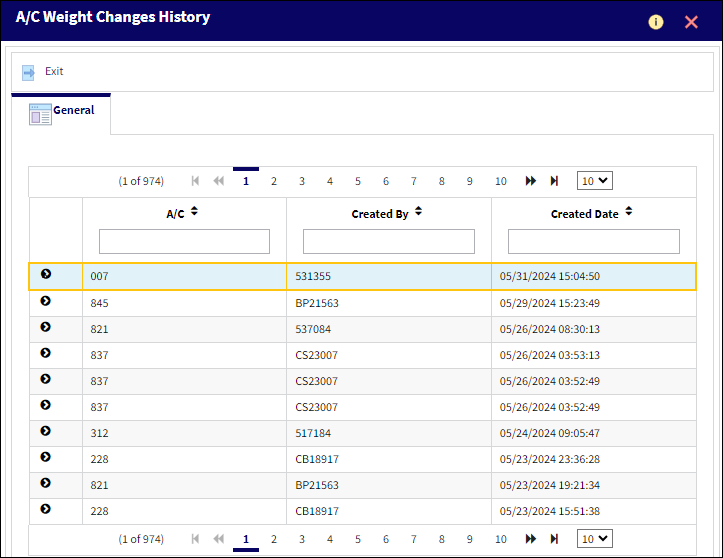
W/B History Button
Select the W/B History  button to view A/C weight change history.
Share
Print
|
©1997-2026 Trax USA Corp. All rights reserved. This manual may not be copied, photocopied, reproduced, translated, or converted to any electronic or machine-readable form, in whole or in part, without prior written approval from Trax USA Corp. |
 |