
 Share
 Print
|
|
|
|
|


Filter History button, via Planning Control

When the Run  button is selected in the Due List window of Planning Control, a copy of the filter selections will be saved and can be accessed by selecting Filter History
 button. This button stores up to 250 transactions generate in the past month.
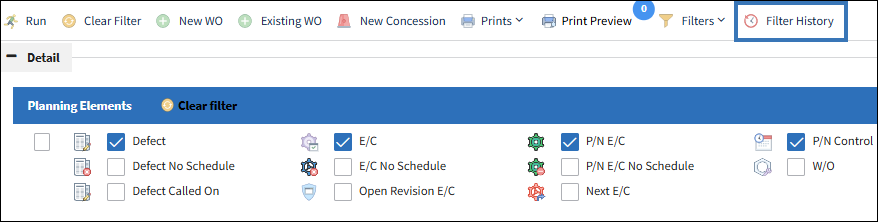
When selected, the Filter History window opens as follows. Select the drop down button to view the filters historically used in the system.
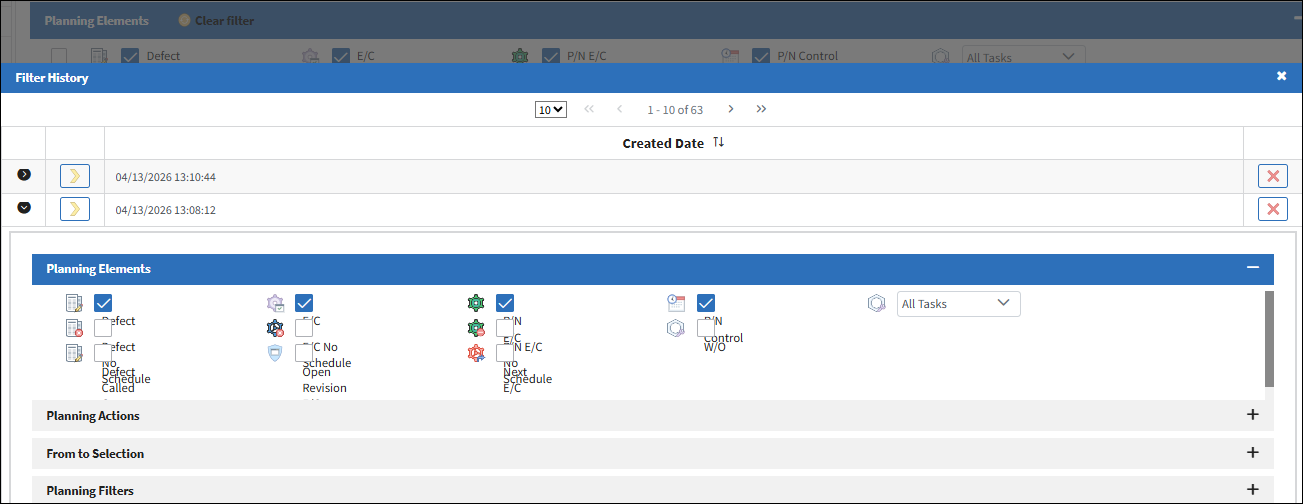
When a pre-used filter is selected (Select  button), the filter selections appear in the Due List window.
Share
Print
|
©1997-2026 Trax USA Corp. All rights reserved. This manual may not be copied, photocopied, reproduced, translated, or converted to any electronic or machine-readable form, in whole or in part, without prior written approval from Trax USA Corp. |
 |