
 Share
 Print
|
|
|
|
|


Planning Results, via Due List
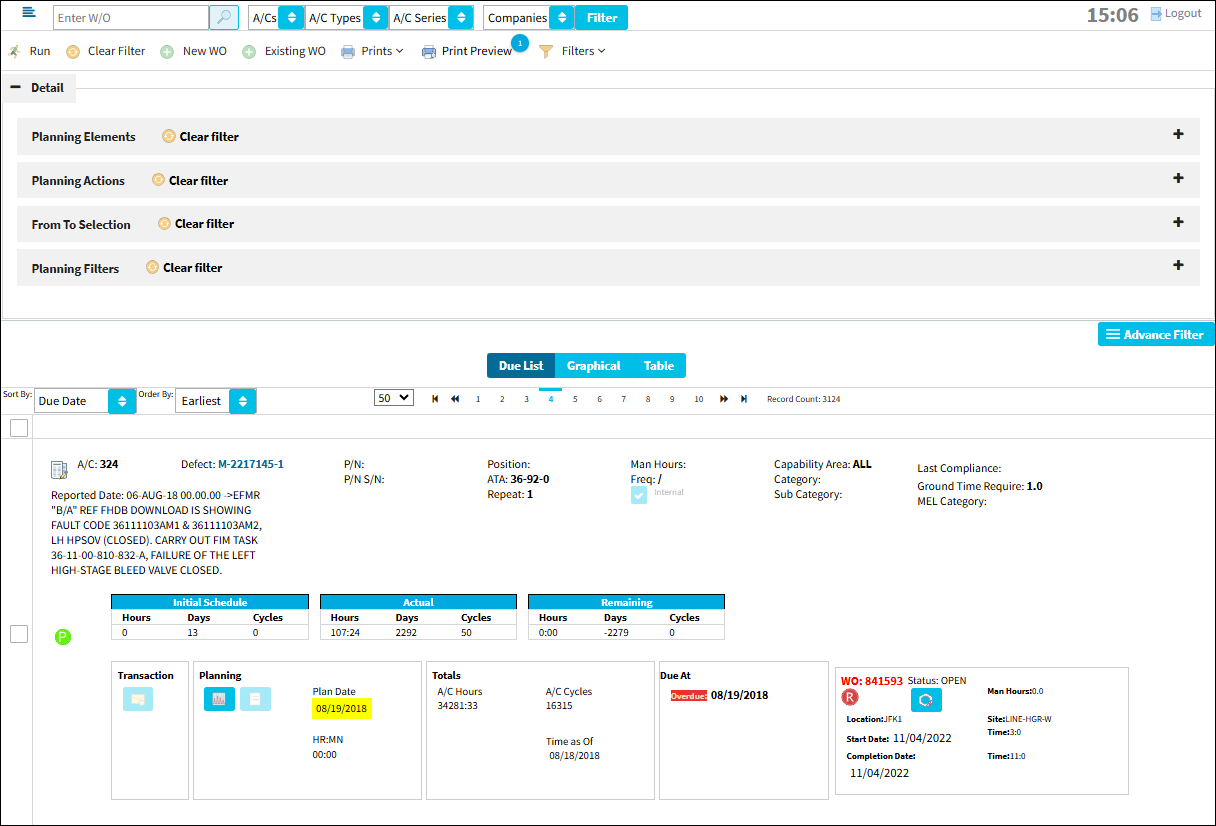
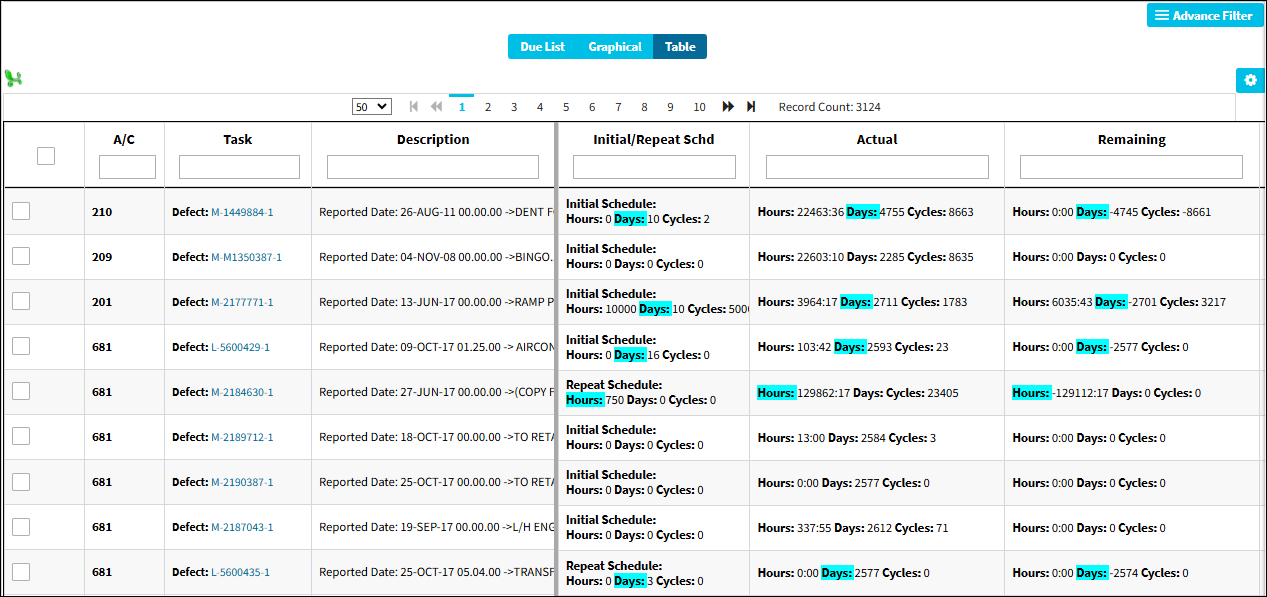
The Due List Planning Results are displayed at the bottom of the window. The Due List results can be displayed in one of three views: Due List, Graphical, and Table. See below for an example of each view.
The results include various types of information depending on the types of records being displayed:
- Schedule, Actual, and Remaining Hours/Cycles/Days
- Sub Category
- Tool Status Indicator Button
- Transaction Notes Button
- Troubleshooting Category

Due List View
The Due List view is the default view for planning query results in the Due List window.
Graphical View
The Graphic view offers a plot view for Engineering Controls.
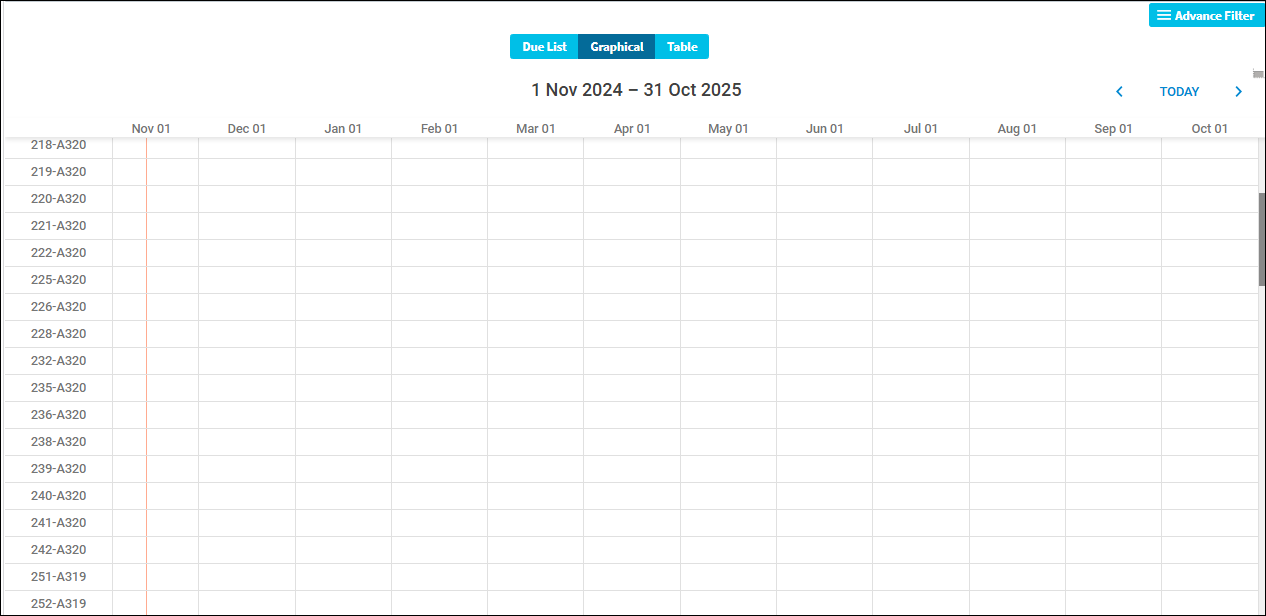
Table View
The Table view presents planning element information from the Due List in a condensed, tabular format. All fields and buttons are organized into columns. To view additional fields, use the horizontal scroll bar at the bottom of the table. This layout enables users to quickly sort through their forecast as needed.
The following information/options are available in this window:
_____________________________________________________________________________________
Table Setting  button
Users can select the Table Setting button to pick which columns are shown in the table.
Note: The columns selected or deselected can be saved for future use.
Export as Excel  button
This button provides users with an Excel (.xls) copy of the planning element information displayed in the table.
A/C
The individual aircraft tail number.
Task
The maintenance event that is due and must be scheduled on a W/O. These include Defects, E/Cs, P/N E/Cs, and P/N Controls. The task's description is listed when applicable.
 Note: This is two columns, Task Type and Task, the latter of which lists the event number.
Description
Description of the Task Card.
P/N
The Part Number reference for the aircraft part.
S/N
The Serial Number for the specific serialized part.
Schedule
The Schedule Hours/Cycles/Days for the item.
Note: This is three columns, Schd Hrs, Schd Cycs, and Schd Days.
Actual
The Actual time accumulated on the item (hours/cycles/days) from the effective date and/or the last compliance date.
Note: This is three columns, Act Hrs, Act Cycs, and Act Days.
Remaining
Planning will calculate the W/O Remaining Hours/Cycles and Days based on the time between the Planning Date and the W/O Schedule Start Date.
Note: This is three columns, Rem Hrs, Rem Cycs, and Rem Days.
Due at A/C
The schedule of Hours/Cycles/Days intervals where the maintenance item is due.
Note: This is two columns, Due At AC Hrs and Due At AC Cycs.
Due Date
The calculated due date of the item (rounded to the nearest date). Planning calculates the due date based on the number of remaining hours and/or cycles factored by the mean hours set-up for each aircraft.
Plan Date
If an Open Order or Requisition is linked to the line item, then the Plan Date is the Order's Delivery Date or the Requisition's Required Date. If there is no open Order or Requisition, then the Plan Date is the current date.
W/O
The Work Order used to categorize, manage, and schedule work requirements for aircraft maintenance.
W/O Location
The location of the work order.
W/O Site
The site of the work order.
W/O Start Date
The start date of the work order.
W/O Start Hr
The start hour of the work order.
W/O Start Min
The start minute of the work order.
W/O End Date
The end date of the work order.
W/O End Hr
The end hour of the work order.
W/O End Min
The end minute of the work order.
Defect Type
The type of defect, for example CABIN or PILOT.
MDDR
The maintenance deferred defect record number.
Defer
The deferral action chosen for the defect, e.g., PLAN or TRIAGE.
Defer Category
The deferral category, e.g., MEL or FDE.
EOM
Whether end-of-month is set.
Mandatory
The Mandatory Flag will be displayed for E/Cs that have a Mandatory Classification.
Task Card
The Task Card / Job Card that details the scheduled maintenance work.
ATA
The Air Transport Association Chapter, Section and Paragraph numbers associated to the Due List.
Internal checkbox
The Internal checkbox is used to determine if work can be done internally. The Internal Capability checkbox will be set to 'On' by default only for those items that a company has the capability to perform internally. The checkbox can be set up through Defect Reports/General Tab, E/C/Other Tab, and P/N Master/P/N Control button.
Capability Area
The Capability Area identifies where a maintenance task can be accomplished in association with the customer's internal capabilities (e.g., a particular E/C can only be accomplished during a heavy maintenance visit at a heavy maintenance capable Site). The Capability Area can be assigned for E/Cs, P/N Controls, and Defect Reports. However, a maintenance task with any Capability Area can be scheduled on Work Orders at Sites that have their Capability Area set to 'ALL'.
Frequency
Indicates how many frequencies (occurrences) the E/C is to be performed for one frequency cycle to be completed.
Repeat
The parameter for the subsequent repetitive occurrences of the Engineering Control.
Concession Applied
An Applied Concession is the reason that allows an aircraft's schedule to be overridden
Concession Allowed
An Allowed Concession allows the schedule to be overridden for a specific circumstance.
Etops
The ETOPS designation indicates the associated maintenance procedure affects the aircraft’s ETOPS airworthiness and reliability qualification status.
Called On
The E/C with a called-on relationship to the selected E/C.
Called By
The E/C with a called-by relationship to the selected E/C.
MEL Category
Select to filter defects by the selected MEL Category.
Sub Category
A Sub Category can be used to further define the E/C Category, if applicable. For example, users may want to classify their ADs for Engines, APUs, and Landing Gear separately. The Sub Category System Transaction Code is set up via Settings/ Explorer/ System Transaction Code/ Engineering.
Note: This is spelled "Subcategory" in version 8.
Installed Position
The position on the aircraft of the installed part
NHA P/N
The part’s Next Higher Assembly P/N (if applicable).
NLA Position
The position of the Next Lower Assembly.
Man Hours
The number of Man Hours needed to complete the applicable tasks. The Hours displayed will include all MECH, INSP, and DUPLICATE INSP hours associated with the tasks.
Category
The category of the E/C (e.g., AD, SB, CHECK).
Current Rev
The Task Card's most recent authorized revision number.
Pending Rev
The Pending E/C Revision  icon appears if an Engineering Control has a revision pending authorization. The E/C's revision number is displayed below the icon.
Sampling Schedule
The Sampling Schedule  Indicator appears when an E/C schedule is driven by an Override Sampling Schedule. This is configured from the Override Sampling Schedule button in the Engineering Control Schedule tab.
No Schedule
Select this checkbox to filter for E/Cs that do not have a Schedule.
Plan Flag
The Work Order flag indicates that the current planning element is associated to a Work Order.
Part Status
The Part Status Indicator  button displays parts available in inventory, on order, or reserved for a particular location (partial/all/none).
Tool Status
Select the Tool Status Indicator button to display tools available in inventory, on order, or reserved.
Requisition Status
The current status of the Requisition (E.g., Open, Ordered, Closed, Canceled).
_____________________________________________________________________________________
Share
Print
|
©1997-2026 Trax USA Corp. All rights reserved. This manual may not be copied, photocopied, reproduced, translated, or converted to any electronic or machine-readable form, in whole or in part, without prior written approval from Trax USA Corp. |
 |