 Download Online Help
 Print
|
|
|
|
|


A/C Approach Survey
If applicable to the user's company and fleet, Autoland approach data can be entered into the system via the A/C Approach Survey option.
Select the New  button to create a new approach record, or select into the Flight field to access the drop down selection and select a flight. The system displays the following window:
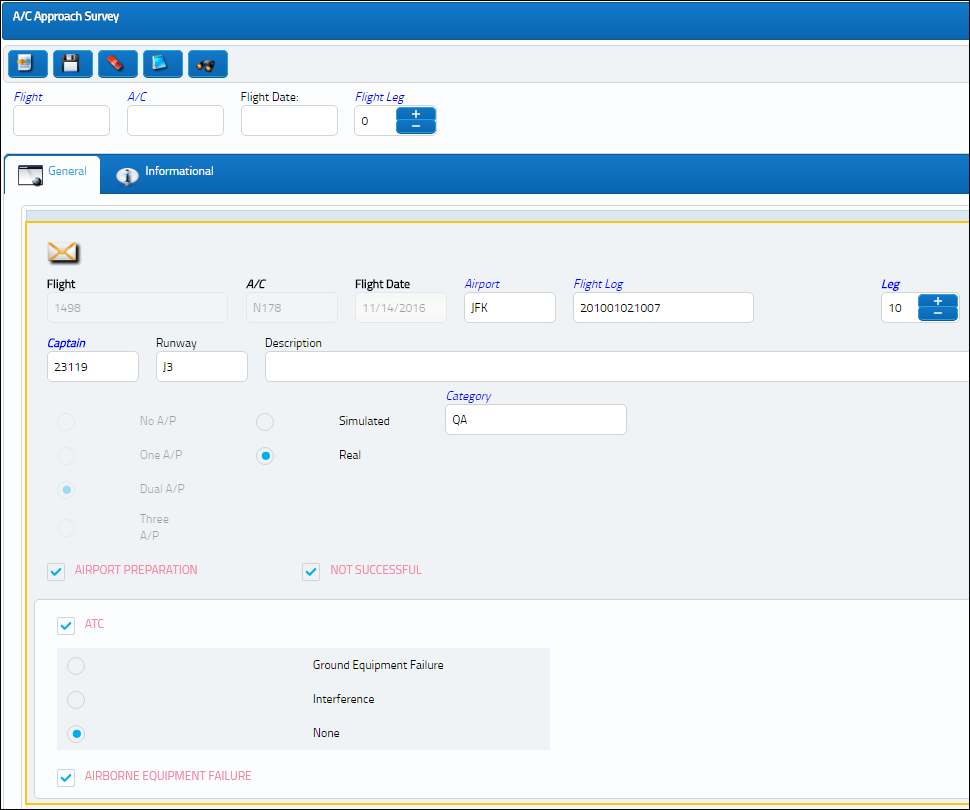
The following options/information is available in this window:
_________________________________________________________________________
Flight
Flight number approach carried out on.
A/C
The individual Aircraft tail number.
Flight Date
Date of flight.
Airport
Airport where approach carried out.
Flight Log
The unique Flight Log number for the flight.
Defect
The defect number (or log book number).
Note: This field appears in lieu of the Flight Log field when Switch  ACAPPROACHDEFECT is set to Yes.
Leg
The Flight Leg number for the flight.
Item
The defect log item number.
Note: This field appears in lieu of the Leg field when Switch ACAPPROACHDEFECT is set to Yes.
Captain
Captain (or Pilot in Command).
Runway
Airport runway used.
Description
Free field description.
Parameter Selection
Select parameters as appropriate.
_________________________________________________________________________
Notice the “No A/P” radio button area. When One A/P, Dual A/P, or Three A/P is selected, more options are displayed:
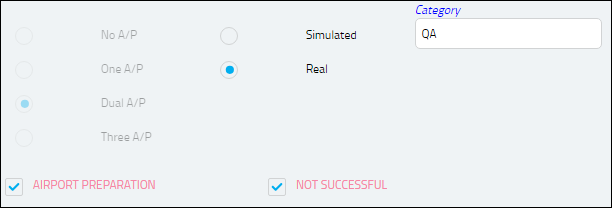
When the Not Successful checkbox is selected, the following is displayed:
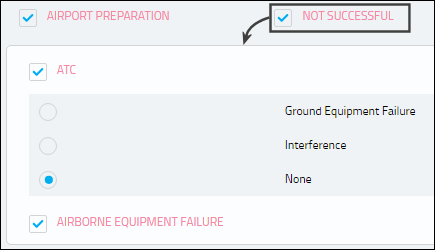
Following selection of certain parameters, others will be displayed. Complete the required fields and any additional fields desired.
Additional information relevant to the record can be viewed and included through the A/C Approach Survey, Informational Tab and the Notes  button.
This update window is also available in query mode where users can view the records provided in this window but cannot create new records or edit existing data. Refer to this module's Query menu.
Download Online Help
Print
|
©1997-2018 Trax USA Corp. All rights reserved. This manual may not be copied, photocopied, reproduced, translated, or converted to any electronic or machine-readable form, in whole or in part, without prior written approval from Trax USA Corp. |
 |