 Download Online Help
 Print
|
|
|
|
|


A/C ECM
The A/C ECM option allows for the entry of Engine Condition Monitoring information for an aircraft. The information can be associated with a specific flight log or defect.
Entering ECM information allows for the detection of aircraft deterioration at an early stage and allows for corrective action before safe operation is affected.
ECM information can be entered in three areas of the system.
- Technical Records/Update/A/C ECM.
- Technical Records/Update/A/C Actual Flights/ECM Tab.
- Technical Records/Update/ Defect Reports/ECM Tab.
Once the search criteria has been selected, select the Find  button.
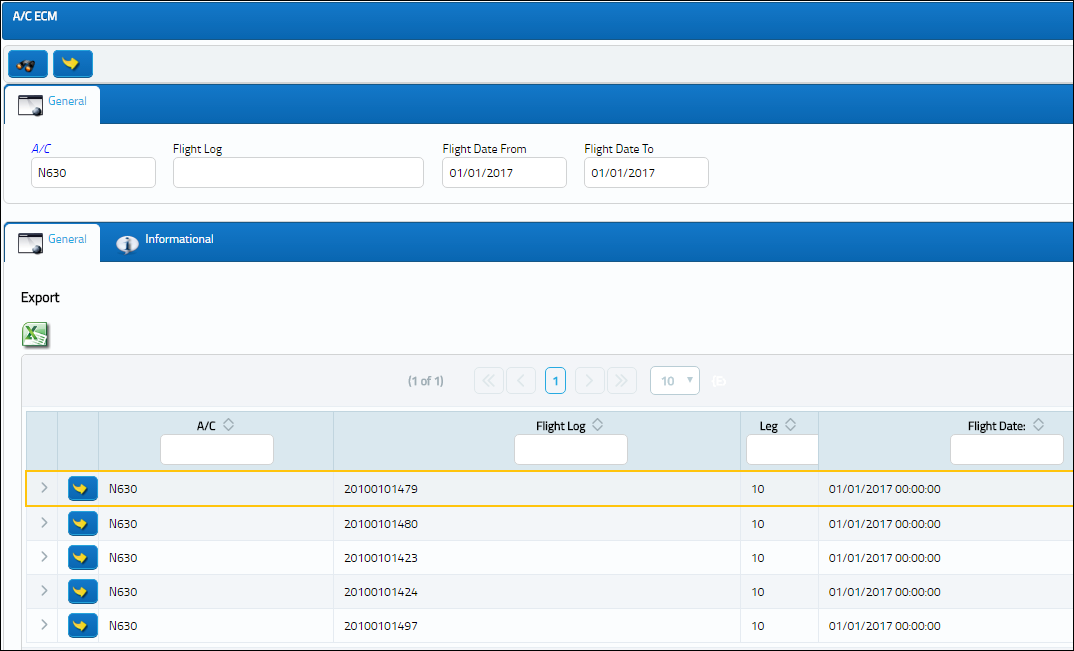
Choose the desired record. Click on the Select  button to enter/review the ECM data.
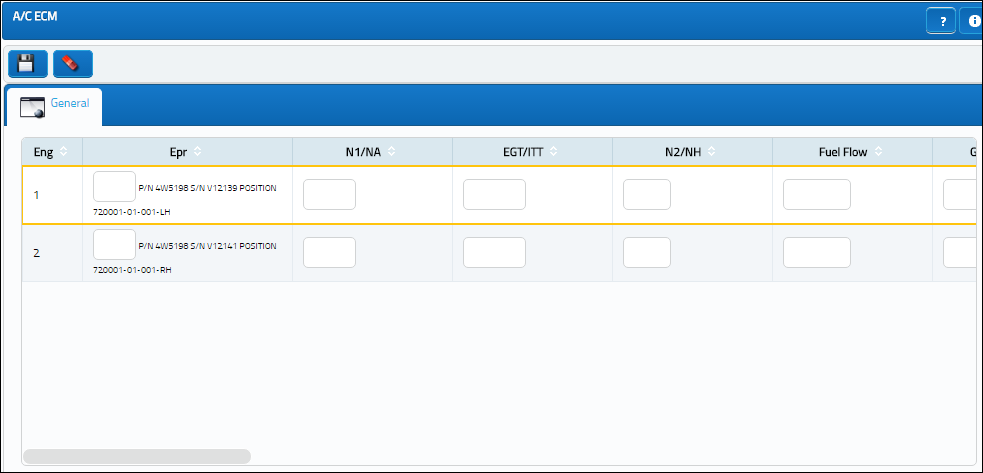
Note: Users are allowed to enter a percentage greater than 99.99% but lower than 120.00% in the N1/NA field. If a percentage that exceeds the allowed values is entered a warning will appear.
Download Online Help
Print
|
©1997-2018 Trax USA Corp. All rights reserved. This manual may not be copied, photocopied, reproduced, translated, or converted to any electronic or machine-readable form, in whole or in part, without prior written approval from Trax USA Corp. |
 |