 Download Online Help
 Print
|
|
|
|
|


A/C Initial P/N Load Multi
The A/C Initial P/N Load Multi window allows users to install assemblies with multiple levels through an import program. This window replicates the A/C Initial P/N Load window but includes this multi NLA-level import option.
When selected, the A/C P/N Initial Load Multi window appears as follows. Notice there is an NHA tab and a NLA tab.
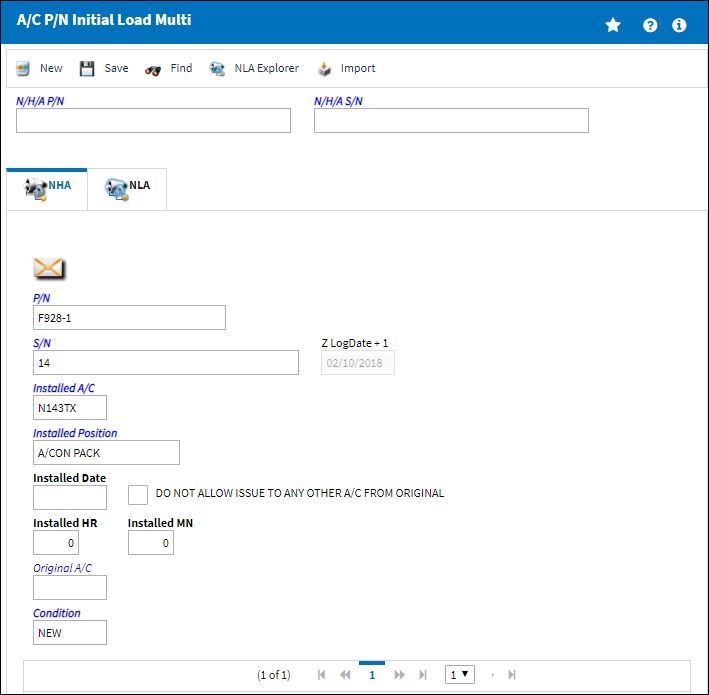
 This window is security controlled via Technical Records/ Update/ A/C Initial P/N Load Multi. For more information refer to the Security Explorer via the System Administration Training Manual.
Before importing the NLAs, the NHA must first be installed on the aircraft through the NHA tab. From this window there are two options:
- This window allows users to import NLAs for an already-installed NHA Serial Number by entering the NHA PN and the NHA SN then selecting the Find
 button. At this point the NLAs can be installed through the Import
 button.
- Or, users can install the NHA Serial Number from this window first by selecting the New
 button (this is the same as the Initial Load functionality). Once the NHA is installed, the NLAs can be installed through the Import button.
In this scenario, a new NHA component is loaded onto the Aircraft.
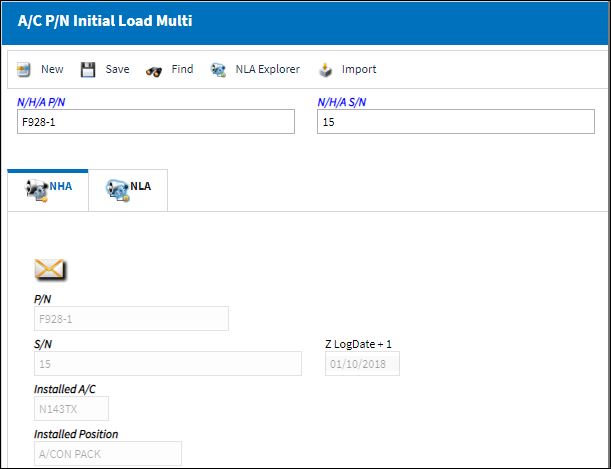
The following options/information is available in this window:
_________________________________________________________________________
P/N
The Part Number reference for the aircraft part.
S/N
The Serial Number for the specific serialized part.
Z-Log Date + 1
This is provided so that the user can automatically update the Installed Date field with the Z-Log Date + 1 (by clicking on the Paste button). The user can also enter any date manually.
Installed A/C
The aircraft in which the part is currently installed.
Installed Position
The position on the aircraft of the installed part.
Installed Date
Time of part installation. The Z-Log Date + 1 is provided so that the user can automatically update the Installed Date field with the Z-Log Date + 1 (by clicking on the Paste button). The user can also enter any date manually. The user can enter an Installed Date that is less than the Z-Log Date. However, if the reset date of the P/N Control is less than the Z-Log Date, the reset date will be used.
Installed Time
Time of part installation.
Do not allow issue to any other A/C from original checkbox.
Select this checkbox to disallow issue of part to an A/C other than the original A/C.
Original A/C
The original aircraft that the part was Installed on.
Condition
The condition of the part.
_________________________________________________________________________
The NLA tab is then populated with the first NLA level.
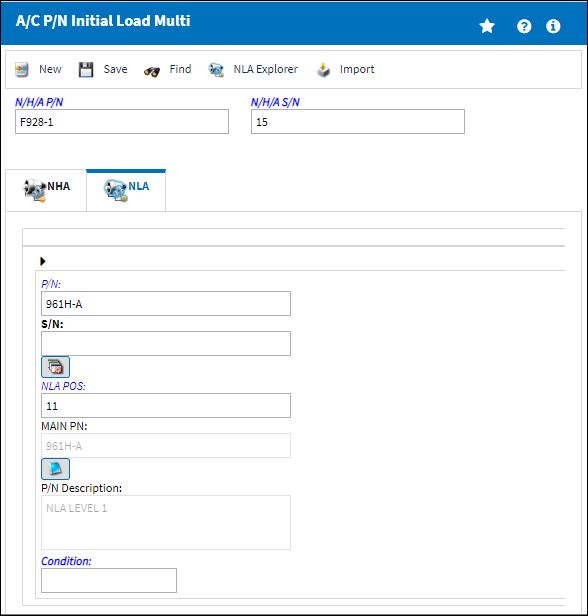
Now the rest of the multi-level assembly must be imported. The following is an example of the import file. Each NLA must have an NHA and NHA Serial Number.

Note: These NHA/NLA relationships must already be established in the P/N Master.
Select the Import button to import the assembly file. Enter the file path; select the First Line is Header checkbox if applicable. Select the Import button to import the file.
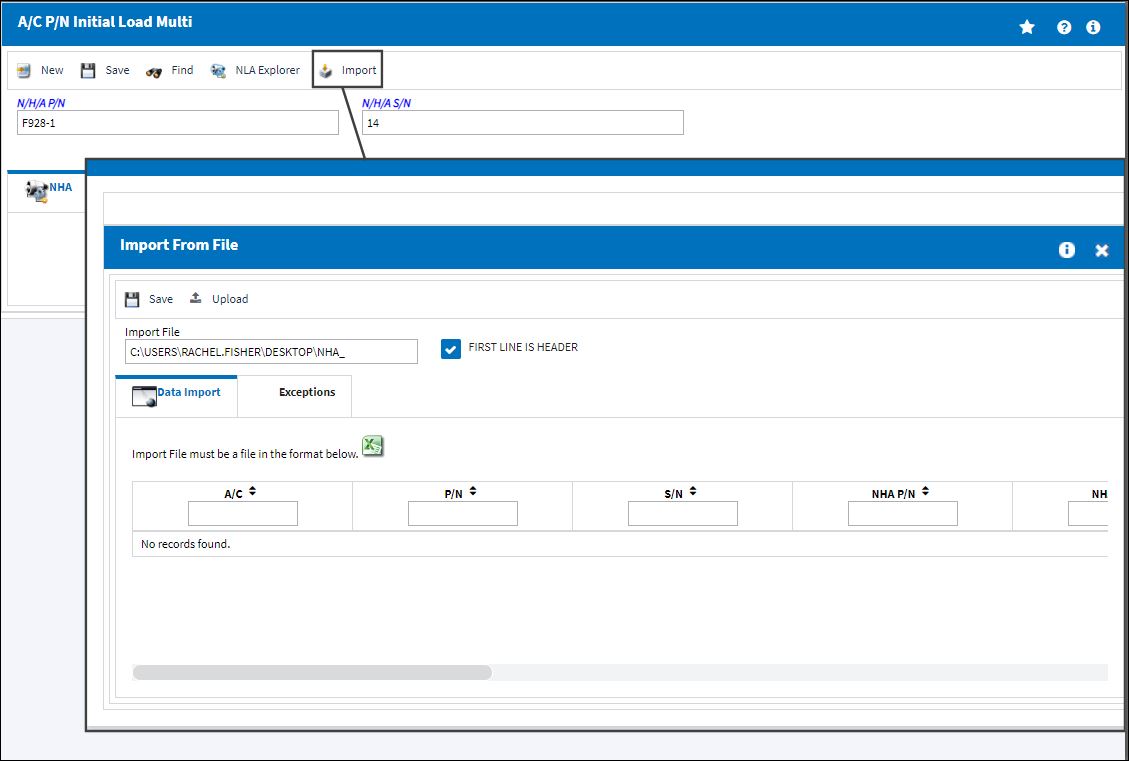
Click the Save  button to finalize the import.
Once imported, the entire multi-leveled assembly is displayed in the NLA tab.
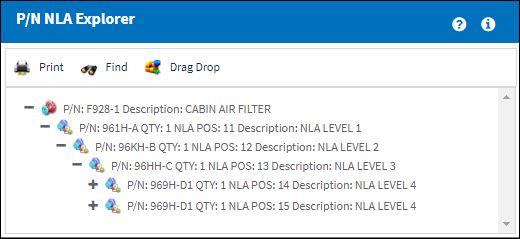
Users can select the NLA Explorer  button at the top of this window to verify that the assembly was installed on the Aircraft.
Download Online Help
Print
|
©1997-2018 Trax USA Corp. All rights reserved. This manual may not be copied, photocopied, reproduced, translated, or converted to any electronic or machine-readable form, in whole or in part, without prior written approval from Trax USA Corp. |
 |