
 Share
Share
 Print
Print
|
|
|
|
|


Users may view the E/C via the A/C Planning Query in the Planning module. The E/C will appear only if the Plan E/C Checkbox is checked on the E/Cs Schedule Tab.
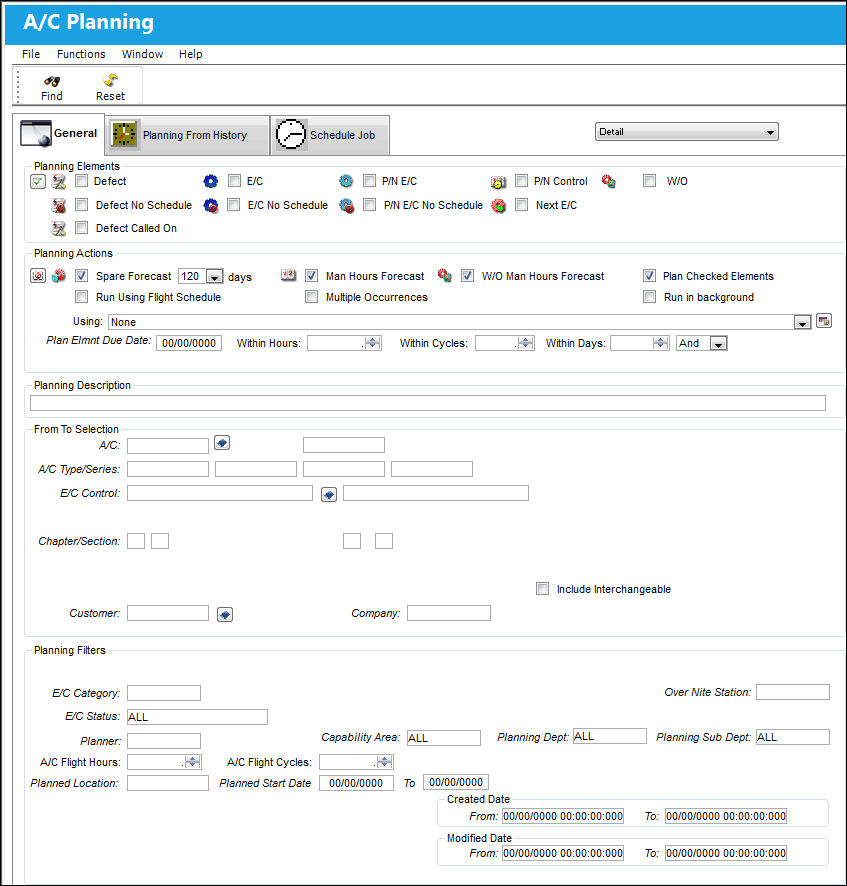
As with the majority of the query selections within the system, it is better to select as many parameters as required to minimize the search results.
Confirm that the E/C checkbox is selected so that all E/Cs will appear in the query.
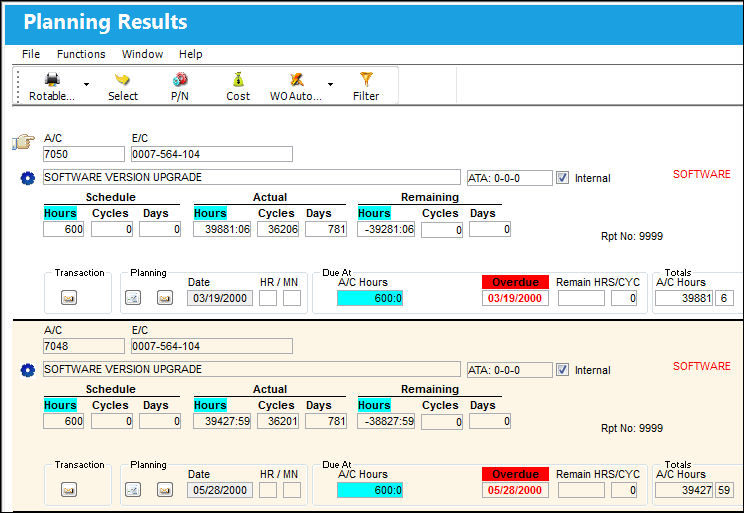
Once criteria is selected, select the Find  button. The search result will appear as follows:
Please see the Planning manual for additional information regarding the Planning module.
Share
Print
|
©1997-2026 Trax USA Corp. All rights reserved. This manual may not be copied, photocopied, reproduced, translated, or converted to any electronic or machine-readable form, in whole or in part, without prior written approval from Trax USA Corp. |
 |