
 Share
Share
 Print
Print
|
|
|
|
|


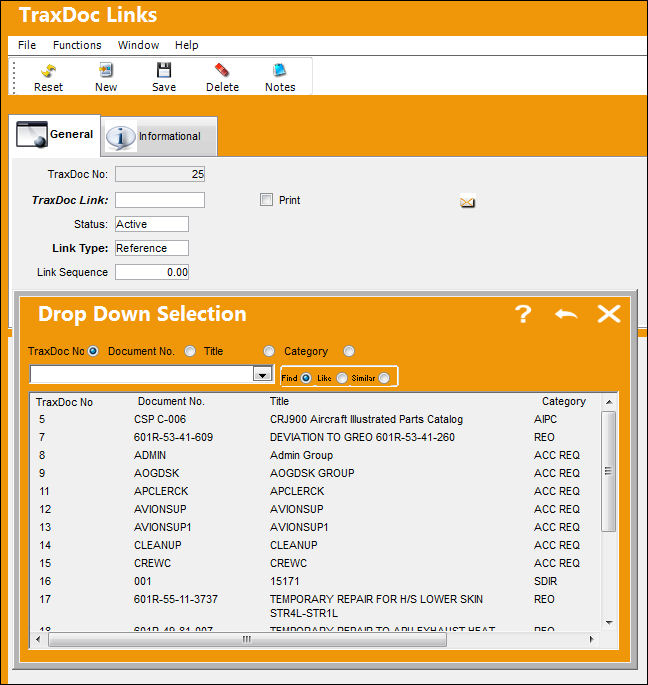
From a TraxDoc Document, select the Links  button to link a TraxDoc Document to the currently selected TraxDoc Document. The TraxDoc Links window appears. Right click in the TraxDoc Links Field to access the Drop Down Selection window. Select the desired TraxDoc Number to link to the original TraxDoc Document. Double click on highlighted selection and select the Save
  button.
In the TraxDoc Links Window, the saved record is shown below. Select the Links button to view the linked record.
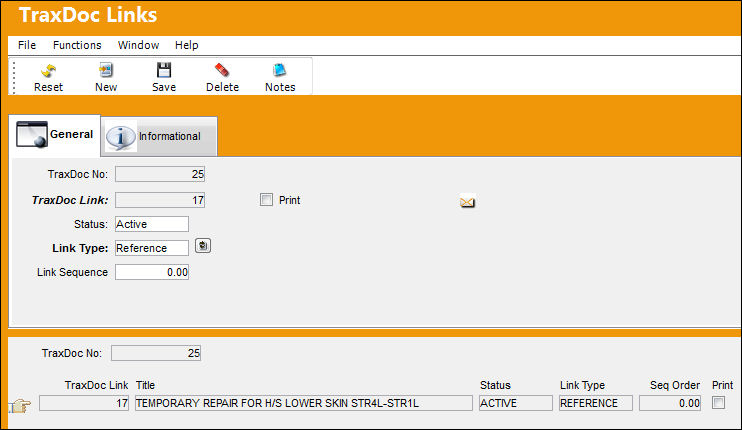
The TraxDoc Links, Informational Tab and Notes  button are available to view and include additional information.
TRAX displays the linked TraxDoc Document below:
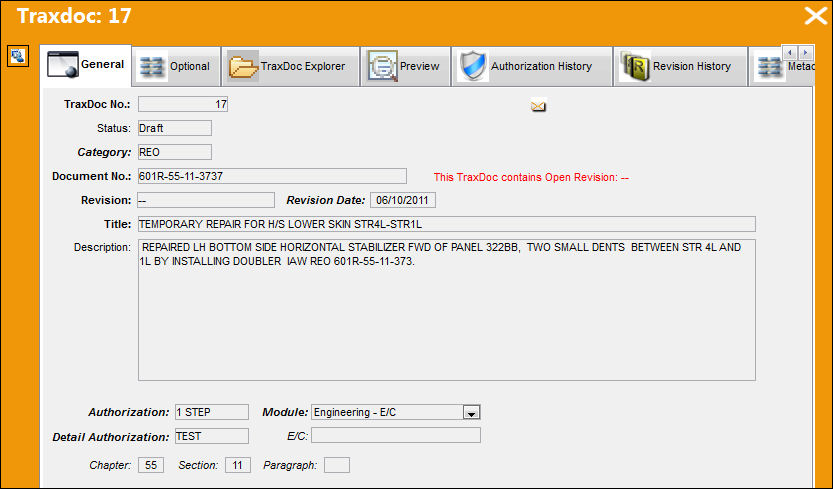
The following information/options are available in this window:
_____________________________________________________________________________________
TraxDoc No.
The TraxDoc Document ID of the currently selected document.
TraxDoc Link
The TraxDoc Document to be linked to the currently selected document.
Print checkbox
Check to indicate that the linked document should be printed with the currently selected document.
Status
The current status of the link.
Link Type
The type of link.
Reference - The linked document references the currently selected document.
Template - The linked document is the template that the currently selected document was created from. If the Print checkbox is checked; when the original document is printed, the linked document will print also.
Supplement - The linked document will act as a supplement to the original. If the Print checkbox is checked, when the original document is printed, the linked document will print also.
Replace - The linked document will act as a replacement to the original. If the Print checkbox is checked, when the original document is printed, the linked document will be printed instead.
Link Sequence
The sequence number of the linked document. Specifying a sequence is helpful if several documents are linked and you want to create a sort order (for example; for printing).
_____________________________________________________________________________________
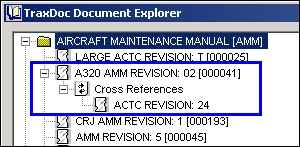
The TraxDoc Document now has a link when viewed in TraxDoc Explorer.
Share
Print
|
©1997-2026 Trax USA Corp. All rights reserved. This manual may not be copied, photocopied, reproduced, translated, or converted to any electronic or machine-readable form, in whole or in part, without prior written approval from Trax USA Corp. |
 |