
 Share
Share
 Print
Print
|
|
|
|
|


The Import Removed Revisions  button allows users to import revisions that have been exported from the TraxDoc.
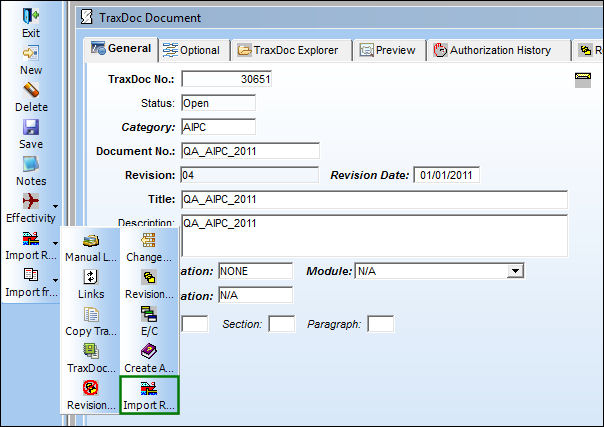
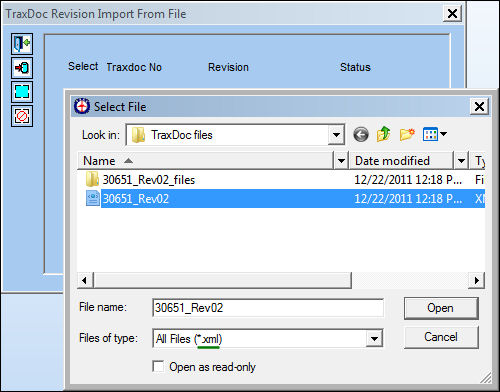
Once selected, the TraxDoc Revision Import From File appears with the Select File window opened. Select the .XML file that was exported from the Revision. Select the Open button.
The Revision was exported via the Export to File  button of the Revision Removal Button window. For more information refer to the Export to File Button, via the Revision Removal Button in the TraxDoc Training Manual.
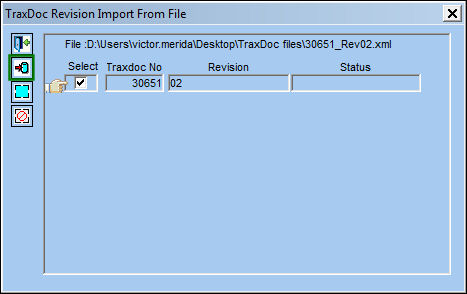
Once the .XML file is selected, select the Start Import  button.
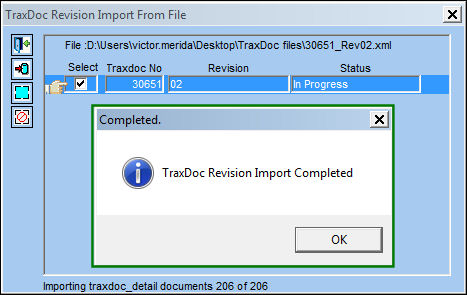
Once the import is complete, the following prompt appears.
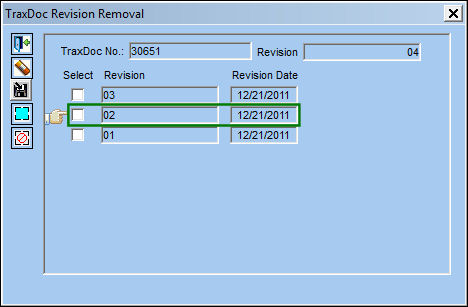
Once the revision is imported, notice that it can be viewed via the Revision Removal  button of the TraxDoc record.
Share
Print
|
©1997-2026 Trax USA Corp. All rights reserved. This manual may not be copied, photocopied, reproduced, translated, or converted to any electronic or machine-readable form, in whole or in part, without prior written approval from Trax USA Corp. |
 |