
 Share
Share
 Print
Print
|
|
|
|
|


Security Options On The System
Open a report that has already been created. The table for that field appears.
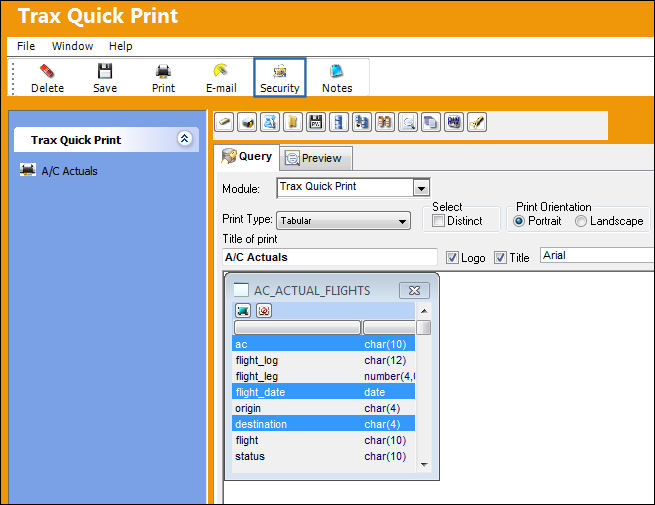
Select the Security  button. The following pop up window appears.
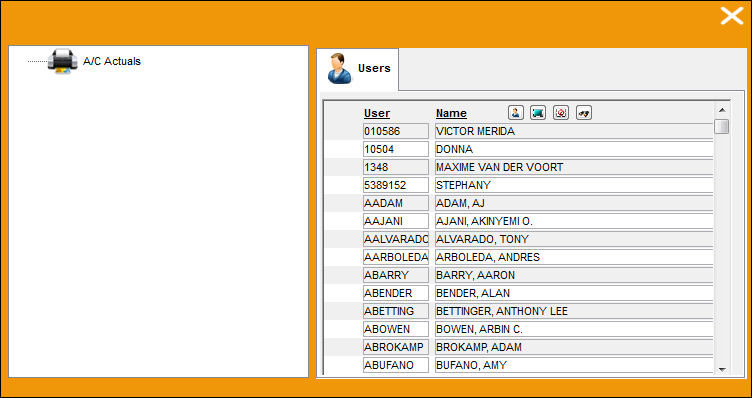
Select the report the user would like to grant access to by clicking on the desired report (i.e. Ac Actual Flights). Select the name(s) of the employee(s) the user would like to give access to the report by clicking on the name(s) of the individuals(s).
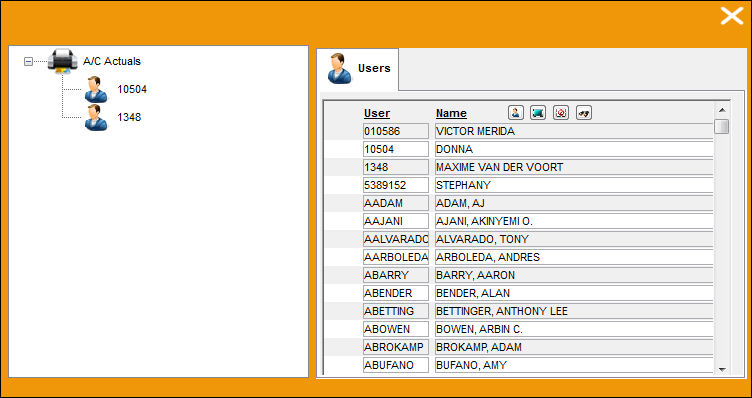
Select and drag the User  button into the Ac Actual Flights report. The names of the selected employees are now grouped under the Ac Actual Flights, showing that they now have access to that report. This access is View and Print only. Employees cannot update information in a report they have been given access to.
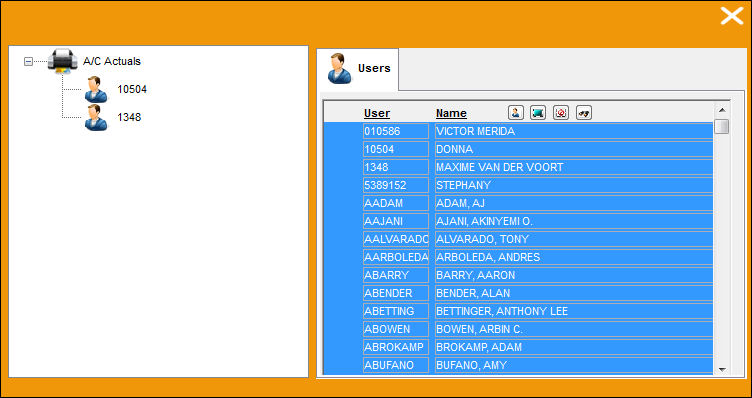
The Select All  button allows users to select all of the employees as shown below:
Select the De-select All  button to de-select all of the employees.
Select the Find  button. The following pop up window appears:
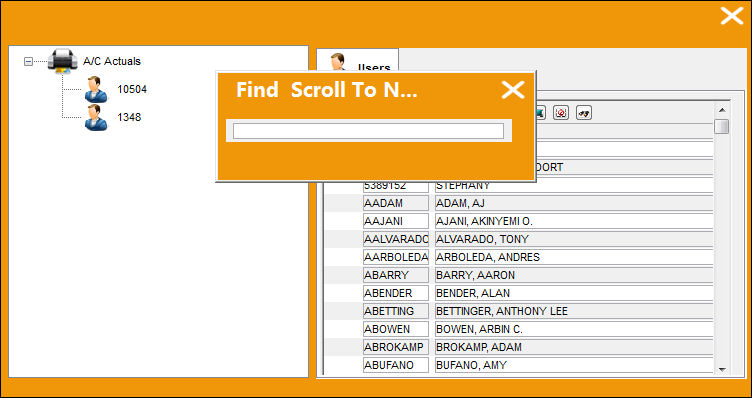
Type in the name of the employee in the Find & Scroll to Name field. This is faster than manually scrolling for names. Employees can view which reports they have been granted access to by going to the Quick Print option.
Share
Print
|
©1997-2026 Trax USA Corp. All rights reserved. This manual may not be copied, photocopied, reproduced, translated, or converted to any electronic or machine-readable form, in whole or in part, without prior written approval from Trax USA Corp. |
 |