
 Share
Share
 Print
Print
|
|
|
|
|


Select Distinct
The Select option allows users to select specific information to query (i.e. A/C flight dates from January 1, 2006 to January 31, 2006).

Open a table and enter the formulas under the Column, Operator, Value, and Logical field to select the flight dates of A/C 300 from January 1, 2006 to January 31, 2006, as shown below. Select the Distinct checkbox.
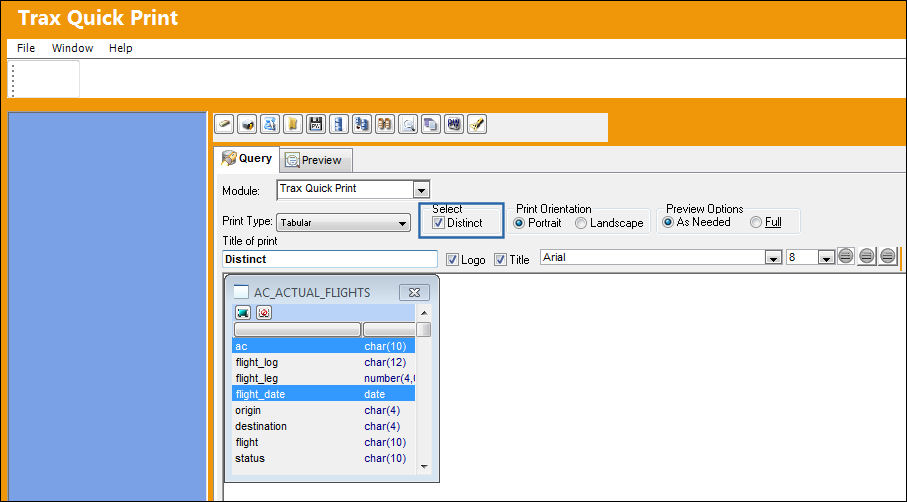
The following information/options are available in this window:
_____________________________________________________________________________________
Column
Select a column for the clause.
The columns used in the clauses are from the selected tables but not necessarily in the print.
Operator
Select an operator for the clause.
Value
Select a value for the clause.
All values must be in parenthesis. Right-click in field for a list of possible values.
Logical
Select a logical connector to the proceeding clause.
_____________________________________________________________________________________
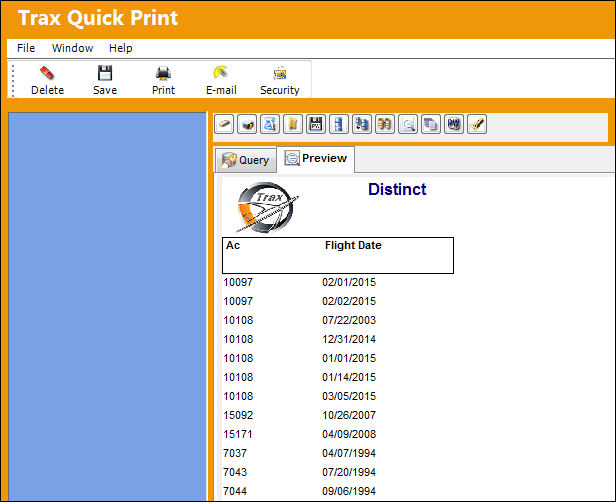
Preview the report. The query has been limited to flight dates between January 1, 2006 to January 31, 2006 for the A/C 300.
Share
Print
|
©1997-2026 Trax USA Corp. All rights reserved. This manual may not be copied, photocopied, reproduced, translated, or converted to any electronic or machine-readable form, in whole or in part, without prior written approval from Trax USA Corp. |
 |