
 Share
Share
 Print
Print
|
|
|
|
|


Fixed Assets Registry Audit
Open a table and select the fixed_asset_registry_audit field and click Open.
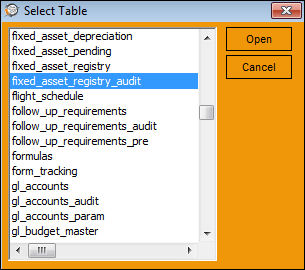
TRAX displays the following window:
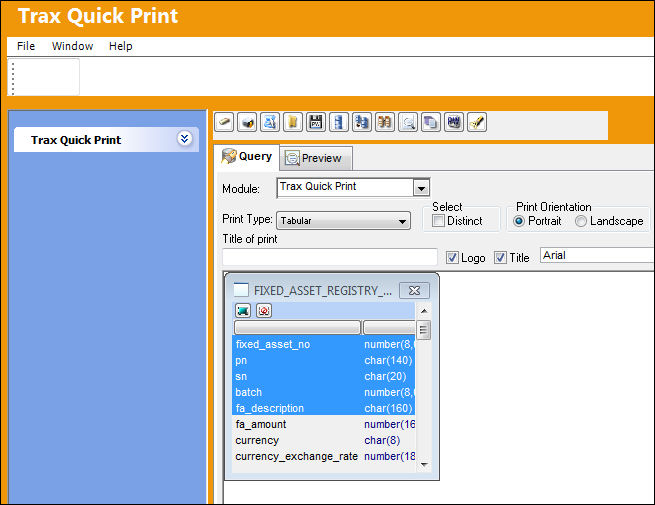
Select desired fields to include in the audit. Create a title and select the Preview  button. TRAX displays the Audit screen as follows.
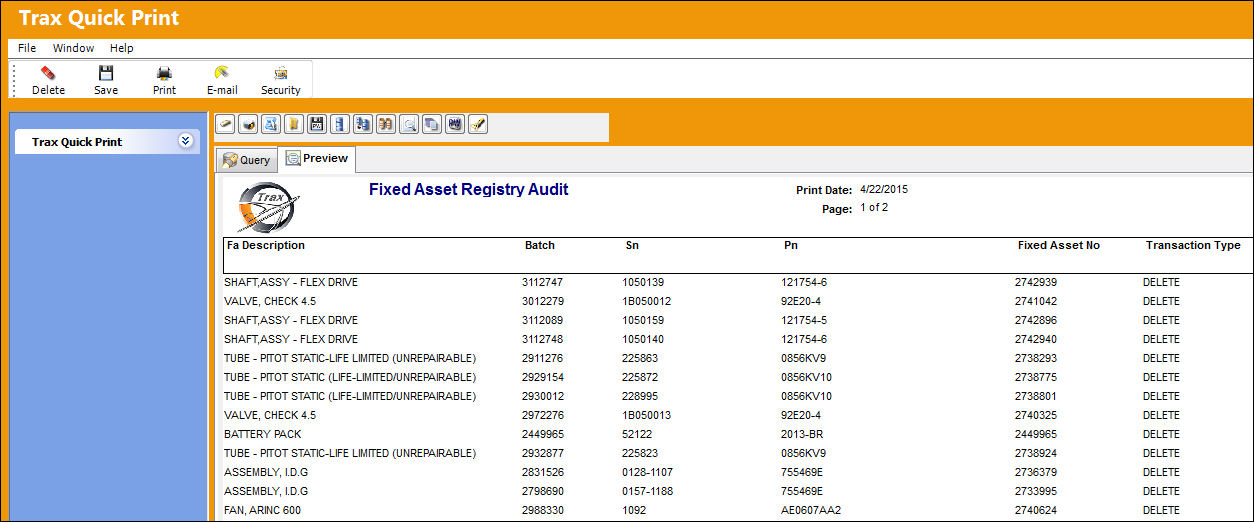
All information regarding the Fixed Asset Registry is displayed in an easily accessible and visually user-friendly format, which can be printed, and includes the queried information based upon the fields selected in the Fixed Asset Registry. It is important to know who created and has updated or modified the Registry. Therefore TRAX generates this screen including the selected fields for the benefit of the user performing the audit consultation.
Scroll all the way to the right. TRAX displays the Transaction Type for each Fixed Asset listed in the audit:
The following table summarizes the transaction types that may be displayed in this column (highlighted above):
_____________________________________________________________________________________
New
TRAX creates a new fixed asset by receiving a new Goods Received Batch number in Orders Receiving, P/N Initial Load, or creating a fixed asset in the Fixed Asset Registry.
Delete
Fixed Asset is deleted if the P/N record is deleted from Inventory Supervisor.
Delete/FA
If F/A is deleted directly from the Fixed Asset Registry.
Scrap
This is when the P/N is scrapped from Inventory Transactions.
Remove
A/C P/N transaction if Switch  FARMVINS is configured as Yes, when an A/C P/N is remove only.
Remove/Install
A/C P/N transaction if Switch FARMVINS is configured as Yes, when an A/C P/N is remove/install.
Install
A/C P/N transaction if Switch FARMVINS is configured as Yes, when an A/C P/N is install only.
_____________________________________________________________________________________
For complete details regarding Fixed Assets, please refer to the Fixed Asset Section of the TRAX G/L Interface Training Manual.
Share
Print
|
©1997-2026 Trax USA Corp. All rights reserved. This manual may not be copied, photocopied, reproduced, translated, or converted to any electronic or machine-readable form, in whole or in part, without prior written approval from Trax USA Corp. |
 |