
 Share
Share
 Print
Print
|
|
|
|
|


FARMVINS - Fixed Asset Swap at Removal and Installation of Part
Fixed Asset Swap at Removal and Installation of Part
Affected windows: w_ac_pn_transaction_history_eu
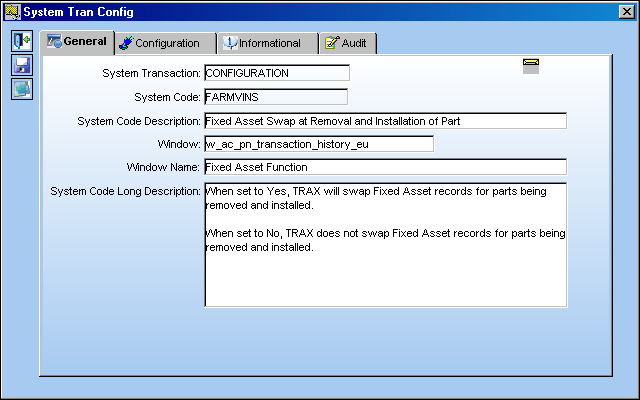
Switch Set to Yes:
When set to Yes, TRAX will swap Fixed Asset records for parts being removed and installed.
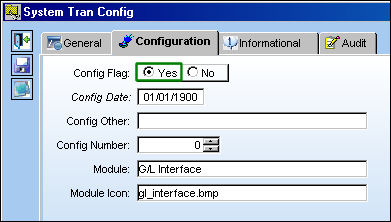
For example, notice the following parts via the Inventory Transaction window. One of the parts is not installed (S/N: 8413) while the other part is installed (S/N: A1).
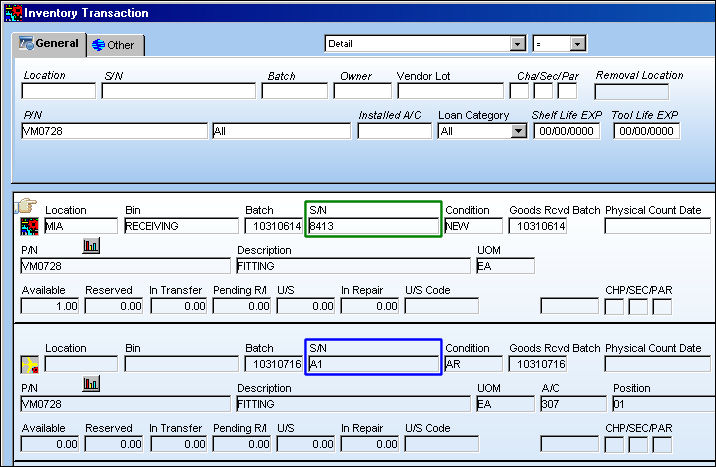
From the Fixed Asset Registry window, notice that the above uninstalled part (S/N: 8413) has a Fixed Asset record (133944). The installed part (S/N: A1) does not have a Fixed Asset record.
From the A/C P/N Transaction window, the part with the Fixed Asset record (S/N: 8413) is installed and the other part (S/N: A1) is removed.
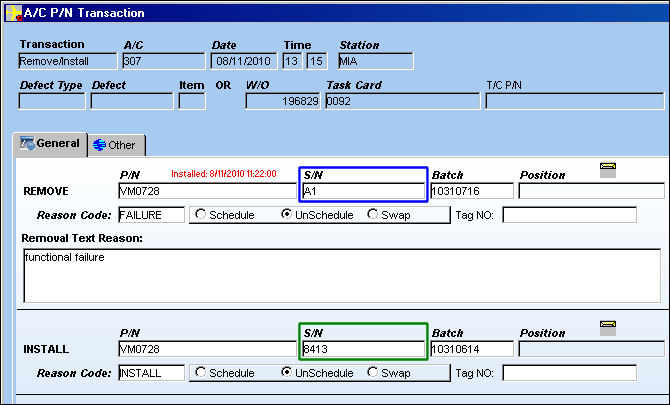
This switch functions in the same way when the same Remove/Install transaction above is performed separately through a Remove Only transaction and an Install Only transaction.
Removed parts will be placed on the pending table until the removed item is replaced by a interchangeable or One Way Forward part.
 Note: This switch functions the same when N/L/A parts are removed and installed on the N/H/A in the P/N N/L/A Installation and Removal window.
From the Inventory Transaction, notice that the two parts were removed/installed successfully.
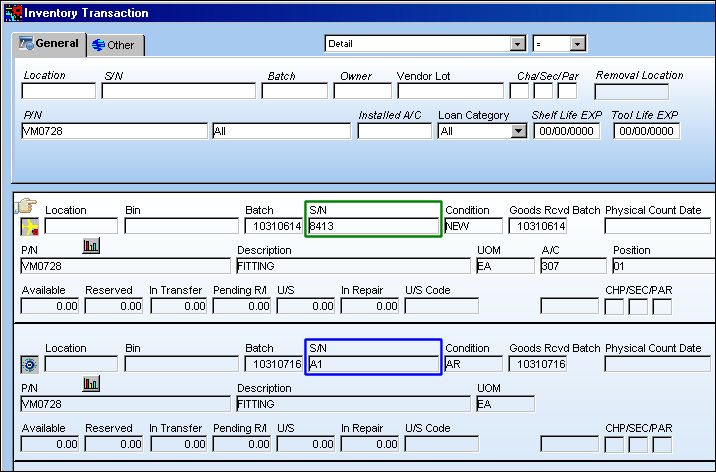
Also notice that from the Fixed Asset Registry, the Fixed Asset record (133944) now belongs to the removed part (S/N: A1). The Fixed Asset record has been successfully swapped between the two parts.
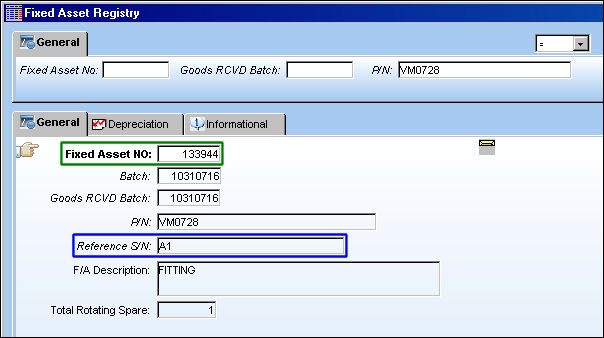
Fixed Asset records will also swap between sent and received parts. The received part will adopt the Fixed Asset record of the sent part once it is issued to the Exchange Order, before or after the new part is received.
Switch Set to No:
When set to No, TRAX does not swap Fixed Asset records for parts being removed and installed.
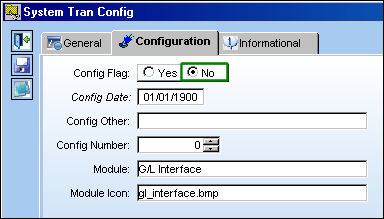
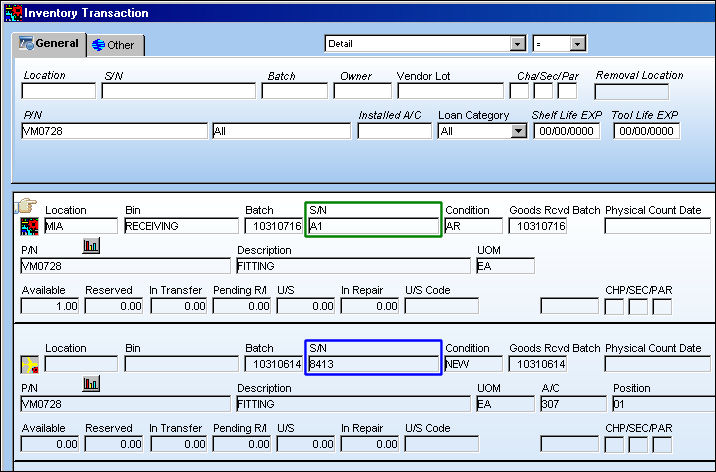
For example, notice the following parts via the Inventory Transaction window. One of the parts is not installed (S/N: A1) while the other part is installed (S/N: 8413).
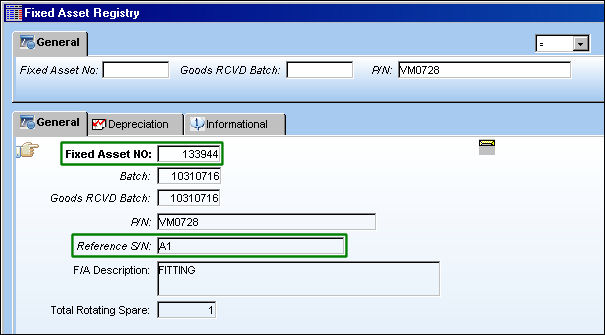
From the Fixed Asset Registry window, notice that the above uninstalled part (S/N: A1) has a Fixed Asset record (133944). The installed part (S/N: 8413) does not have a Fixed Asset record.
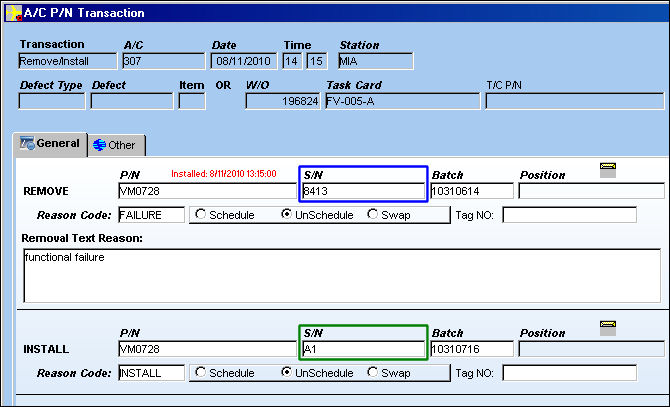
From the A/C P/N Transaction window, the part with the Fixed Asset record (S/N: A1) is installed and the other part (S/N: 8413) is removed.
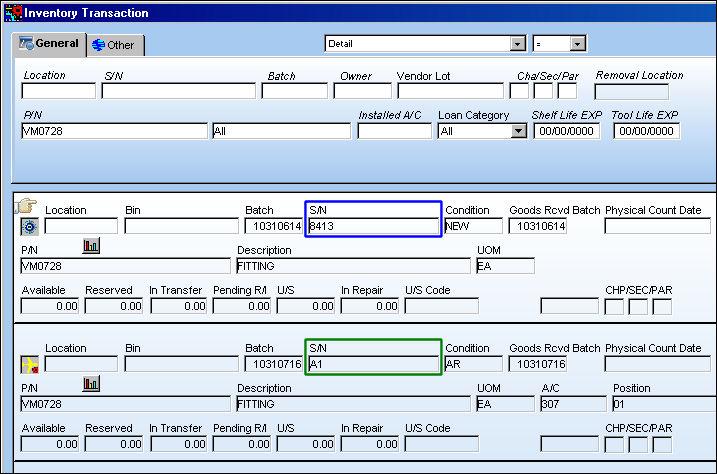
From the Inventory Transaction window, notice that the two parts were removed/installed successfully.
Also notice that from the Fixed Asset Registry, the Fixed Asset record (133944) still belongs to the same part (S/N: A1). The Fixed Asset record was not swapped between the two parts.
Share
Print
|
©1997-2026 Trax USA Corp. All rights reserved. This manual may not be copied, photocopied, reproduced, translated, or converted to any electronic or machine-readable form, in whole or in part, without prior written approval from Trax USA Corp. |
 |