
 Share
Share
 Print
Print
|
|
|
|
|


COMPANYMULTIEX - Validates Company of P/N used for Exchange Issue
Validate Company of P/N used for Exchange Issue
Affected Window: w_journal_entries_expenditure_eu
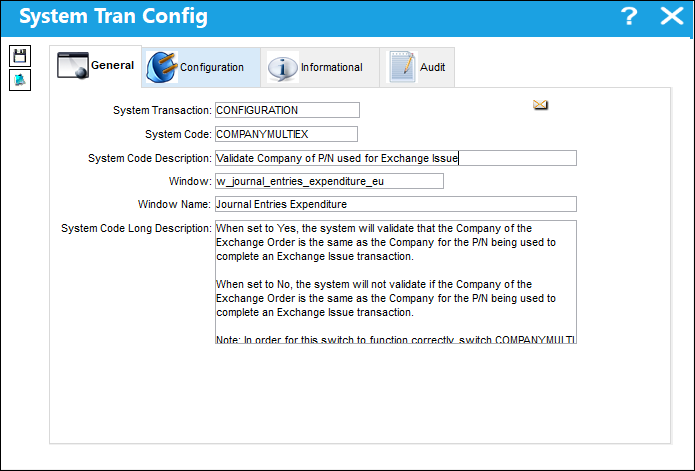
In order for this switch to function correctly, switch  COMPANYMULTI must be set to Yes.
This functionality is part of the Multi Company Functionality.
Switch Set to Yes:
When set to Yes, the system will validate that the Company of the Exchange Order is the same as the Company for the P/N being used to complete an Exchange Issue transaction.
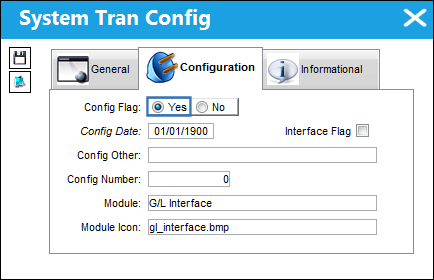
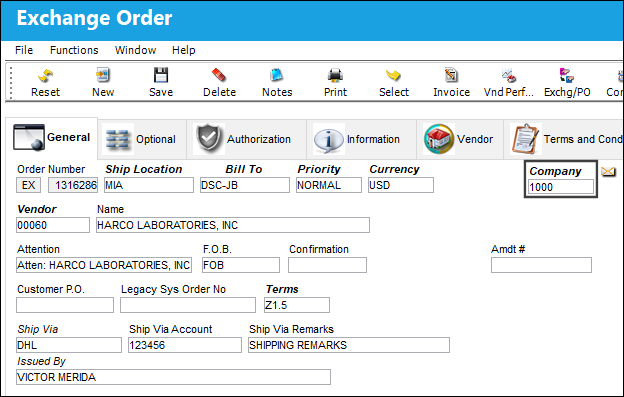
The following Exchange Order is created with Company shown.
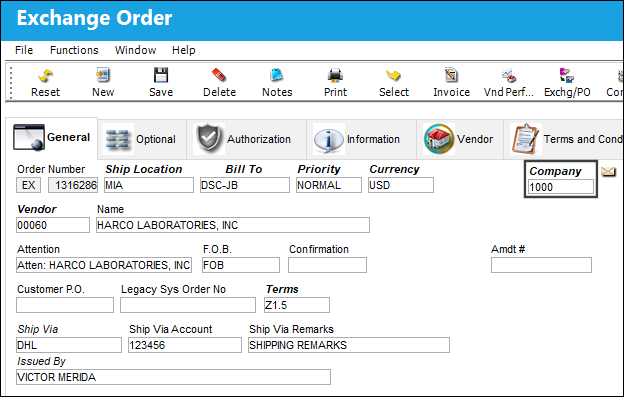
The Exchange Order Detail is created for the P/N below.
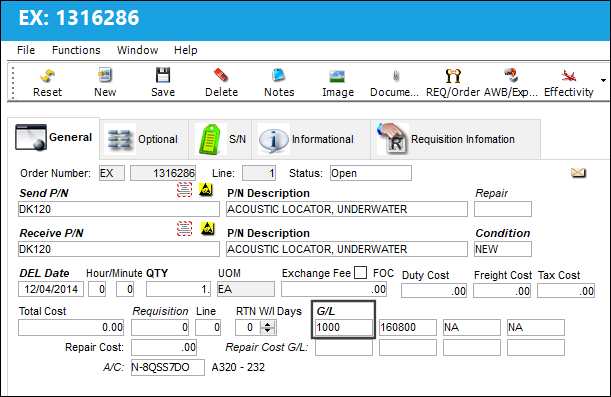
From Inventory Transaction, a part must be issued to the Exchange Order. Notice that the following part does not belong to the same company as the E/X above.
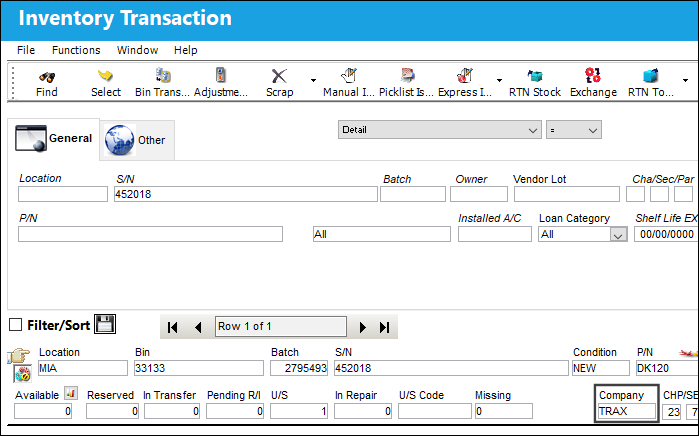
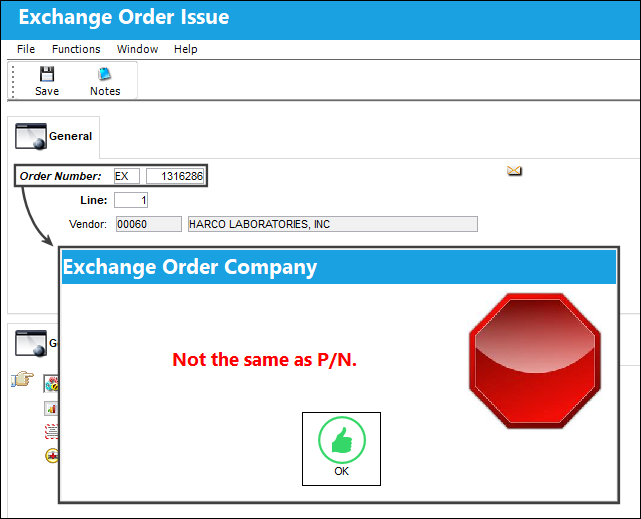
Select the Exchange Issue  button. In the Exchange Order Issue window, enter the Order Number from above and select the Save
  button. Because the part is registered to a company that is different from the E/X's Company, the part cannot be issued to the E/X. A hard warning appears.
Switch Set to No:
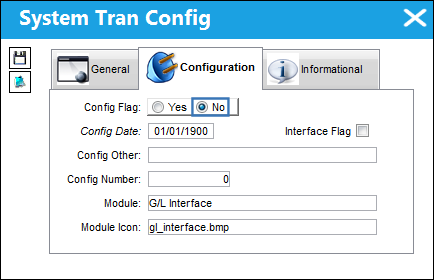
When set to No, the system will not validate if the Company of the Exchange Order is the same as the Company for the P/N being used to complete an Exchange Issue transaction.
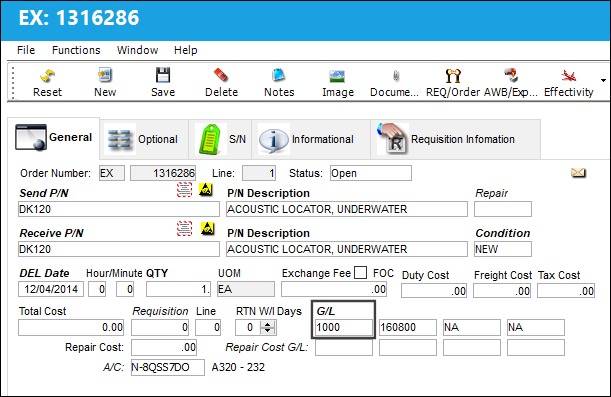
The following Exchange Order is created with Company shown.
The Exchange Order Detail is created for the P/N below.
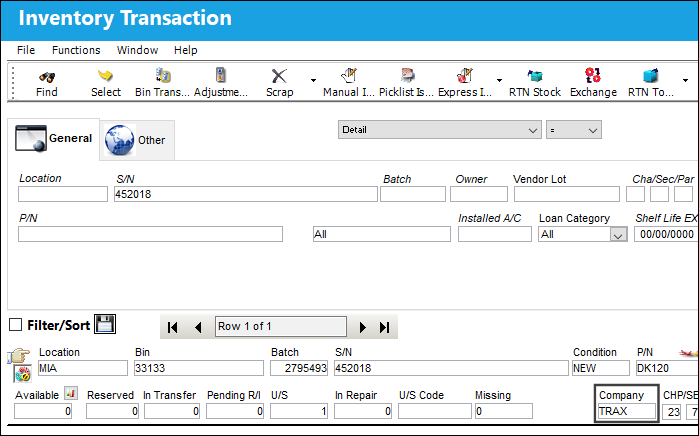
From Inventory Transaction, a part must be issued to the Exchange Order. Notice that the following part does not belong to the same company as the E/X above.
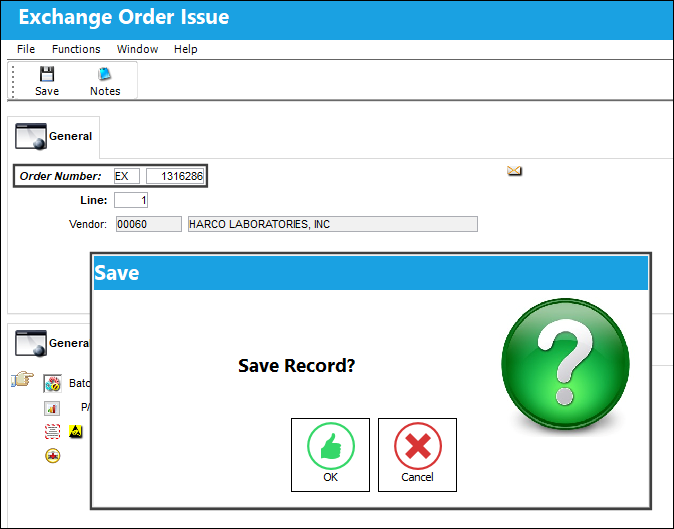
Select the Exchange Issue button. In the Exchange Order Issue window, enter the Order Number from above and select the Save button. Although the part is registered to a company that is different from the E/X's Company, the part can be issued to the E/X. The save prompt appears to issued the part to the E/X.
Share
Print
|
©1997-2026 Trax USA Corp. All rights reserved. This manual may not be copied, photocopied, reproduced, translated, or converted to any electronic or machine-readable form, in whole or in part, without prior written approval from Trax USA Corp. |
 |