
 Share
Share
 Print
Print
|
|
|
|
|


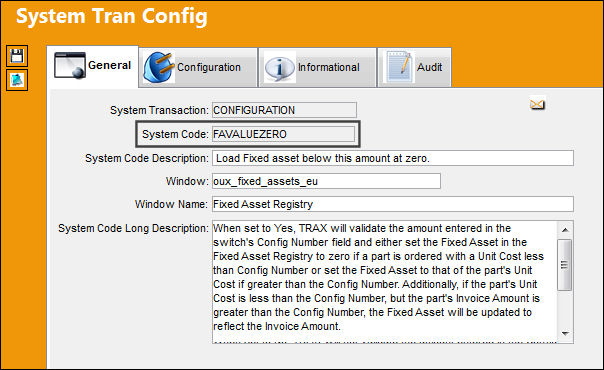
FAVALUEZERO - Load Fixed Asset Below This Amount Zero

Load Fixed Asset Below This Amount Zero
Affected Window: oux_fixed_assets_eu
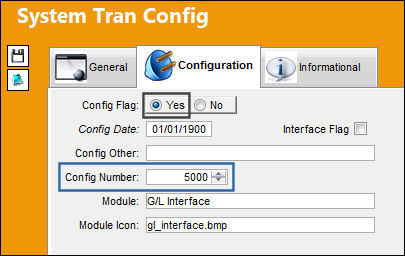
Switch Set to Yes:
When set to Yes, TRAX will validate the amount entered in the switch's Config Number field and either set the Fixed Asset in the Fixed Asset Registry to zero if a part is ordered with a Unit Cost less than Config Number or set the Fixed Asset to that of the part's Unit Cost if greater than the Config Number. Additionally, if the part's Unit Cost is less than the Config Number, but the part's Invoice Amount is greater than the Config Number, the Fixed Asset will be updated to reflect the Invoice Amount.
Notice the amount that has been set in the Config Number field of the Switch.
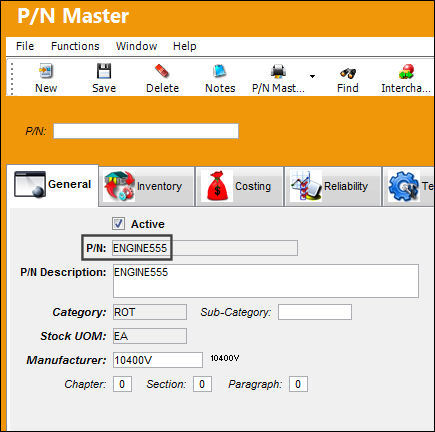
The following P/N has been created.
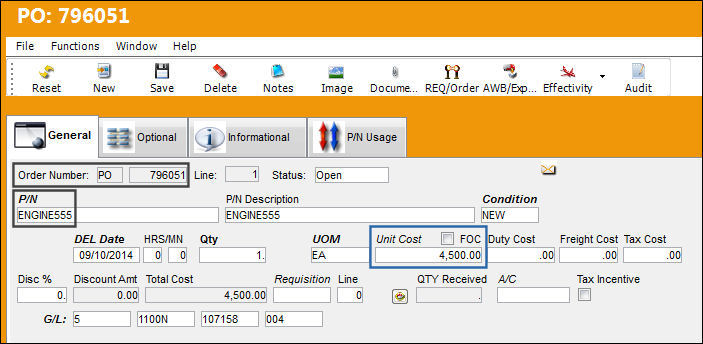
The following P/O has been created for the P/N. Notice the Unit Cost is less than the amount previously set in the Config Number field.
Notice the P/O has been Received into Inventory.
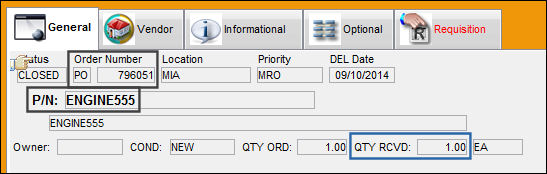
A Fixed Asset Registry has been created for the received Batch.
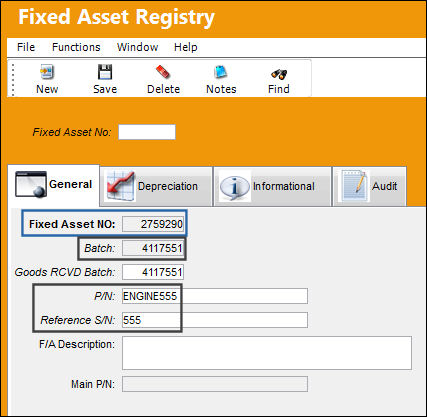
Notice in the Depreciation tab that the Fixed Asset Amounts are zero.
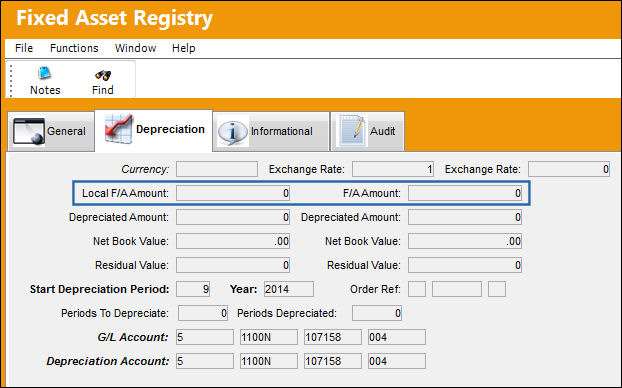
For another example of the effect of the switch set to Yes, another P/O has been created for the P/N; however, notice this Unit Cost is greater than the Config Number.
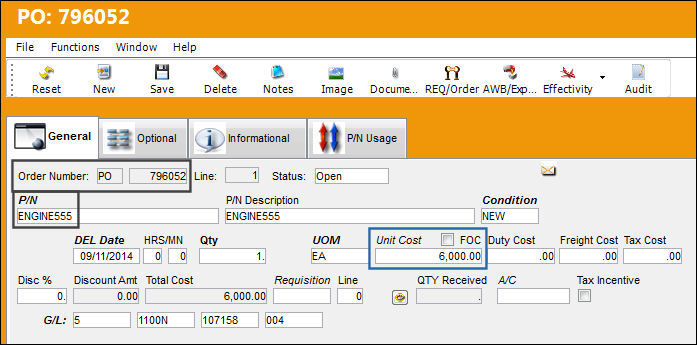
Notice the P/O has been Received into Inventory.
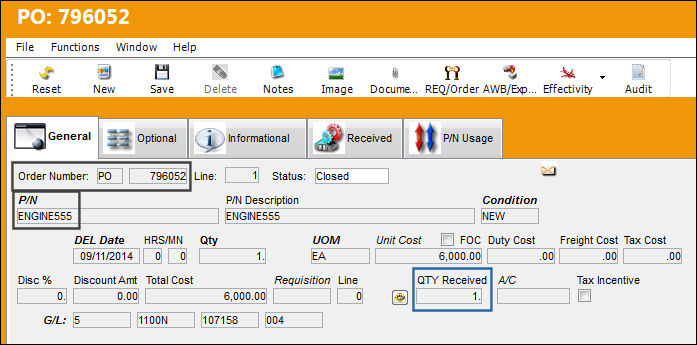
A Fixed Asset Registry has been created for the received Batch.
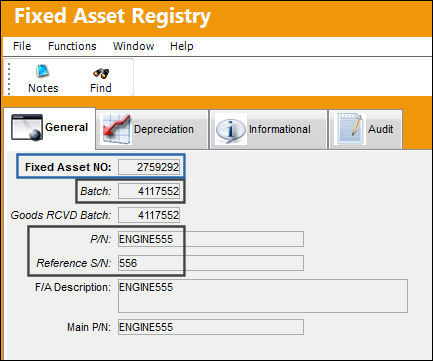
Notice in the Depreciation tab that the Fixed Asset Amounts are now set to that of the Unit Cost.
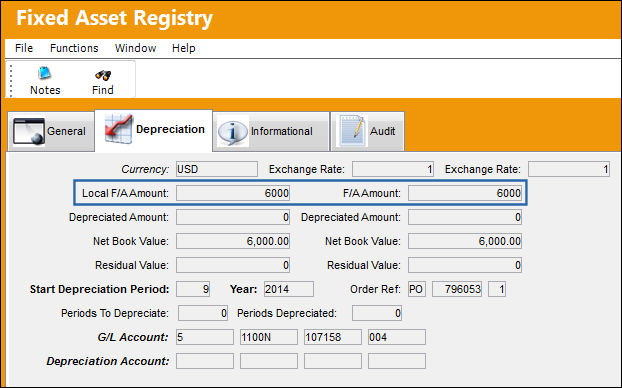
Additionally, if the part's Unit Cost is less than the Config Number, but the part's Invoice Amount is greater than the Config Number, the Fixed Asset will be updated to reflect the Invoice Amount.
The following Invoice has been created from the initial P/O (see first example above) with a Unit Cost less than the Config Number. But notice that the Invoice Amount is greater than the P/O's unit cost. This Invoice Amount surpasses the switch's Config Number.
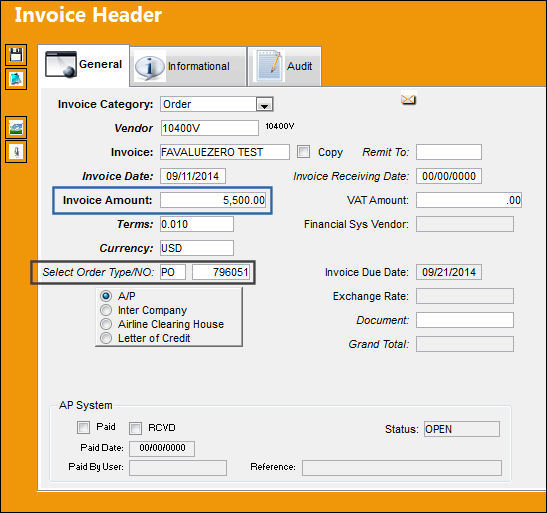
A Fixed Asset Registry has been created for the received Batch.
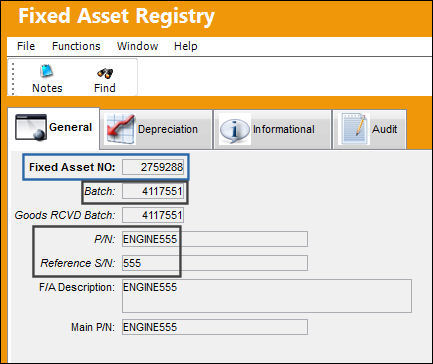
In the Depreciation tab of the Fixed Asset Registry, the Fixed Asset Amounts are set to that of the Invoice Amount.
Along with Orders, the effects of this Switch can be seen with a P/N Initial Load.
Switch Set to No:
When set to No, TRAX will not validate the amount entered in the Config Number field and will set the Fixed Asset Amounts in the Depreciation tab of the Fixed Asset Registry to the part's Unit Cost, even if less than the Config Number.
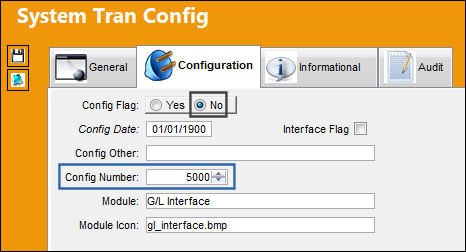
Notice the switch is set to No, yet the Config Number field has been filled.
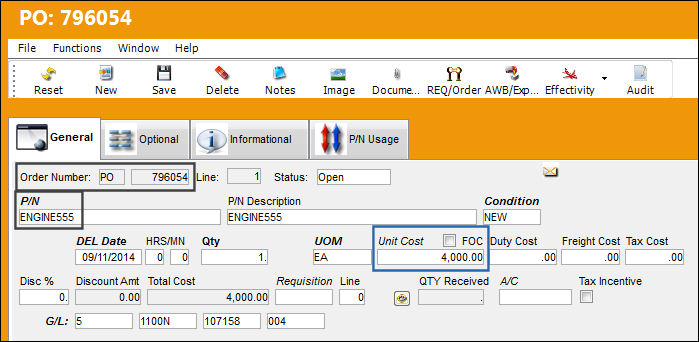
The following P/O has been created for the P/N. Notice the Unit Cost has been set less than the Config Number.
Notice the P/O has been received into Inventory.
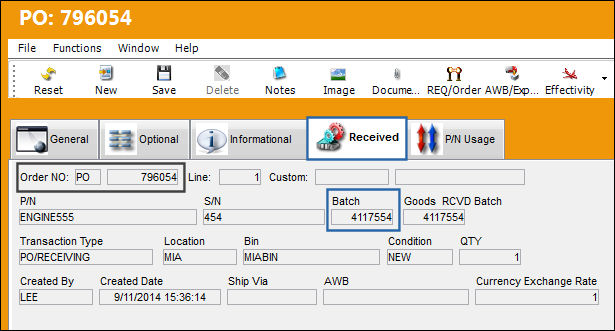
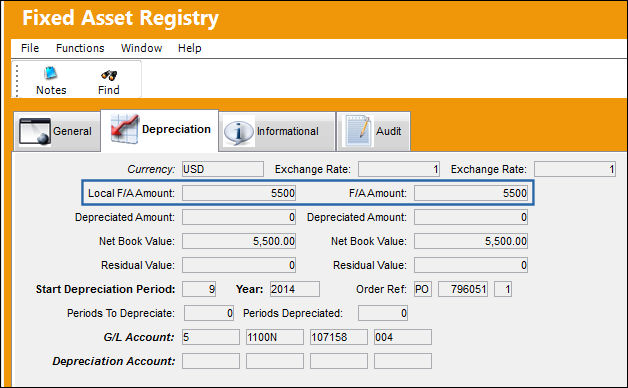
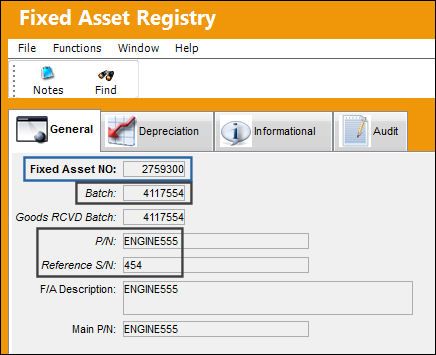
A Fixed Asset Registry has been created for the received Batch.
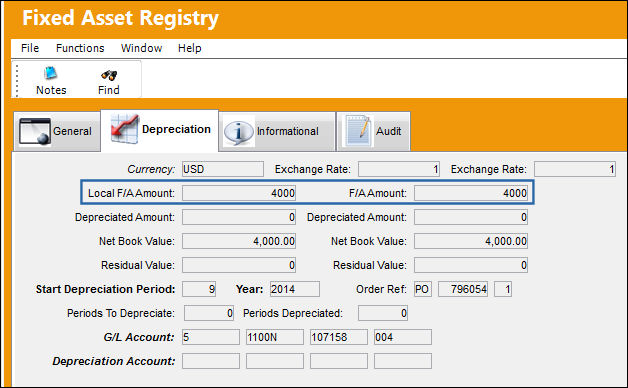
Notice the Fixed Asset Amounts are set to the Unit Cost of the P/O.
Share
Print
|
©1997-2026 Trax USA Corp. All rights reserved. This manual may not be copied, photocopied, reproduced, translated, or converted to any electronic or machine-readable form, in whole or in part, without prior written approval from Trax USA Corp. |
 |