Publication Date: 8/17/2026 Share Print

Previous Topic

Next Topic

Book Contents

Book Index

COMPANYMULTISOPL - Multi Company for S/O Picklist

but_12 big switch

Multi Company for S/O Picklist

Affected Window: w_picklist_detail_eu
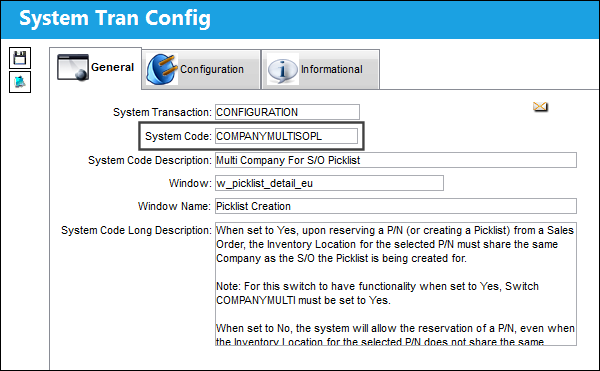
COMPANYMULTISOPL_Configuration


Switch Set to Yes:

When set to Yes, upon reserving a P/N (or creating a Picklist) from a Sales Order, the Inventory Location for the selected P/N must share the same Company as the S/O the Picklist is being created for.
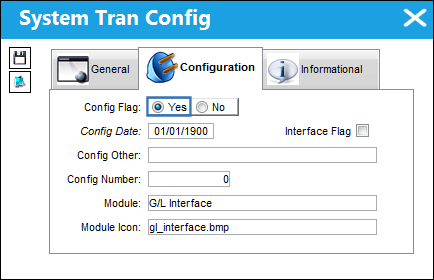
12_GLInterface_Yes

Note: For this switch to have functionality when set to Yes, Switch COMPANYMULTI must be set to Yes.

The following P/N is available at a particular Inventory Location for a specified Company.
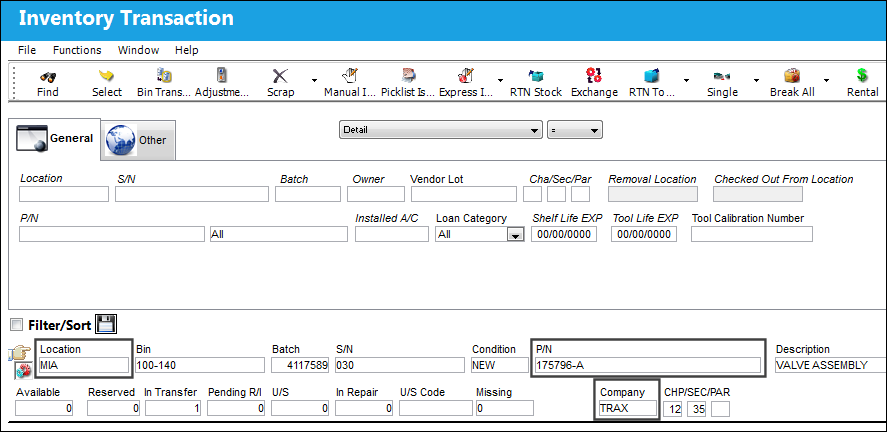
COMPANYMULTISOPL_Yes_No_1

For a different Company, but the same aforementioned Location, a Sales Order has been created.
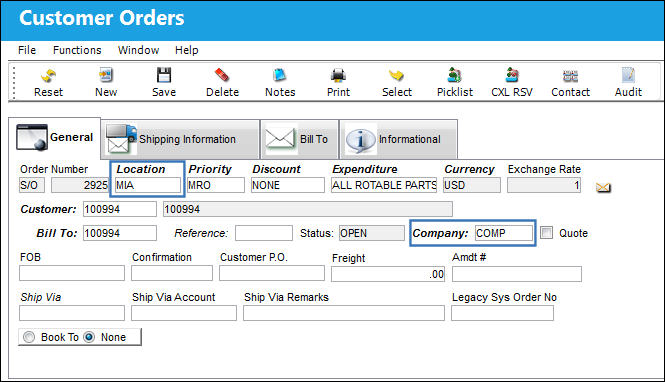
COMPANYMULTISOPL_Yes_No_2

From the Sales Order Detail, the P/N in the particular Inventory is specified.
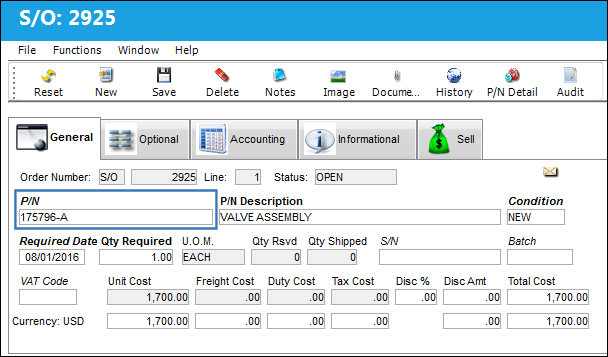
COMPANYMULTISOPL_Yes_No_3

Following, a Picklist has been created from the Sales Order.
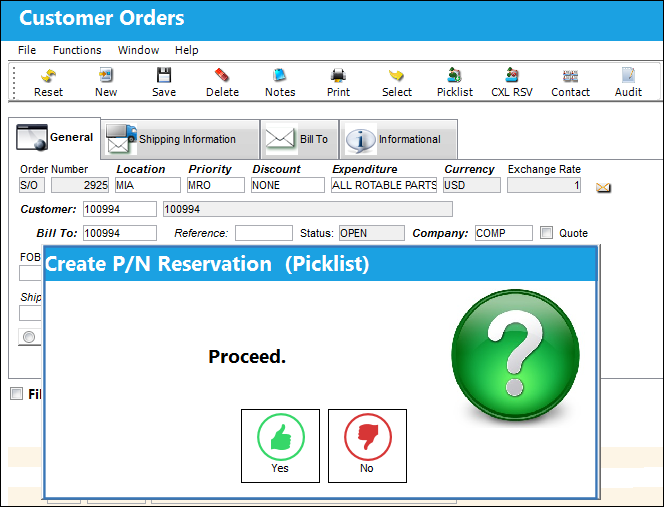
COMPANYMULTISOPL_Yes_No_4

Notice the following warning appears preventing P/N from being reserved.
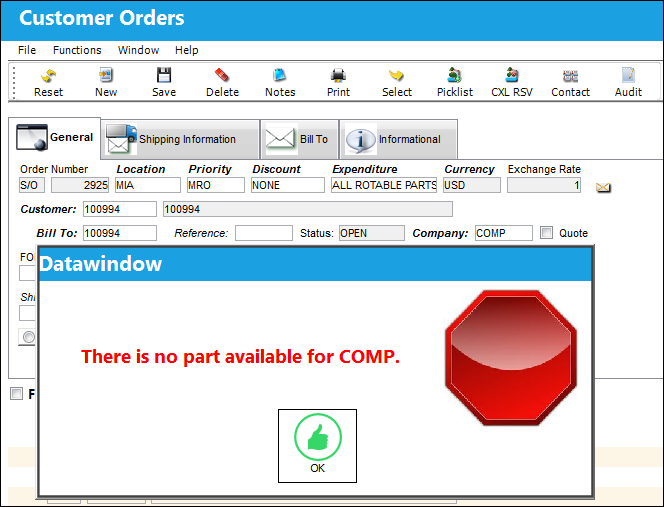
COMPANYMULTISOPL_Yes_5


Switch Set to No:

When set to No, the system will allow the reservation of a P/N, even when the Inventory Location for the selected P/N does not share the same Company as the S/O the Picklist is being created for.
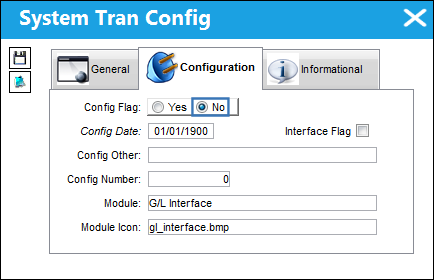
12_GLInterface_No

The following P/N is available at a particular Inventory Location for a specified Company.

COMPANYMULTISOPL_Yes_No_1

For a different Company, but the same aforementioned Location, a Sales Order has been created.

COMPANYMULTISOPL_Yes_No_2

From the Sales Order Detail, the P/N in the particular Inventory is specified.

COMPANYMULTISOPL_Yes_No_3

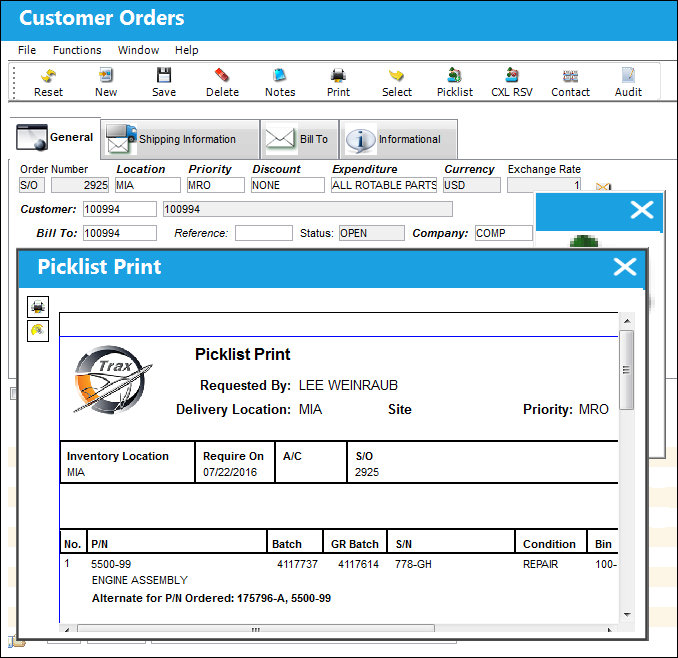
Following, a Picklist has been created from the Sales Order.

COMPANYMULTISOPL_Yes_No_4

Notice the system allows the reservation to be conducted through the Picklist being created and the Picklist Print being generated.
COMPANYMULTISOPL_No_5

See Also

G/L Interface Switches

CLOSEBAL - Inventory Balance Closing

COMPANYMULTI - Multi Company Setup

COMPANYMULTIEX - Validates Company of P/N used for Exchange Issue

COMPANYMULTIFR - Multi Company Form Revision

COMPANYMULTIPL - Multi Company For Picklist

COMPANYMULTIREQ - Multi Company Override for Requisition

COMPANYMULTIRO - Multi Company Override J/E for R/O

CURRENC2 - Secondary Currency

CURRENCY - Company Default Currency

F/A - Fixed Asset Information

FACREDITNEW - New Fixed Asset creates J/E and triggers Average Cost Recalculation

FAINVCOSTBALADJ - Automatically Run F/A Depreciation and Inventory Costing Balance Adjustment

FAMAIN - Use Main P/N for Fixed Asset

FAMAINREPORT - Reflect Actual Serial Number In Fixed Asset Tables

FAMANRMV - Manual Fixed Asset Removal

FARMVINS - Fixed Asset Swap at Removal and Installation of Part

FAVALUEZERO - Load Fixed Asset Below This Amount Zero

FAZERO - Do Not Allow Scrap / Sale / E/X Issue / RTV / P/N Change without Fixed Asset

GLACCC - W/O G/L Cost Center Uses A/C Tail Number

GLBUDADD - Add Remove Transaction Amounts From Budget

GLCRDATE - Current Date As G/L Date

GLCSTCNTAC - Default G/L Cost Center From A/C Master Cost Center

GLELODIE - Order Invoice Transfer Configuration

GLFIFO - Use FIFO Instead Of LIFO

GLJEZERO - Write Zero Value for an Order's Journal Entry

INVBALPERIOD - Inventory Balance and Costing by Period

INVCOSTINGADJ - Inventory Costing and Balance Adjustment on Oracle Database

INVCOSTINGBAL - Inventory Costing and Balance Adjustment on Oracle Database

INVTRANS - Batch Number and Path

J/E - J/E Closing Date

JECRDRSQ - Credit Debit Next Sequence Number

JECRT - Journal Entry Create

JEDEL - Journal Entries Delete

JETPWSAL - Accounts Receivable account NOT charged at Third Party W/O Closing

MISSING/FOUND/LOST - Create Value/Adjustment for the Missing Part During Inventory Costing Process

PNMAINTOINTER - P/N Interchangeable to Main Inventory and Journal Entries Creation

REASCII128255 - Allow ASCII Characters 128-255 from JE XML

Top of Page Publication Date: 8/17/2026 Share Print