
 Share
Share
 Print
Print
|
|
|
|
|


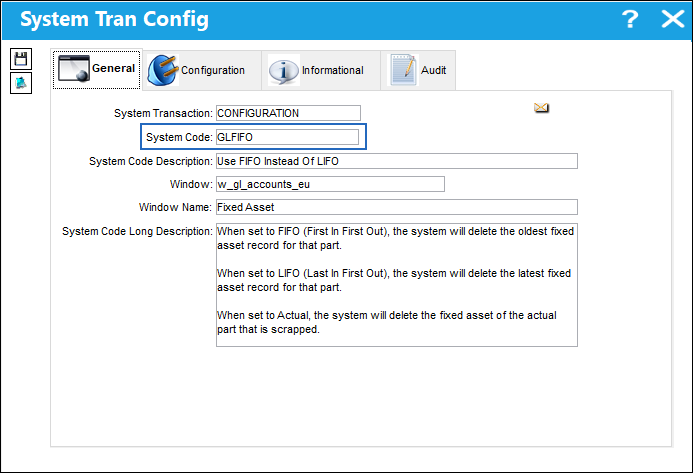
GLFIFO - Use FIFO Instead Of LIFO
Use FIFO Instead Of LIFO.
Affected windows: w_inventory_transaction_picklist_issue, w_inventory_transaction_return_non_eu, w_inventory_transaction_return_to_vendor, w_inventory_transaction_scrap, w_pn_initial_eu, w_po_order_header_eu, w_po_receiving_eu, w_po_receiving_eu_auto, w_sv_order_header_eu, w_pn_master_category_change
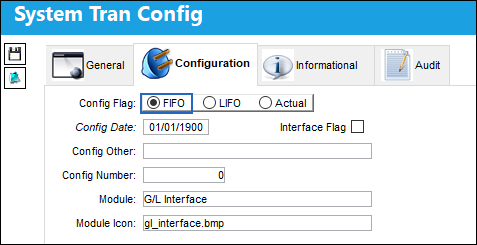
When Set to FIFO:
When set to FIFO (First In First Out), the system will delete the oldest fixed asset record for that part.
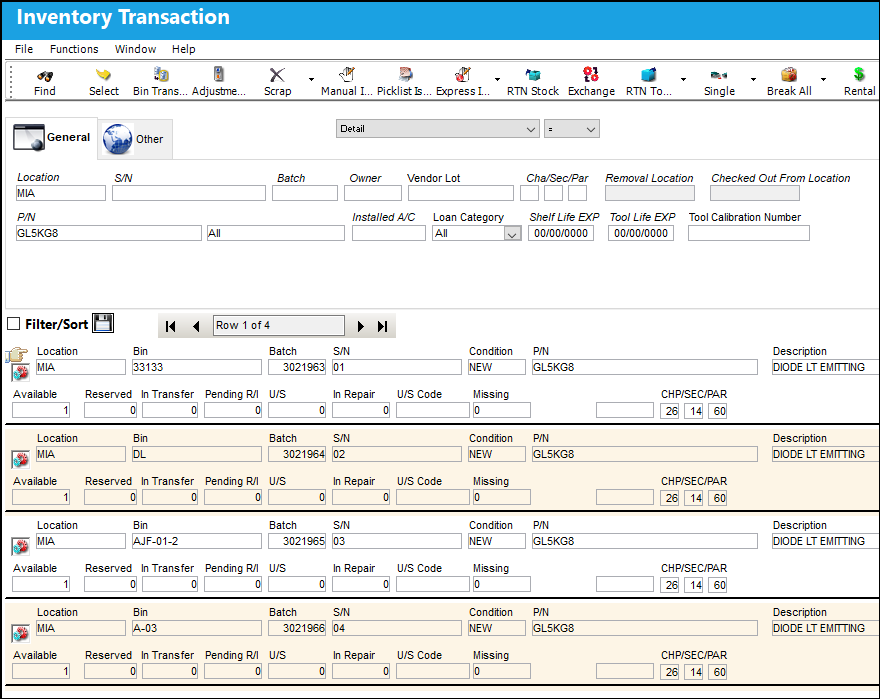
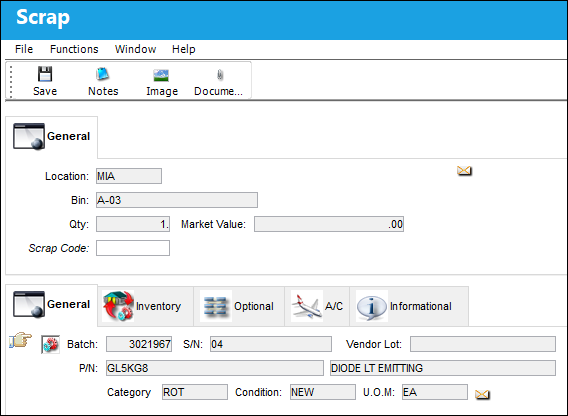
Location 'MIA' has four P/N ''GL5KG8'.
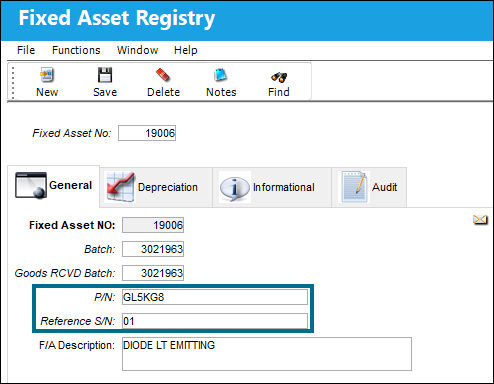
P/N 'GL5KG8' "S/N has a Fixed Asset Number '19006'.
P/N 'GL5KG8' S/N '04' is scrapped.
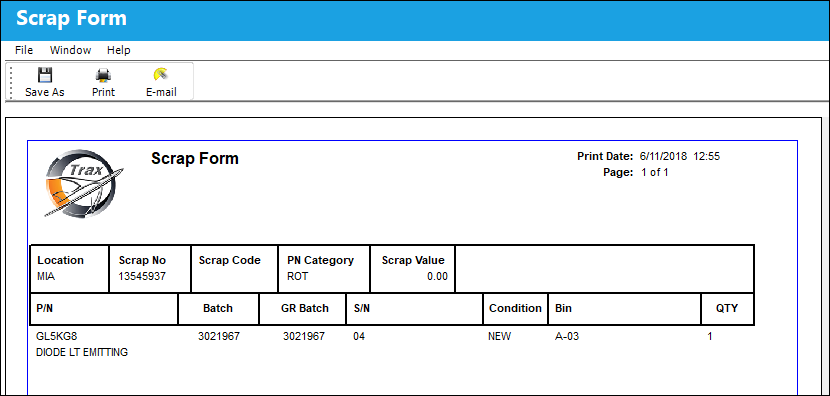
The Scrap Form is displayed below.
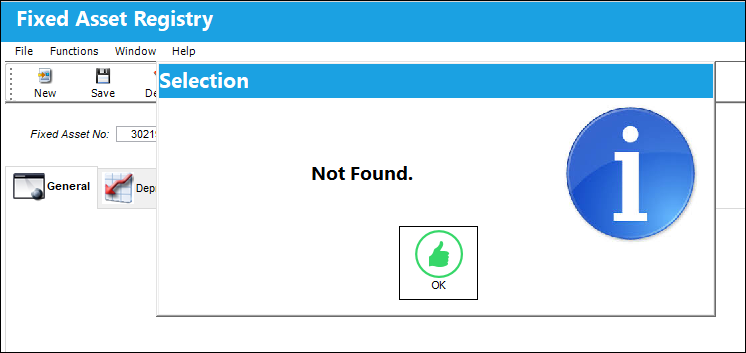
The Fixed Asset for P/N 'GL5KG8' S/N '04' is still in the system and was not deleted.
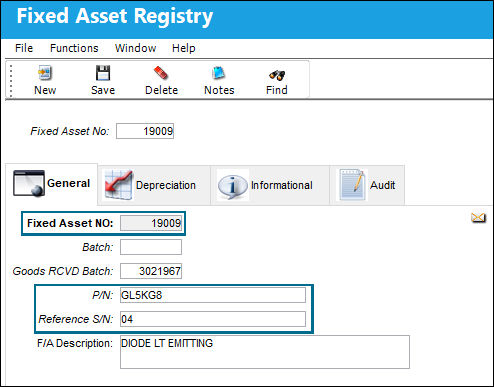
The oldest Fixed Asset record for P/N 'GL5KG8' is S/N '01'.
The system deleted the latest fixed asset record due to the FIFO configuration switch setting.
When Set to LIFO:
When set to LIFO (Last In First Out), the system will delete the latest fixed asset record for that part.
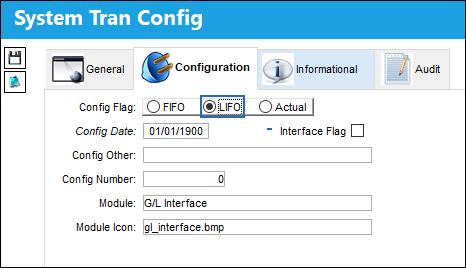
In location 'ATL', P/N 'GL511-3105-1' has three parts available.
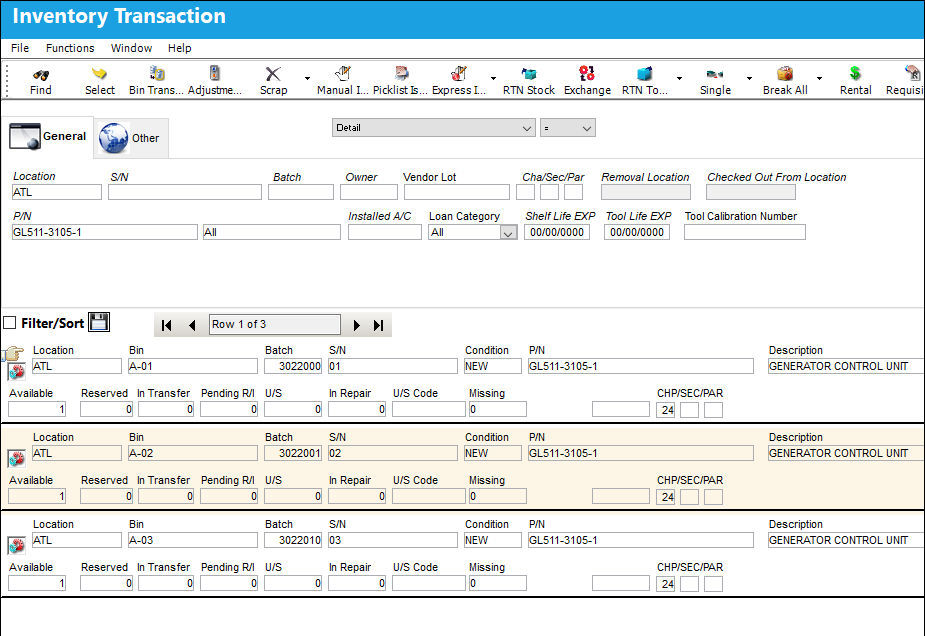
P/N 'GL-511-3105-1' S/N '01' has the oldest fixed asset record for the part.
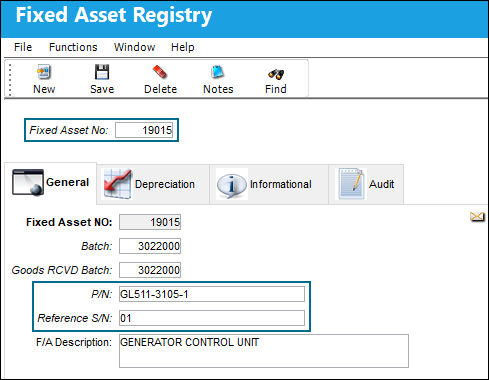
P/N 'GL511-3105-1' S/N '01' is scrapped.
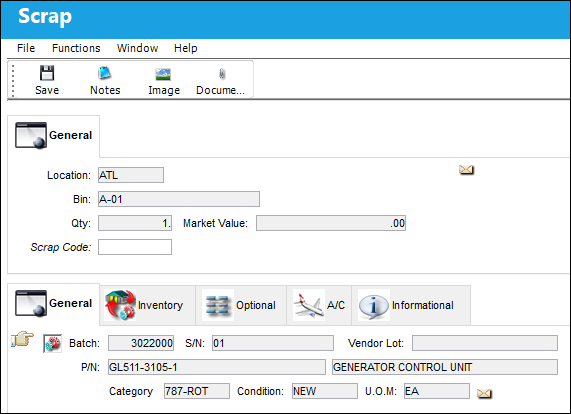
The following Scrap Form is displayed.
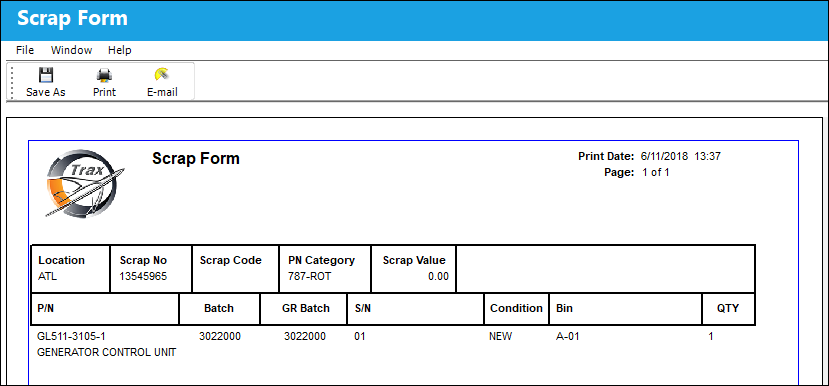
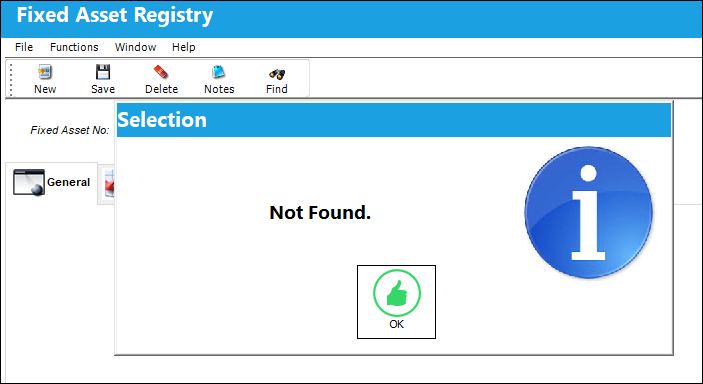
The latest Fixed Asset record for P/N 'GL511-3105-1' is S/N '04'.
The system deleted the latest fixed asset record due to the LIFO configuration switch setting.
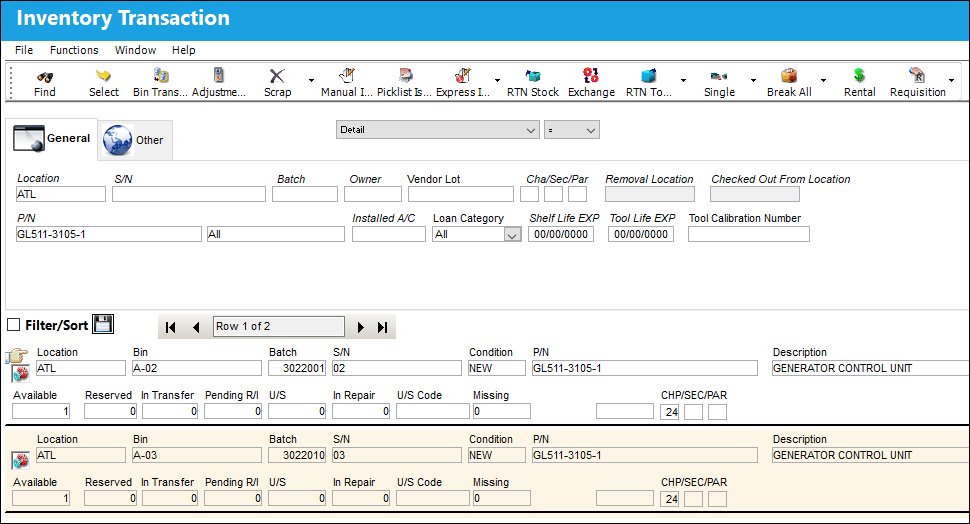
In the Inventory Transaction window, P/N S/N '01' is successfully scrapped from inventory.
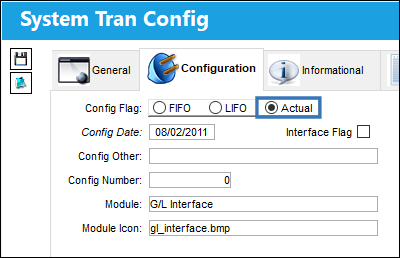
When Set to Actual:
When set to Actual, the system will delete the fixed asset of the actual part that is scrapped.
: Please contact Trax to assess the existing data when going from FIFO/LIFO to Actuals. A script may be required to update existing data.
Switch  FAMAINREPORT must be set to Yes and Switch FAMAIN must be set to No for this switch setting to function correctly.
When this switch is set to 'Actual,' if the Batch of the P/N S/N is not matched to a Fixed Asset record, when the P/N S/N is scrapped there will be no financial movement against the Fixed Asset table.
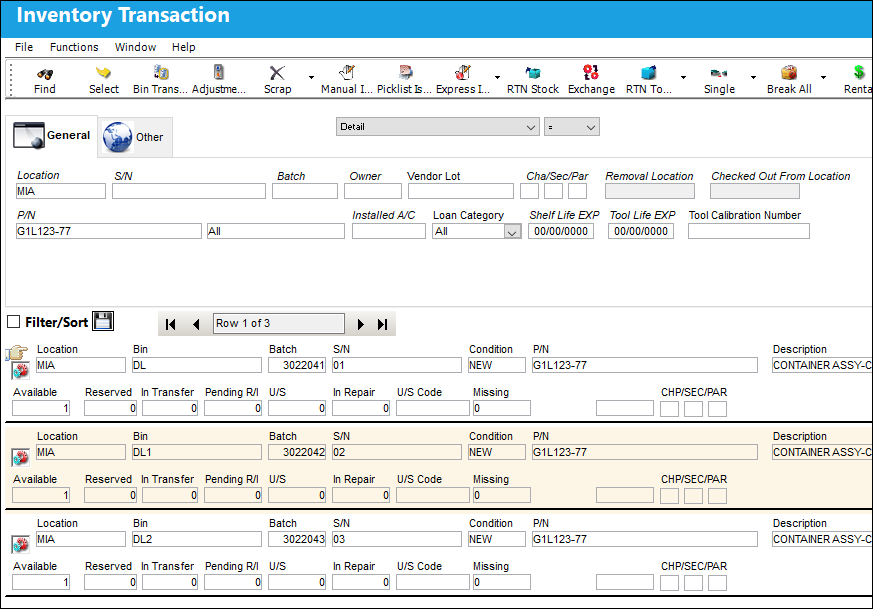
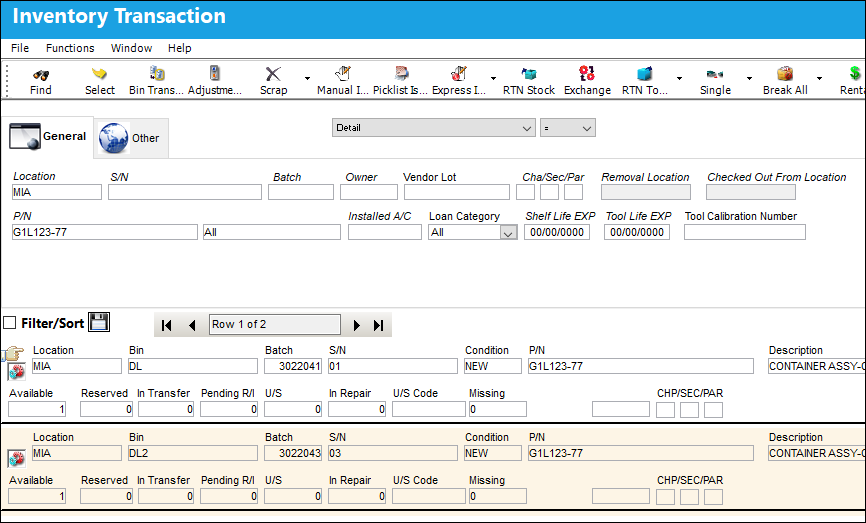
In the Inventory Transaction window, Location 'MIA' has three P/N 'G1L123-77'.
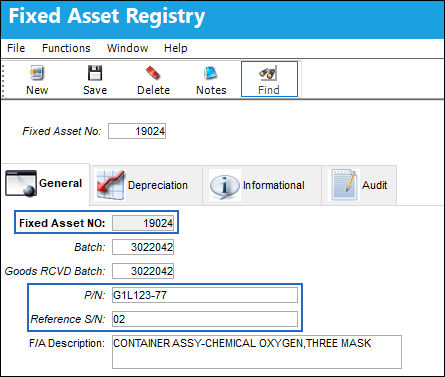
The fixed asset record for P/N 'G1L123-77' S/N '02' is displayed.
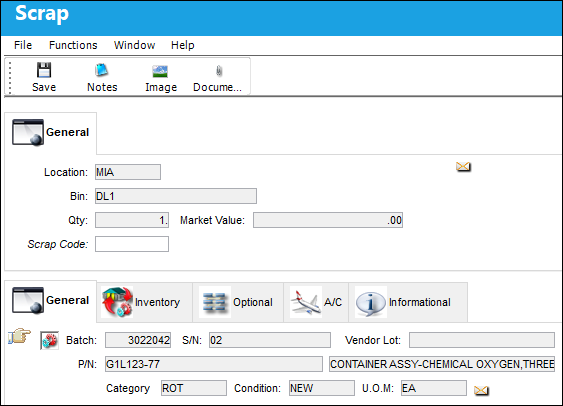
`The same P/N 'G1L123-77' S/N '02' is scrapped.
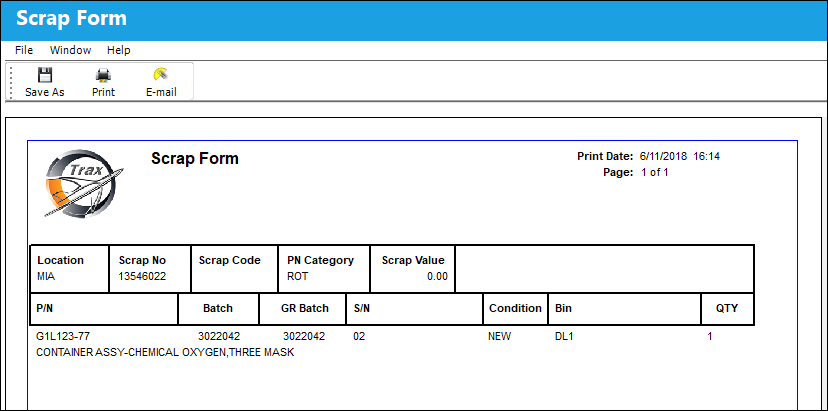
The Scrap Form is displayed.
The system deleted the fixed asset record for the indicated scrapped P/N 'G1L123-77' S/N '02'.
In the Inventory Transaction window, P/N 'G1L123-77' S/N '02' is successfully scrapped from inventory.
 Swap Fixed Asset From Installed to Removed Components:
When an NLA is removed from an assembly and a new NLA is installed onto the same assembly, the system will swap the Fixed Asset from the new NLA and apply it to the component that was removed and returned to inventory.
This functionality also works for Third Party Work Order.
Removed parts will be placed on the pending table until the removed item is replaced by a interchangeable or One Way Forward part.
Switch GLFIFO must be set to 'Actual' in order for the Fixed Asset to be swapped from the installed component to the removed component.
The following assembly will be used for this example.
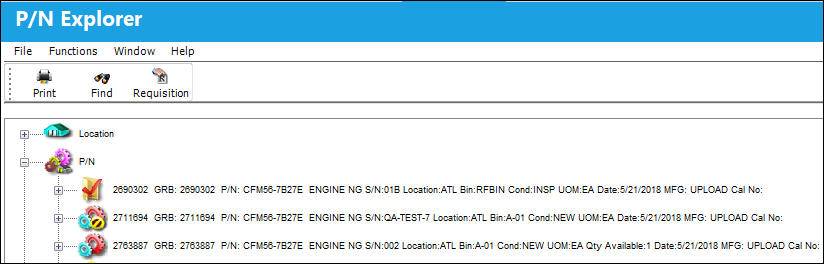
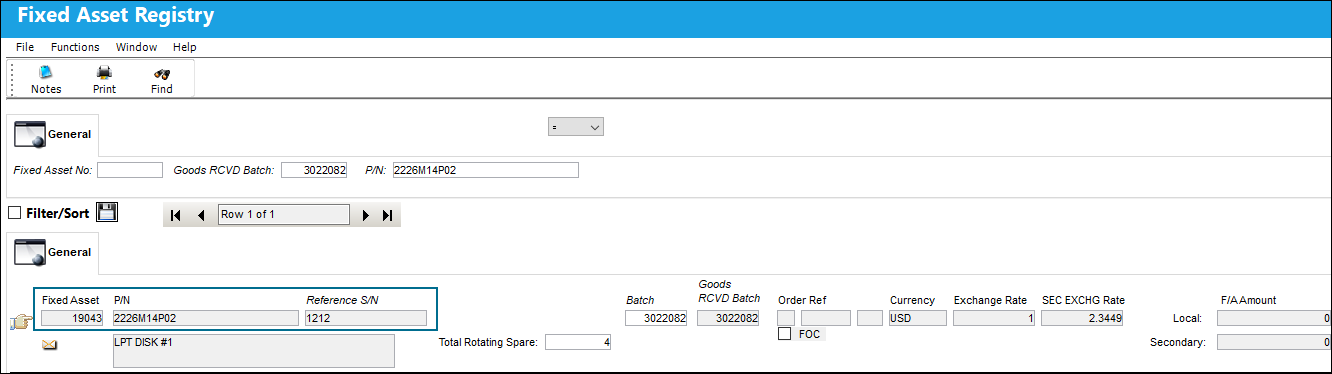
The Fixed Asset for this NHA 19043.
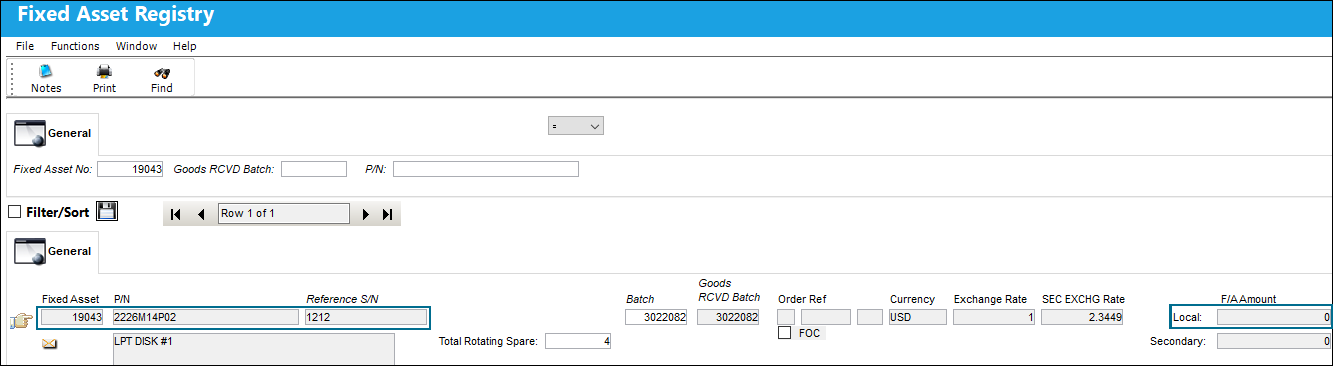
The following NLA was purchased to be installed on the NHA. The fixed asset reference is 19040.
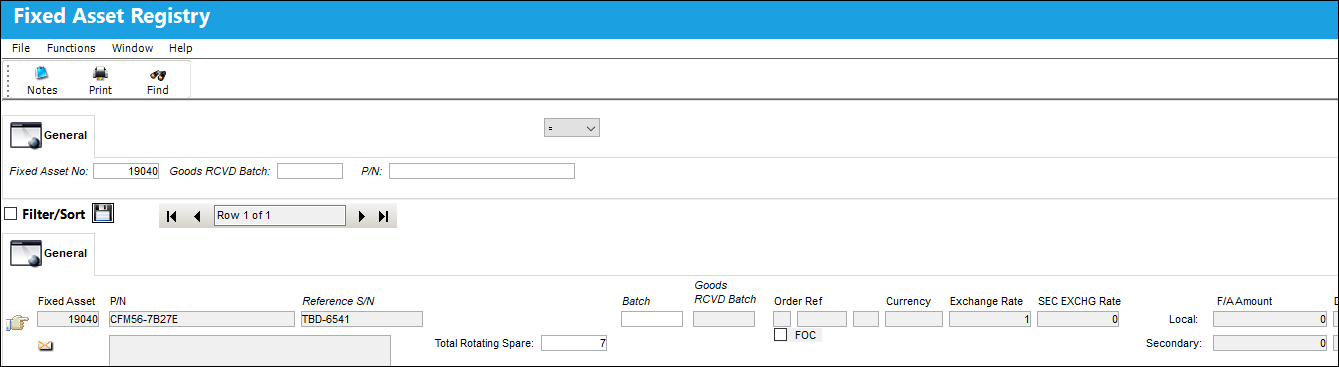
NLA (S/N TBD-6541) will be removed from the assembly.
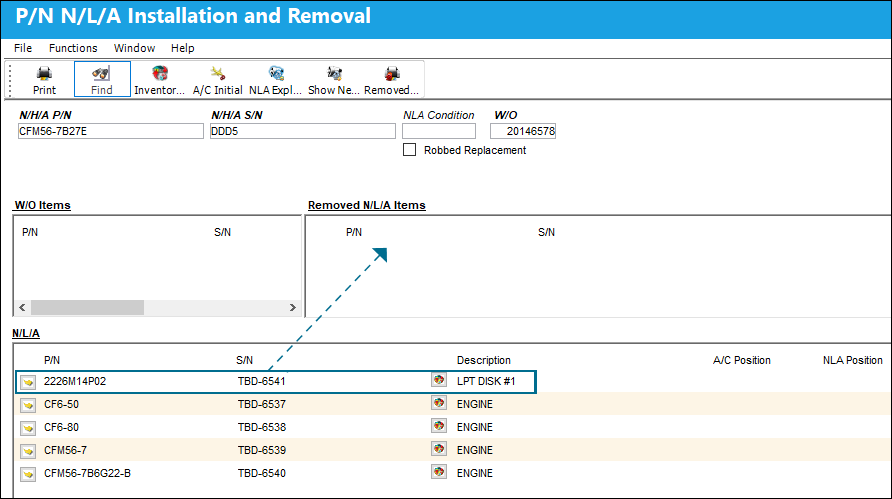
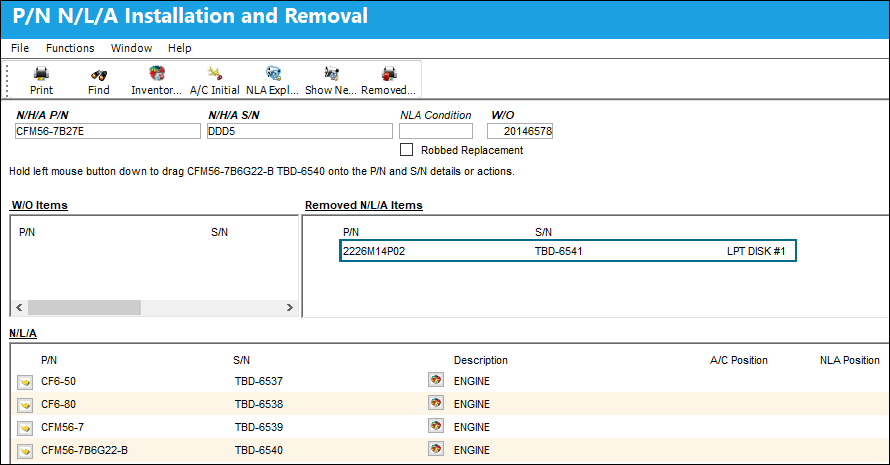
S/N 'TBD-6541' was removed from the assembly.
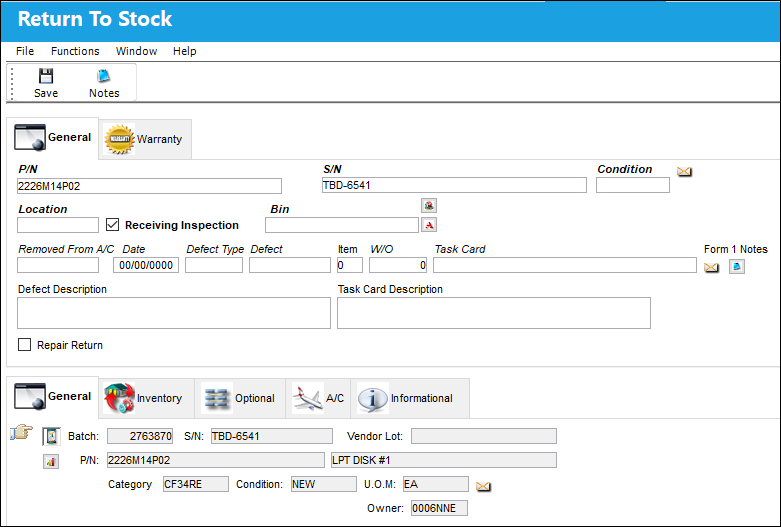
S/N 'TBD-6541' is Returned To Stock.
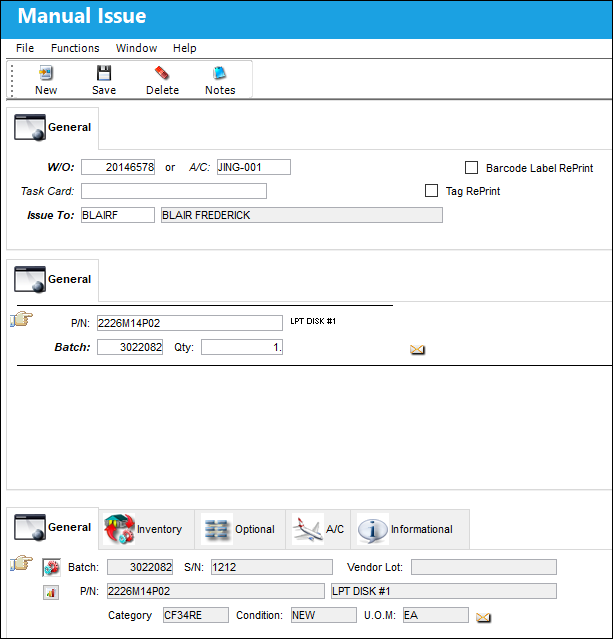
The newly purchased NLA is issued to the Work Order.
In order to swap the Fixed Asset, the new NLA (S/N 1212) and the NLA that was removed (S/N TBD-6541) are both highlighted before S/N 1212 is installed on the assembly.
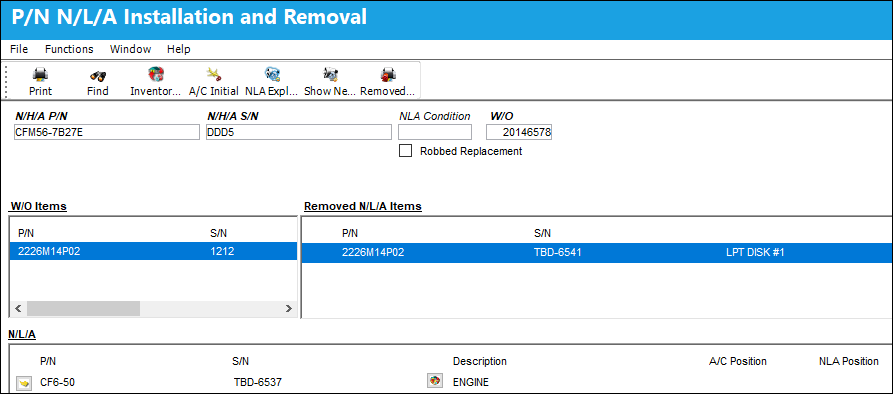
The new NLA is installed.
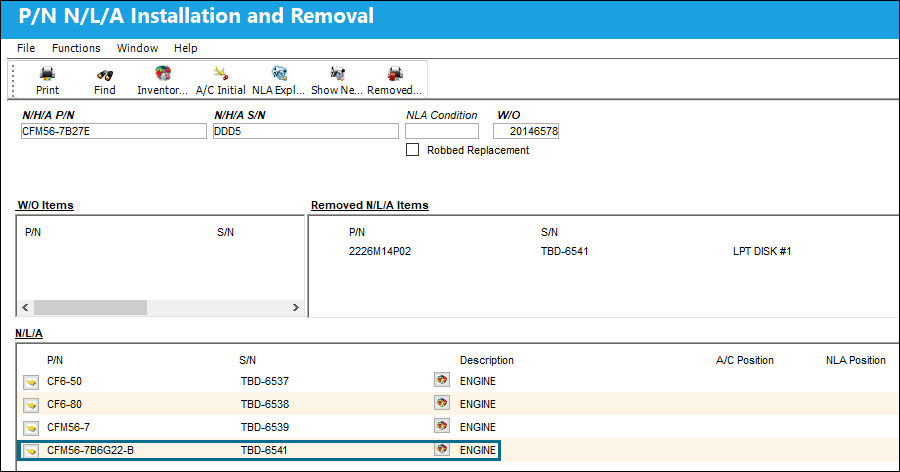
The Fixed Asset is correctly swapped from the newly installed NLA to the NLA that was removed.
Share
Print
|
©1997-2026 Trax USA Corp. All rights reserved. This manual may not be copied, photocopied, reproduced, translated, or converted to any electronic or machine-readable form, in whole or in part, without prior written approval from Trax USA Corp. |
 |