
 Share
Share
 Print
Print
|
|
|
|
|


GLCRDATE - Current Date As G/L Date
Current Date As G/L Date
Affected Window: w_journal_entries, w_journal_entries_detail_qry
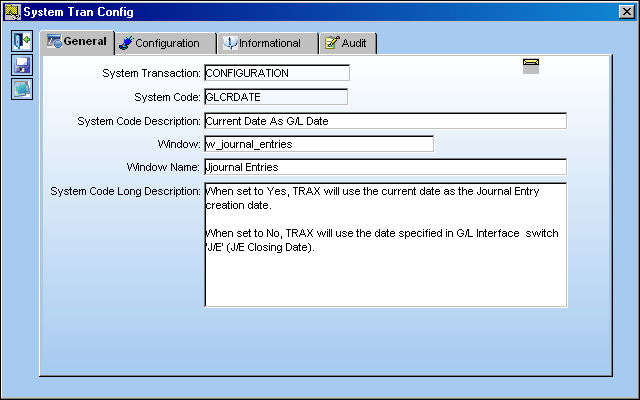
Setup Switch:
In order for the 'No' functionality of Switch  GLCRDATE to function properly, Switch J/E will need to have an assigned Journal Entry date. Users must enter the chosen date in the Config Date field:
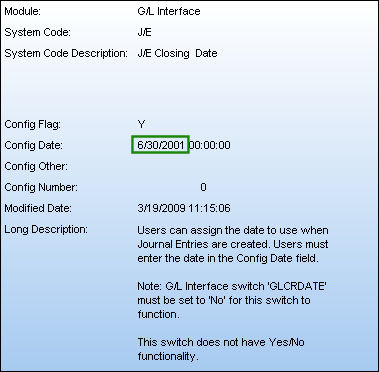
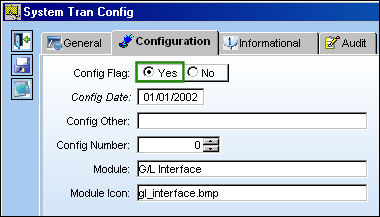
Switch Set to Yes:
When set to Yes, TRAX will use the current date as the Journal Entry creation date.
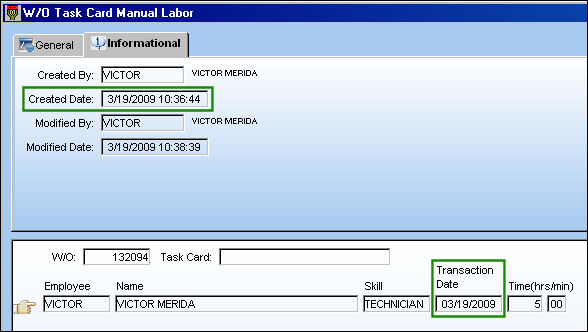
For example, carry out a transaction that will affect the G/L.
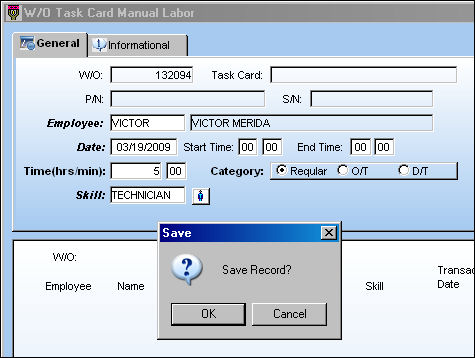
Notice the transaction's Created Date.
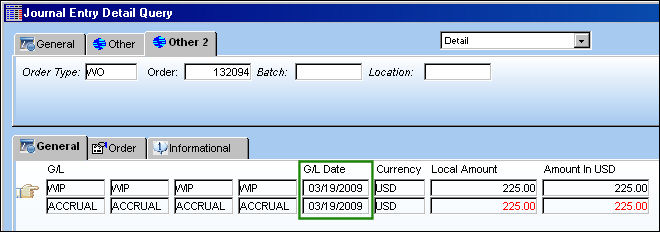
From the Journal Entry Detail Query window the G/L Date field lists the date that the Journal Entry transaction was created.
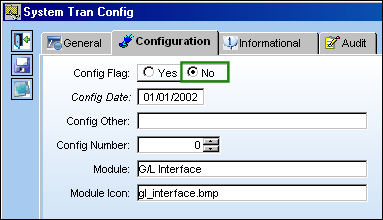
Switch Set to No:
When set to No, TRAX will use the date specified in Switch J/E.
Share
Print
|
©1997-2026 Trax USA Corp. All rights reserved. This manual may not be copied, photocopied, reproduced, translated, or converted to any electronic or machine-readable form, in whole or in part, without prior written approval from Trax USA Corp. |
 |