
 Share
Share
 Print
Print
|
|
|
|
|


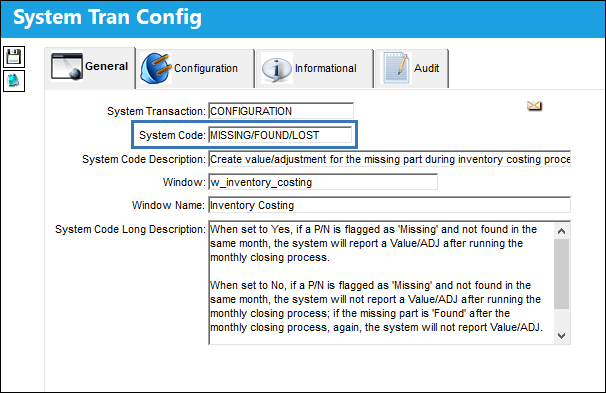
MISSING/FOUND/LOST - Create Value/Adjustment for the Missing Part During Inventory Costing Process

Create Value/Adjustment for the Missing Part During Inventory Costing Process
Affected Window: w_inventory_costing
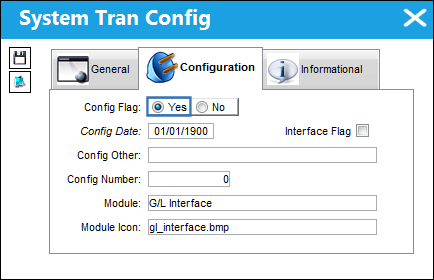
Switch Set to Yes:
When set to Yes, if a P/N is flagged as 'Missing' and not found in the same month, the system will report a Value/ADJ after running the monthly closing process.
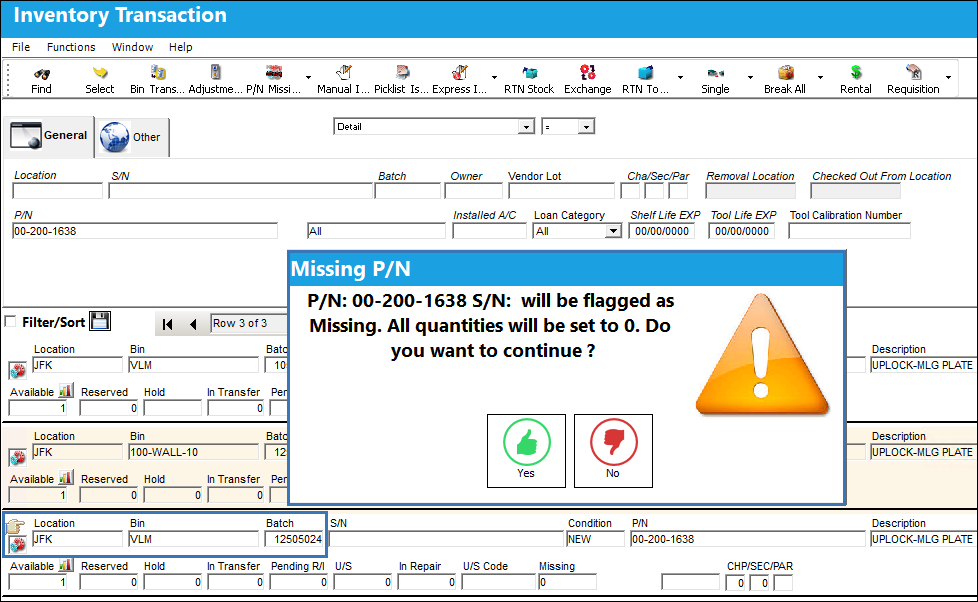
From the Inventory Transaction window, the P/N Missing  button is selected to flag a batch as missing.
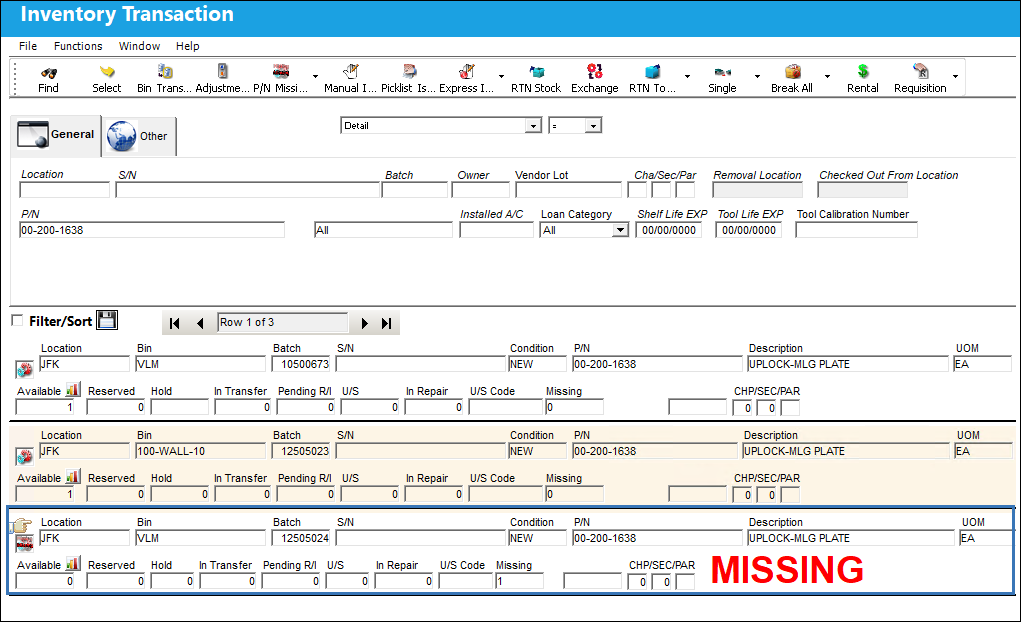
The batch is flagged as missing.
The unit value for each of the three batches is the same.
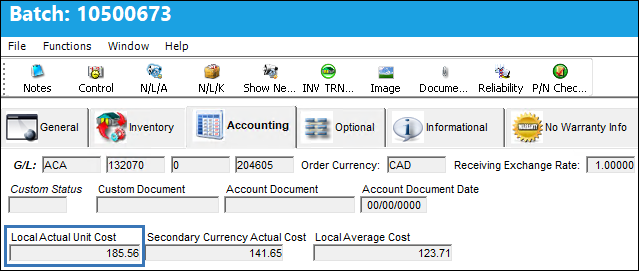
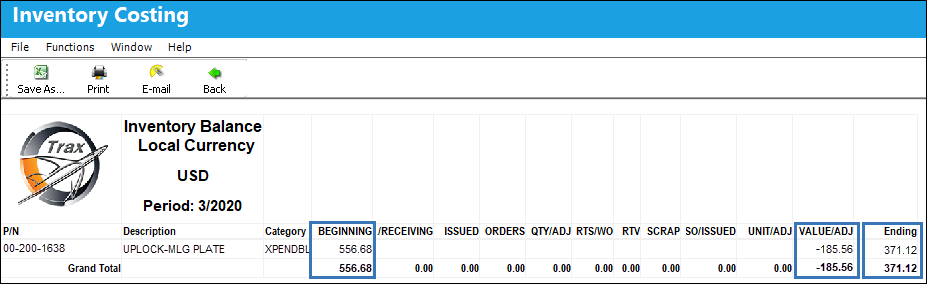
If the part remains in a missing status at the time the monthly closing process is carried out, the Inventory Balance Local Currency print will report a Value/Adj for the missing part.
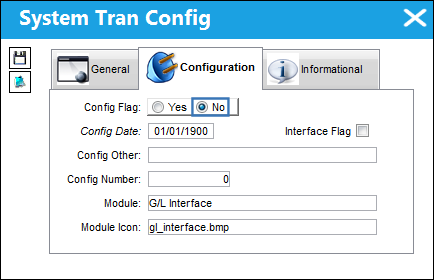
Switch Set to No:
When set to No, if a P/N is flagged as 'Missing' and not found in the same month, the system will not report a Value/ADJ after running the monthly closing process; if the missing part is 'Found' after the monthly closing process, again, the system will not report Value/ADJ. If a P/N is 'Lost', the system will report a Unit/ADJ after the monthly closing processes.
Missing Inventory
From the Inventory Transaction window, the P/N Missing button is selected for the missing batch.
The batch is flagged as missing.
The unit value for each of the three batches is the same.
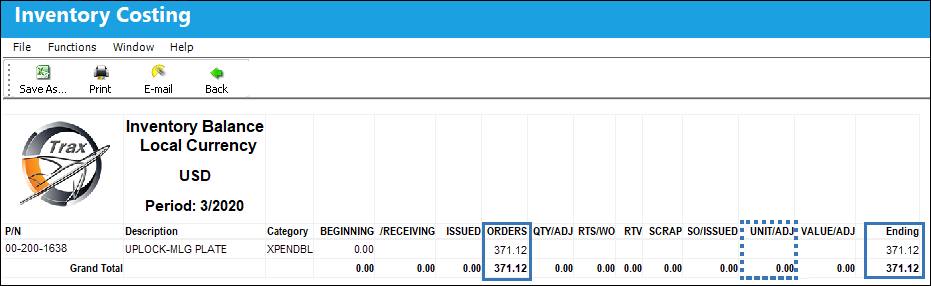
If the part remains in a missing status at the time the monthly closing process is carried out, the Inventory Balance Local Currency print will not record a Unit/Adj for the missing batch; the print will only show the value of the batches in inventory.
Lost Inventory
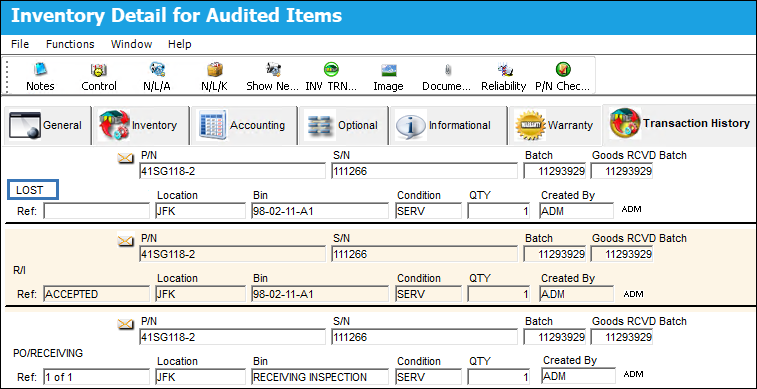
From the Inventory Transaction window, the Lost  button is selected for a batch that is lost.
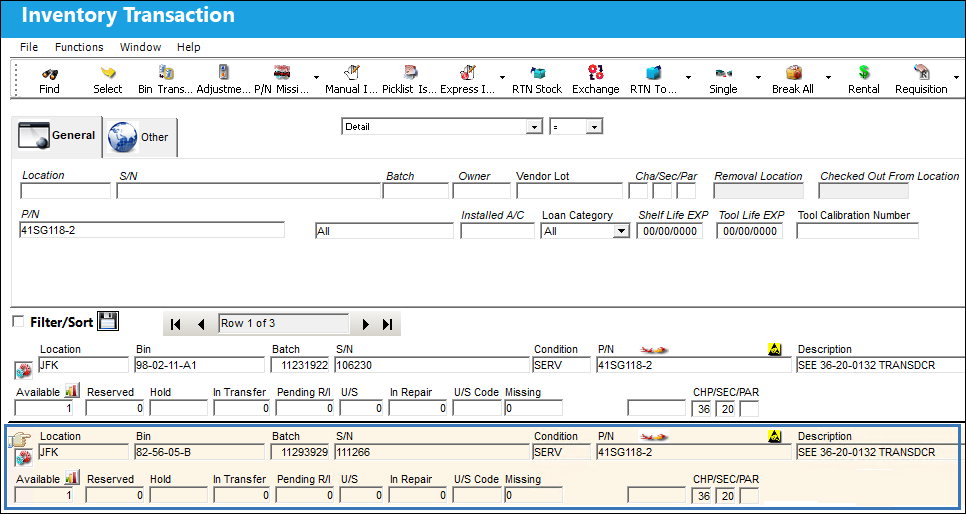
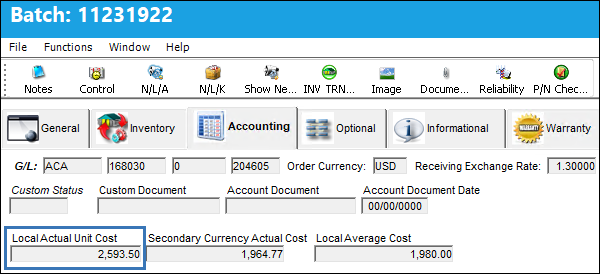
The unit value for each of the batches is the same.
The batch has been removed from inventory.
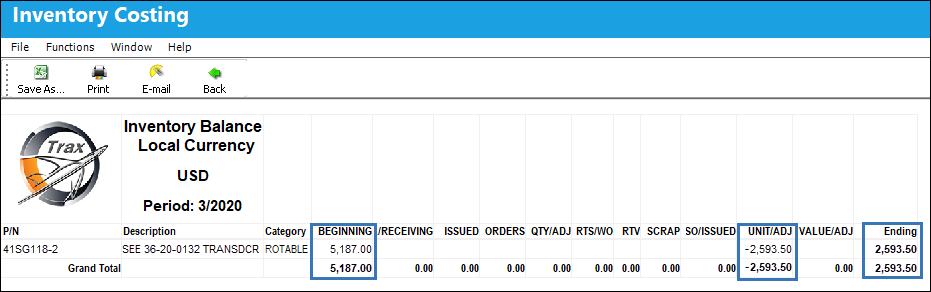
When the monthly closing process is carried out, the Inventory Balance Local Currency print will report a Unit/Adj for the lost batch.
Share
Print
|
©1997-2026 Trax USA Corp. All rights reserved. This manual may not be copied, photocopied, reproduced, translated, or converted to any electronic or machine-readable form, in whole or in part, without prior written approval from Trax USA Corp. |
 |