
 Share
Share
 Print
Print
|
|
|
|
|


Chargeable Indicator Field
The System Transaction Codes are displayed with both the Code Names and Descriptions. The Code Descriptions directly illustrate their functionality and role in the system, as fields are populated and tasks are performed.
Transaction Code: |
Chargeable Indicator Field |
General Description: |
|
Are Authorization Steps Available? |
N |
Is System Notification Available? |
N |
Trax Control Panel Path(s): |
|
Windows(s): |
|
Related Switch(s): |
|
Functions: |
|
Reports: |
|
Available Functionality:
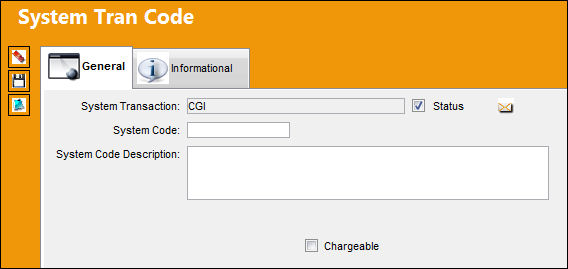
Go to the System Tran Code and select the Chargeable checkbox to apply the chargeability.
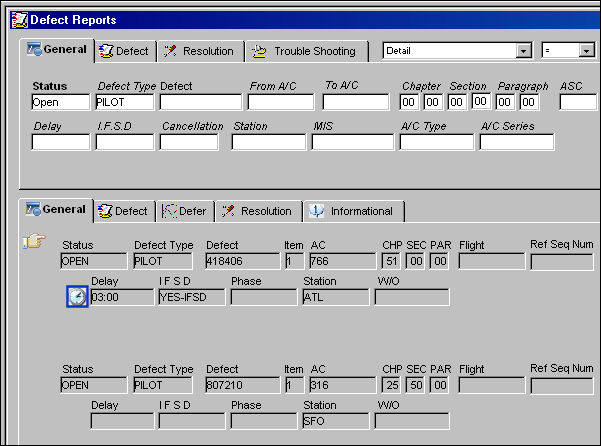
TRAX displays the Defect Reports Window. Select a defect report that has a delay.
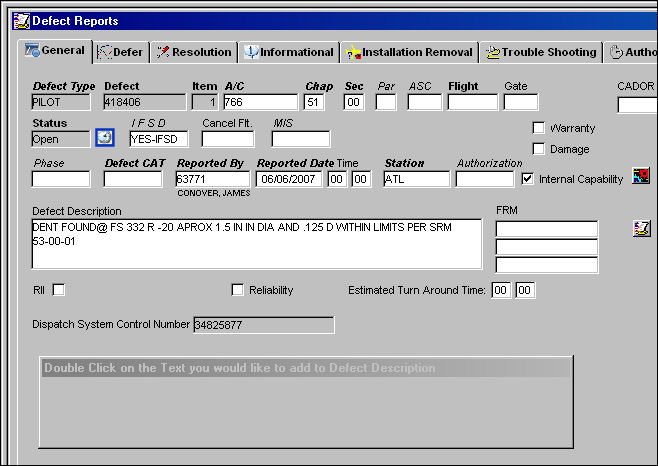
The report is shown below. Select the Defect Report Delay  Button.
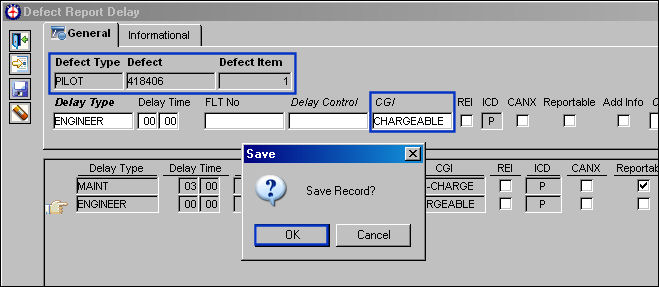
The Defect Report Delay window appears. Note that the CGI field is populated with CHARGEABLE and saved.
Go to Reliability/Update/Spec2000 Reliability Exports
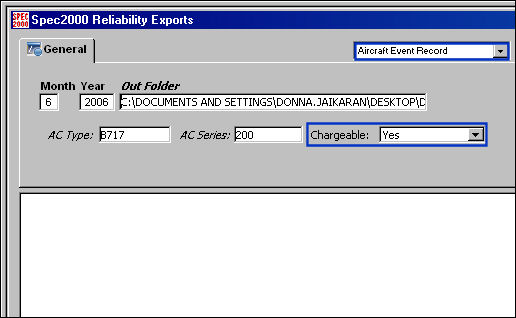
Populate all mandatory fields. Select the Aircraft Event Record to allow the Chargeable field to appear. Select the Find  Button.
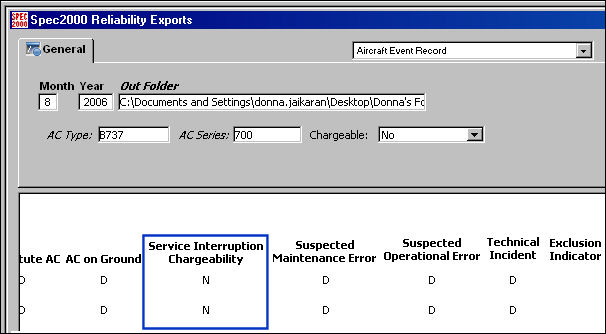
The information for the selected record can be seen below.
Note: The Service Interruption Chargeability is 'N.'
Go to the folder where the file has been exported to.
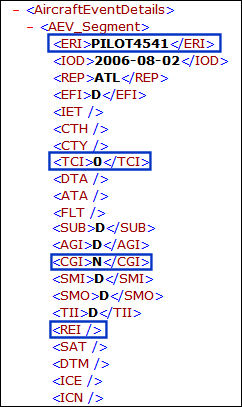
In the Status field, select a defect report that is in Open Status. Right click in the Defect Type field.
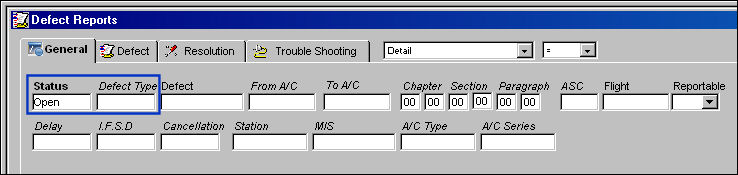
TRAX displays the drop down selection window as shown below. Select a defect type by double-clicking over the desired selection.
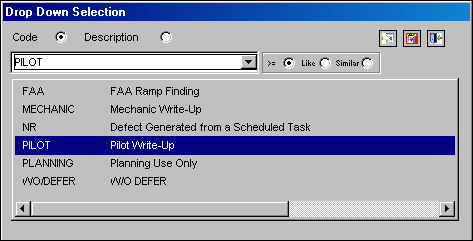
Once the Defect Type is populated, select the Find Button. Place the Hand  Pointer in front of desired record and double click to open, or click on the Select
  Button.
Note: For the Chargeable Indicator option, be sure to select a record which includes the Defect Report Delay Button.
Share
Print
|
©1997-2026 Trax USA Corp. All rights reserved. This manual may not be copied, photocopied, reproduced, translated, or converted to any electronic or machine-readable form, in whole or in part, without prior written approval from Trax USA Corp. |
 |