
 Share
Share
 Print
Print
|
|
|
|
|


Resolution Category
The System Transaction Codes are displayed with both the Code Names and Descriptions. The Code Descriptions directly illustrate their functionality and role in the system, as fields are populated and tasks are performed.
Transaction Code: |
RESOLUTION CATEGORY |
General Description: |
Create Resolution Categories. |
Are Authorization Steps Available? |
N |
Is System Notification Available? |
Y |
Trax Control Panel Path(s): |
Technical Records/ Update/ Defect Report/ New Button/ Resolution Tab |
Windows(s): |
w_defect_reports_eu |
Related Switch(s): |
Not Applicable |
Functions: |
Categorize the Resolution |
Reports: |
None |
Available Functionality:
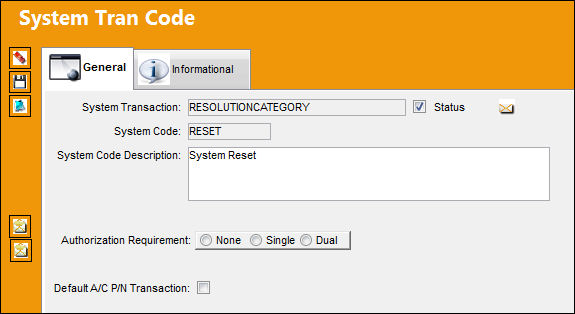
The following information/options are available in this window:
_____________________________________________________________________________________
Authorization Requirement
Select the authorization requirement that will be required for Defect Reports associated with this System Transaction Code.
None - No authorization required.
Single - One authorizer required.
Dual - Two authorizers required.
For more information, refer to the Defect Report Process.
Default A/C P/N Transaction checkbox
Select this checkbox to prompt the system to open the A/C P/N Transaction window once a defect is resolved with the specified Resolution Category Code. For additional information, see below documentation.
System Notification  button (MEL/CDL)
Select this button to set up a system generated notification regarding the specified transaction code. Select this button to create a system notification regarding a MEL or CDL. For information on how to set up System Notifications, refer to Setup - System Notification, via System Notifications of the Settings Training Manual.
System Notification button (Defect Report)
Select this button to set up a system generated notification regarding the specified transaction code. Select this button to create a system notification regarding a Defect Report. For information on how to set up System Notifications, refer to Setup - System Notification, via System Notifications of the Settings Training Manual.
_____________________________________________________________________________________
Default A/C P/N Transaction checkbox
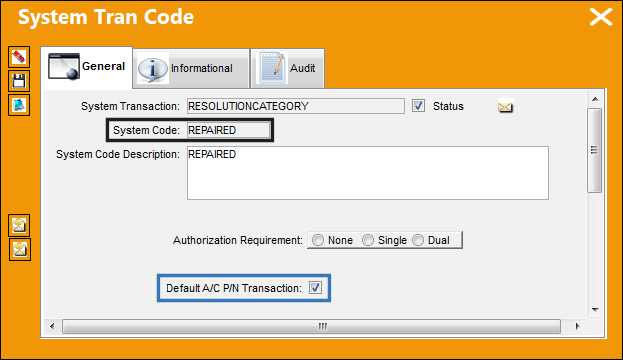
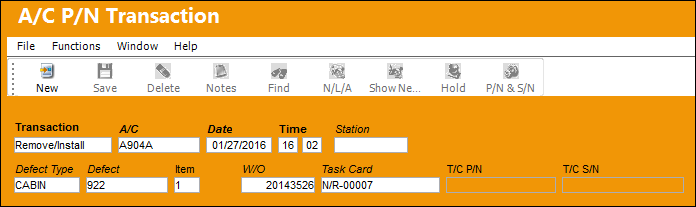
When a Defect is resolved with a Resolution CAT Code where the Default A/C P/N Transaction checkbox is selected, the user is brought to the Remove/Install transaction via the A/C P/N Transaction window.
The Default A/C P/N Transaction checkbox is selected for the 'REPAIRED' Resolution CAT Code.
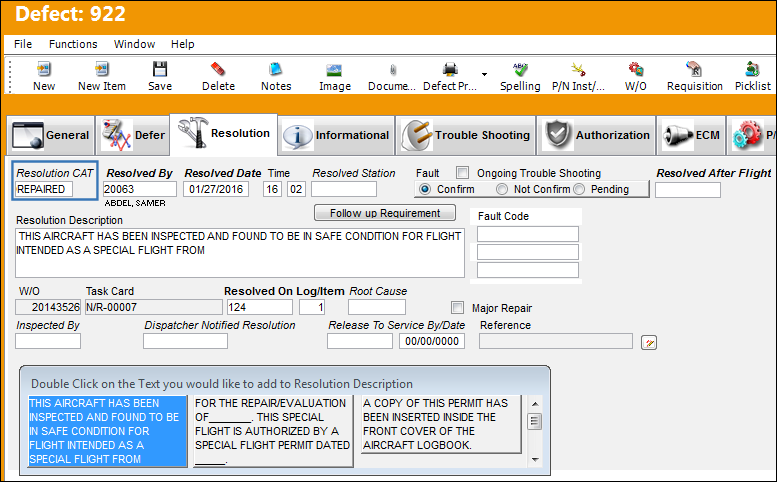
The following Defect is being resolved with the 'REPAIRED' Resolution CAT Code.
Upon saving, the user is taken to the Remove/Install transaction via the A/C P/N Transaction window.
 Additional Functionality:
In version 12 and all later releases, when running the Release Upgrader (RU) the system will generate two Resolution CAT codes (via Technical Records) that will be hard coded in the system. These two transaction codes were specifically created for the W/O Task Card closing process.
- S/N PART- to be selected if an A/C P/N Transaction is required.
- NOPART - to be selected to indicate that an A/C P/N Transaction is not required.
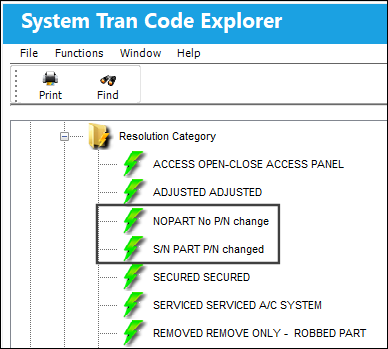
For detailed information regarding the functionality of how the S/N PART and NOPART transaction codes are to be used during W/O Task Card Closing, refer to switch  NRRELCATMD via the Production Switches manual.
Share
Print
|
©1997-2026 Trax USA Corp. All rights reserved. This manual may not be copied, photocopied, reproduced, translated, or converted to any electronic or machine-readable form, in whole or in part, without prior written approval from Trax USA Corp. |
 |