
 Share
Share
 Print
Print
|
|
|
|
|


Concession Authorization Group
The System Transaction Codes are displayed with both the Code Names and Descriptions. The Code Descriptions directly illustrate their functionality and role in the system, as fields are populated and tasks are performed.
Transaction Code: |
Concession Authorization Group |
General Description |
Concession Authorization Process Option |
Are Authorization Steps Available? |
N |
Is System Notification Available? |
N |
Trax Control Panel Path(s): |
Technical Records/ Explorer/ Concession Authorization Group Explorer |
Window(s): |
w_master_authorization_grp_explorer |
Related Switch(es): |
|
Functions: |
Authorization Process Setting |
Reports: |
N/A |
Available Functionality:
Alternative method of assigning who can authorize a Concession Registry instead of the Department/ Division/ Section option. Instead of applying Department/ Division/ Section restrictions as to who may be able to authorize a step within an authorization process, users may now specify who belongs to a particular authorization group. To do so, the user will need to set up the different required Concession Authorization Groups via System Transaction Code Explorer.
Set-up is identical to the creation of any other System Transaction Code and there are no embedded functionalities with the Concession Authorization Group Transaction Code.
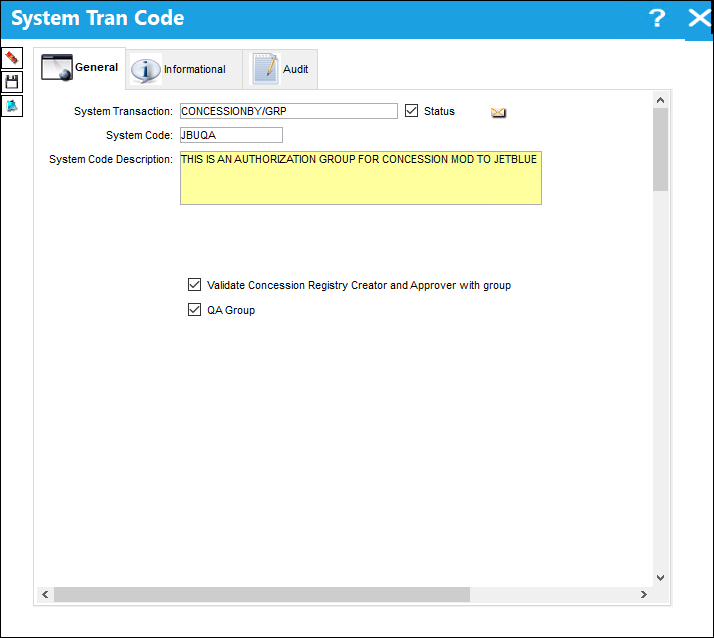
The following information/options are available in this window:
_____________________________________________________________________________________
Validate Concession Registry Creator and Approver with group 
Allows the user to authorize concessions exclusively with QA approval.
QA Group
Allows the group in question to approve QA concessions. QA concessions include both QA and regular concessions.
_____________________________________________________________________________________
However, now the user may use this System Trans Code to define who is allowed to be part of the authorization process via Technical Records/ Explorer/ Concession Authorization Group Explorer.
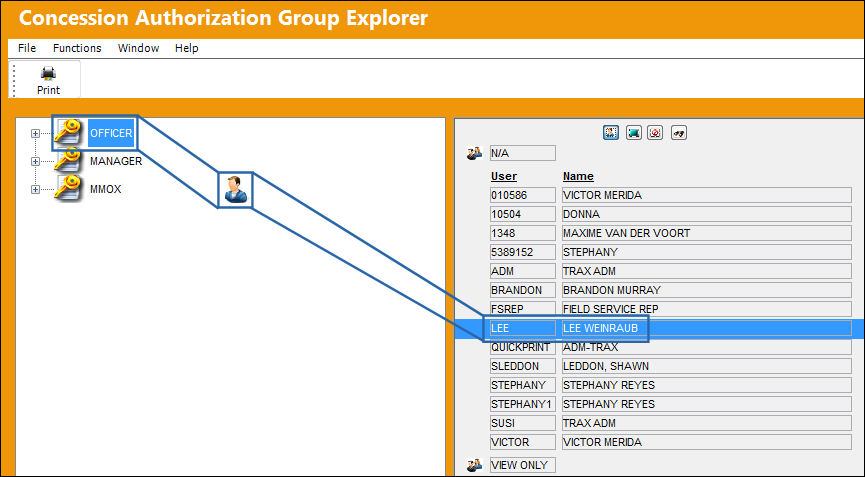
Within the Concession Authorization Group Explorer, the user will see a complete user/employee listing. Here the user may select the individual and drag and drop them to the particular Concession Authorization Group they want to permit them access for the authorization process. Once the user has done so, the following prompt will be received.
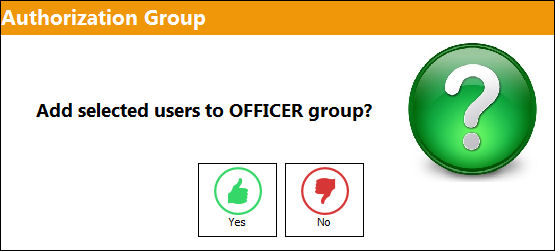
If 'Yes' is selected, the employee(s) will be included int he authorization group and will be part of the defined Concession Authorization process.
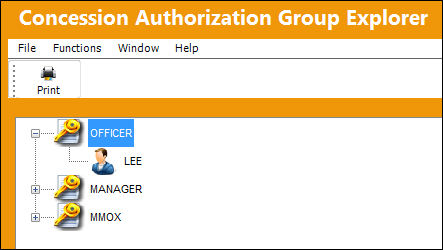
If 'No' is selected, then the employee(s) will NOT be included as part of the authorization group and will not be part of the Concession Authorization process. Similarly, a user may be removed from the Concession Authorization Group by right-clicking on the user's name and selecting on the Remove User option.
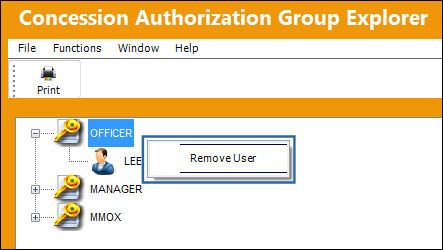
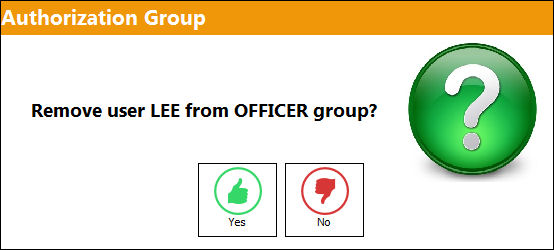
To complete the user removal, select 'Yes' to the below authorization group prompt.
Share
Print
|
©1997-2026 Trax USA Corp. All rights reserved. This manual may not be copied, photocopied, reproduced, translated, or converted to any electronic or machine-readable form, in whole or in part, without prior written approval from Trax USA Corp. |
 |