
 Share
Share
 Print
Print
|
|
|
|
|


REQCAPEXFLAG - Validate Capital Expenditure and P/N Category

Validate Capital Expenditure and P/N Category
Affected windows: w_requisition_detail_eu
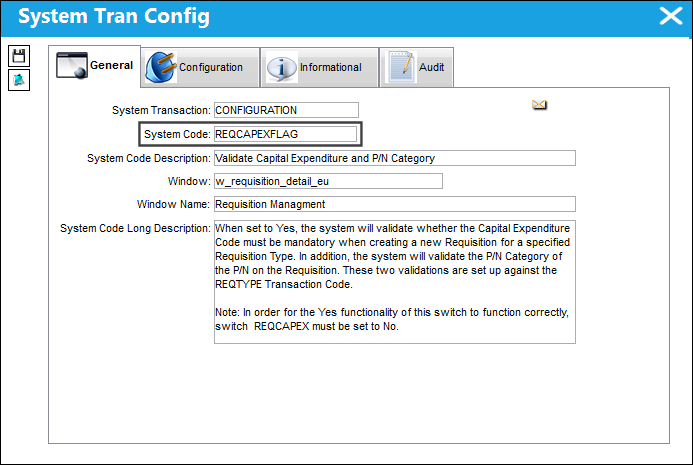
Setup:
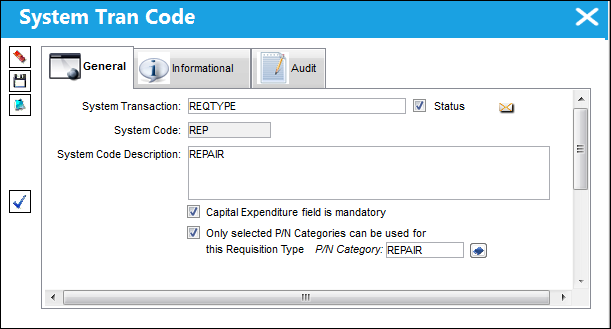
In the REQTYPE Transaction Code, the Capital Expenditure field is mandatory checkbox is selected, and the P/N Category selected for the REQTYPE 'REP' is REPAIR.
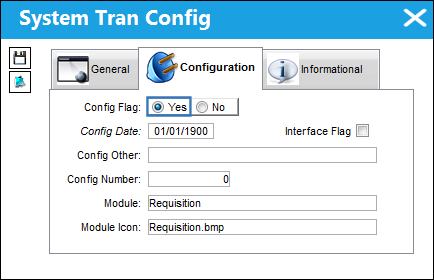
Switch set to Yes:
When set to Yes, the system will validate whether the Capital Expenditure Code must be mandatory when creating a new Requisition for a specified Requisition Type. In addition, the system will validate the P/N Category of the P/N on the Requisition. These two validations are set up against the REQTYPE Transaction Code.
In order for the Yes functionality of this switch to function correctly, Switch  REQCAPEX must be set to No.
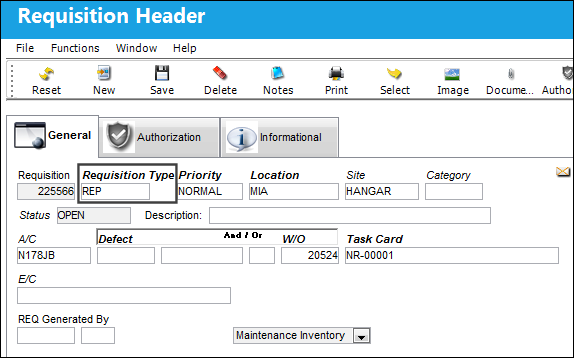
A Requisition with Requisition Type 'REP' is created.
In the Requisition Detail, the user receives the following hard warning because the P/N selected, does not have the specified P/N Category associated to it.
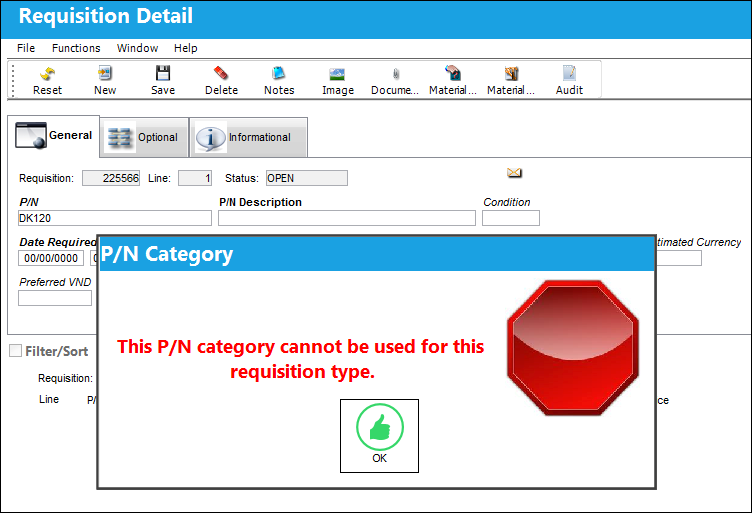
The above P/N is associated to P/N Category N737-ROT.
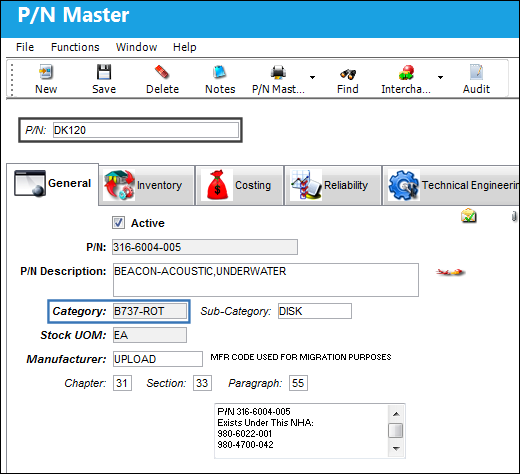
The P/N is updated to a P/N that is associated with P/N Category 'REPAIR', therefore the system moves on to the next validation: the Capital Expenditure Code.
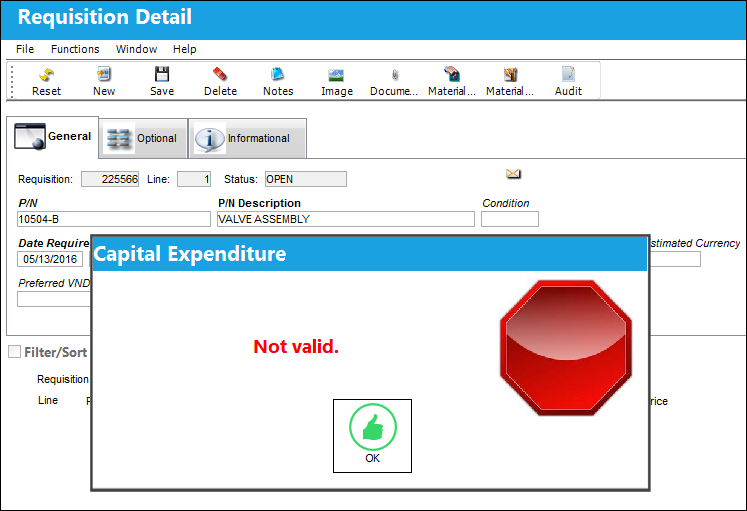
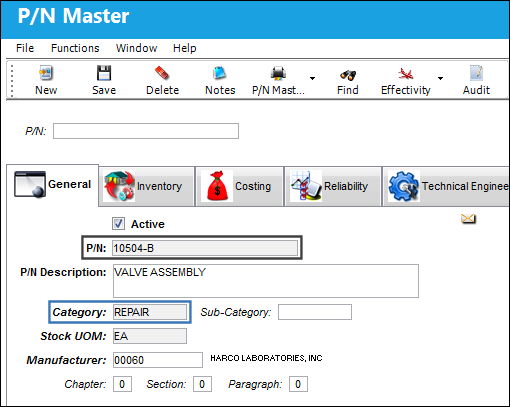
Due to the set up via the REQTYPE Tran Code, the Capital Expenditure Code is mandatory.
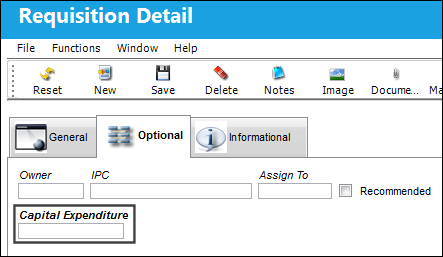
The user enters a Capital Expenditure Code.
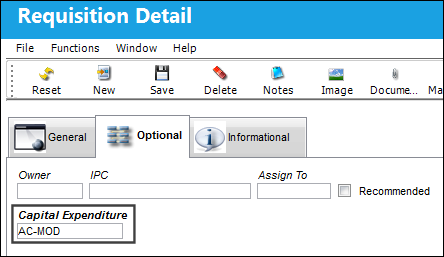
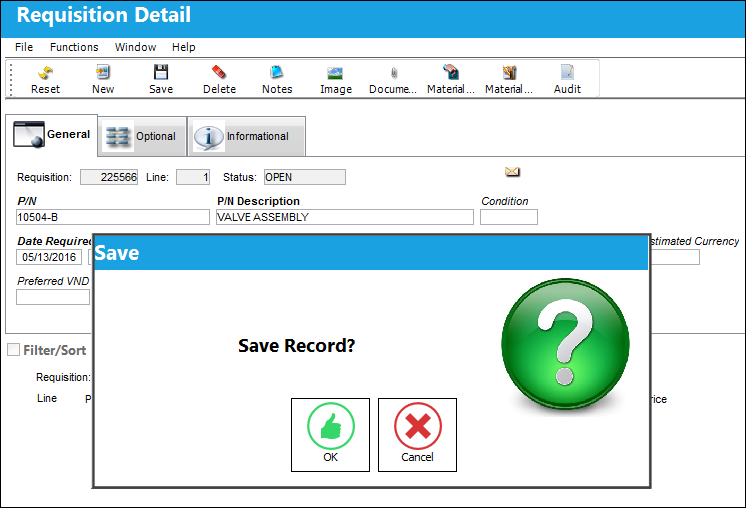
The user is able to save the record, now that a P/N with the correct P/N Category is selected and the Capital Expenditure Code is entered.
Switch Set to No:
When set to No, the system will not validate whether the Capital Expenditure Code must be mandatory when creating a new Requisition for a specified Requisition Type. In addition, the system will not validate the P/N Category of the P/N on the Requisition. These two validations are set up against the REQTYPE Transaction Code.
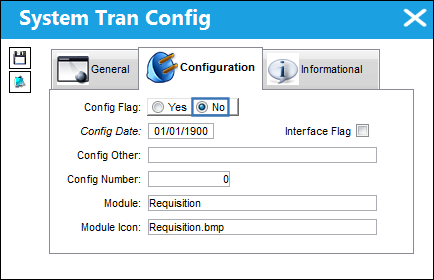
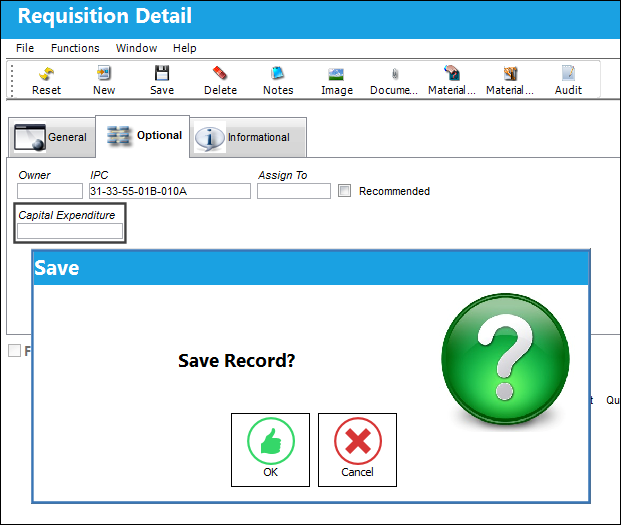
The system does not validate the Capital Expenditure Code.
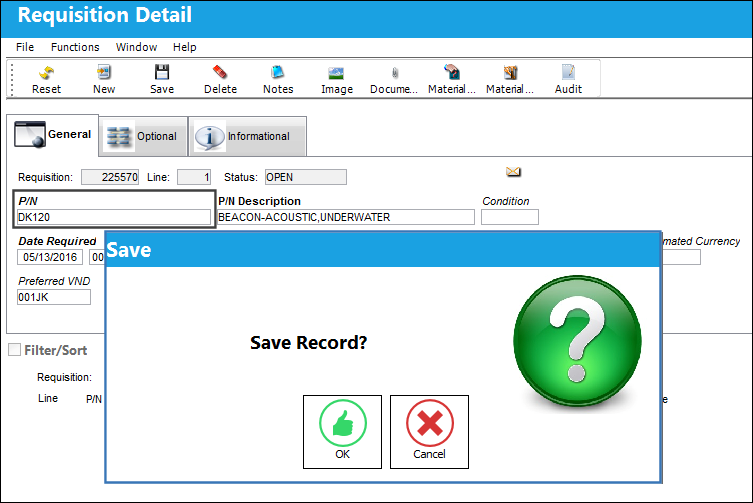
The system does not validate the P/N Category.
Share
Print
|
©1997-2026 Trax USA Corp. All rights reserved. This manual may not be copied, photocopied, reproduced, translated, or converted to any electronic or machine-readable form, in whole or in part, without prior written approval from Trax USA Corp. |
 |