
 Share
Share
 Print
Print
|
|
|
|
|


REQDFTY - Requisition Default Type
Requisition Default Type
Affected Window: w_pn_planning_requisition
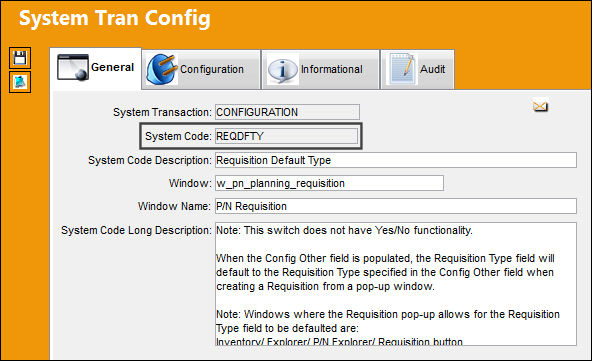
This Switch does not have Yes/No functionality.
Config Other field Populated:
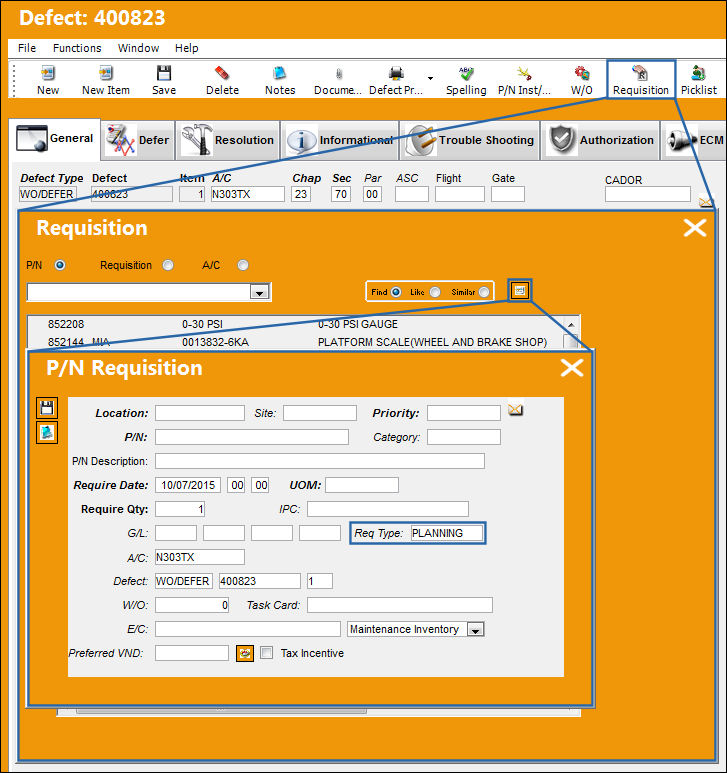
When the Config Other field is populated, the Requisition Type field will default to the Requisition Type specified in the Config Other field when creating a Requisition from a pop-up window.
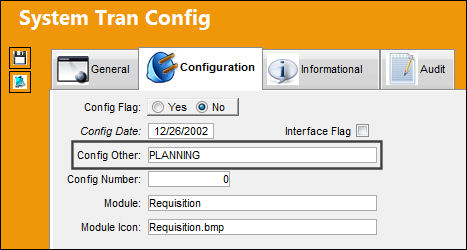
Windows where the Requisition pop-up allows for the Requisition Type field to be defaulted are:
Inventory/ Explorer/ P/N Explorer/ Requisition button
Inventory/ Query/ Inventory Query/ Requisition button
Inventory/ Update/ Inventory Transaction/ Requisition button
Inventory/ Update/ Picklist Creation/ Requisition button
Technical Records/ Update/ Defect Report/ P/N Requirement List tab/ Requisition button
Planning/ Query/ A/C Planning Query/ P/N Planning button/ Requisition Mutli button
The following Requisition is being created from a Defect Report. Notice the Requisition Type defaults to that of the switch’s Config Other.
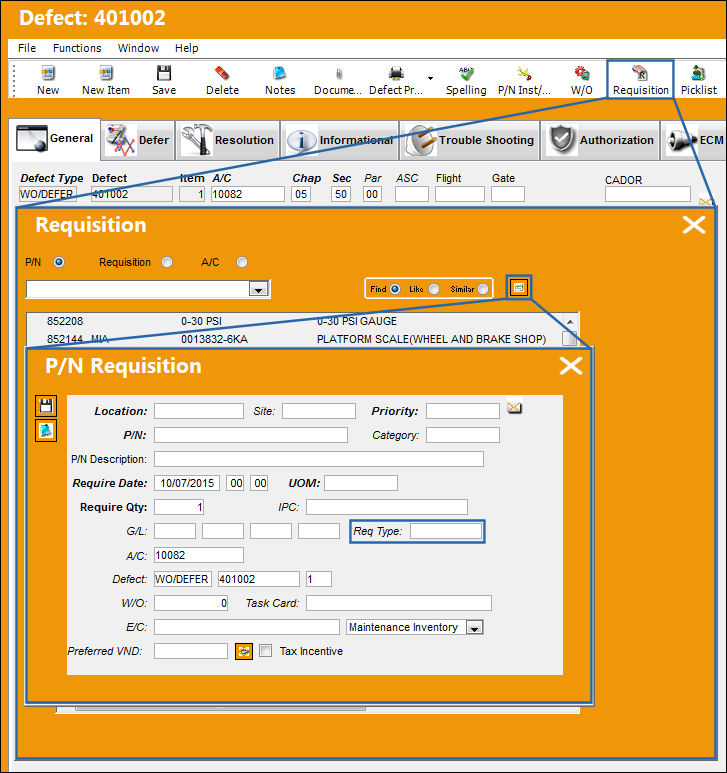
Config Other field NULL:
When the Config Other field is ‘NULL’ or left blank, TRAX will not default the Requisition Type in any pop-up windows, and instead the information must be entered manually.
Share
Print
|
©1997-2026 Trax USA Corp. All rights reserved. This manual may not be copied, photocopied, reproduced, translated, or converted to any electronic or machine-readable form, in whole or in part, without prior written approval from Trax USA Corp. |
 |