Publication Date: 8/17/2026 Share Print

Previous Topic

Next Topic

Book Contents

Book Index

REQPVAUT - Requisition Auto Populate Prefer P/N and Vendor

Requisition Auto Populate Prefer P/N and Vendor

Affected Window: w_requisition_detail_eu
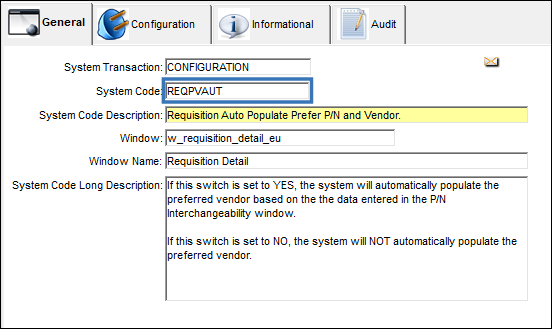
REQPVAUT code


Switch Set to Yes:

When set to Yes, the system will automatically populate the preferred vendor based on the the data entered in the P/N Interchangeability window.
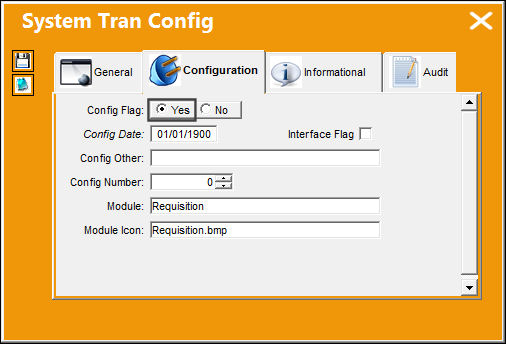
Requisition_Yes

The following P/N has been set up to have a Preferred Vendor via the Vendor tab in the P/N Interchangeability window.
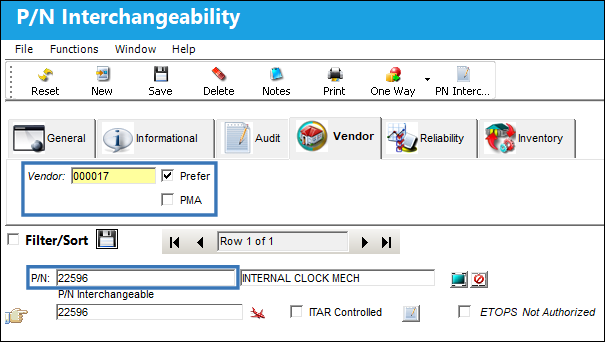
REQPVAUT 1

The P/N is being added to the following Requisition Detail.
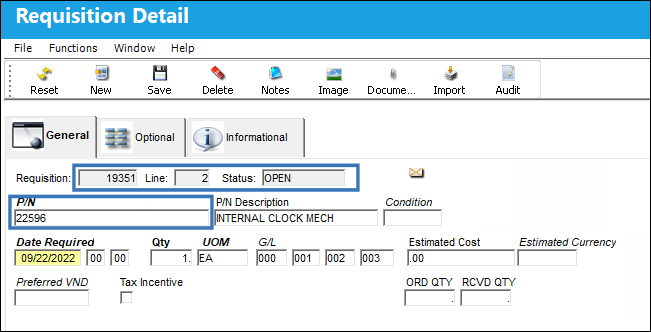
REQPVAUT 2

Upon selecting the save button, the Preferred Vendor field automatically populates.
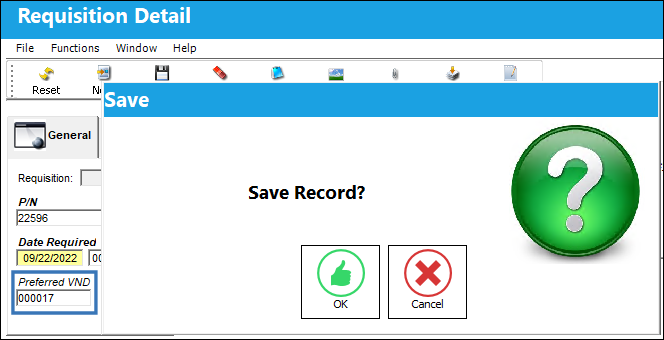
REQPVAUT 3

Select 'OK'. The P/N has been successfully saved to the Requisition Detail and the Preferred Vendor field remains populated.
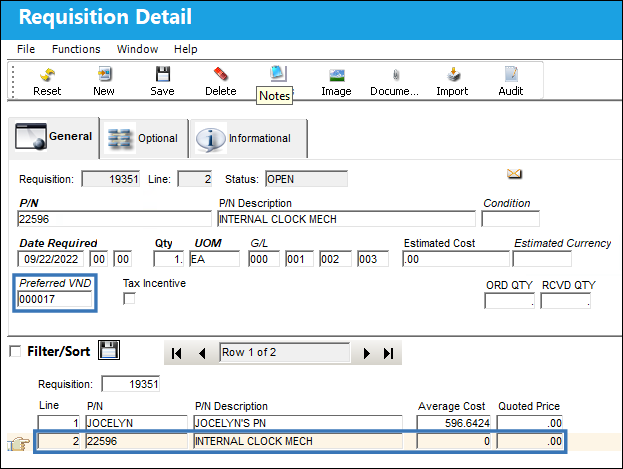
REQPVAUT 4

Switch Set to No:

When set to No, the system the system will NOT automatically populate the preferred vendor.
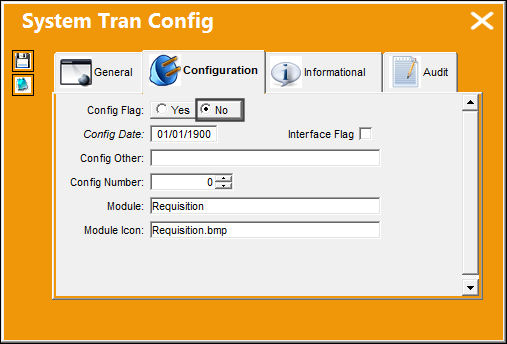
Requisition_No

The following P/N has been set up to have a Preferred Vendor via the Vendor Tab in the P/N Interchangeability window.
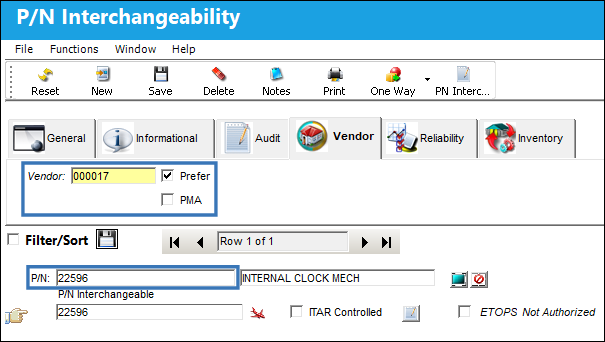
REQPVAUT 1

The P/N is being added to the following Requisition Detail.
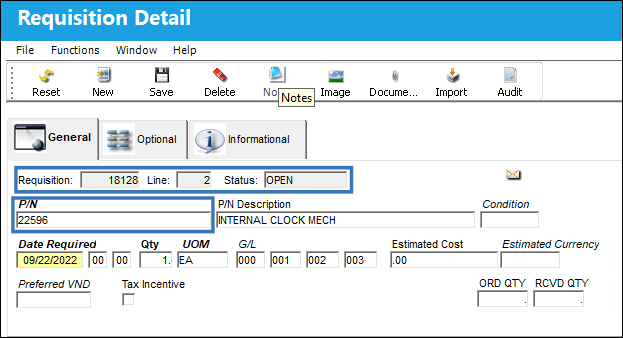
REQPVAUT 5

Upon selecting the save button, the Preferred Vendor field DOES NOT automatically populate.
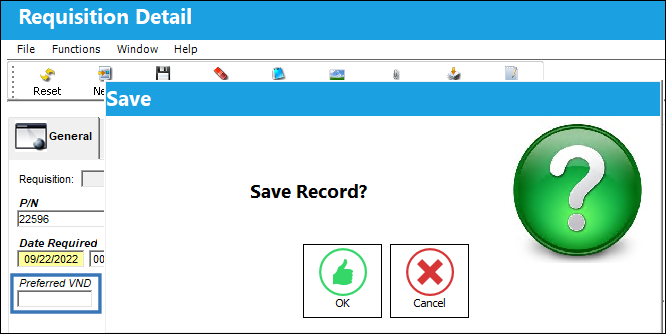
REQPVAUT 6

Select 'OK'. The P/N has been successfully saved to the Requisition Detail and the Preferred Vendor field is NOT populated.
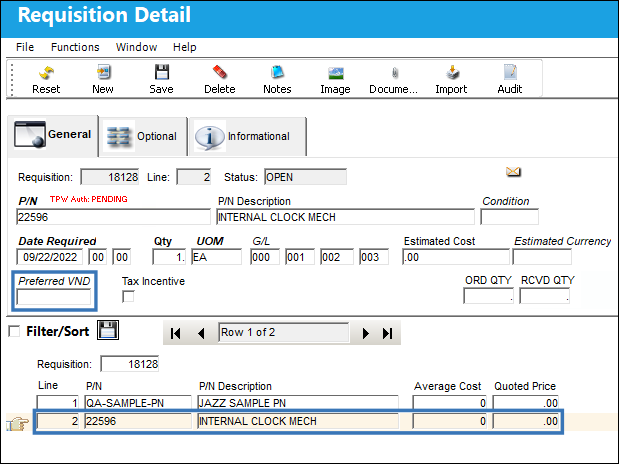
REQPVAUT 7

See Also

Requisition Switches

ASIGNTOSYSTRANCODE - Assign To Employees or Users

REORLCNT - Do Not Count Consigned Parts Or Parts In Location Work Order Reservation Routing

REORLOC - Re-Order Level, Order Computation Omit Location

REORLOPO - Re-Order Level Only Using Purchase Orders for Location

REQANYOVRCOM - Requisition Analyzer P/O Company Override

REQATHNIV - Only Allow To Authorize Non Inventory Parts That Have Been Quoted

REQATHREL - Requisition Authorization

REQAUT - Authorized/Unauthorized Requisitions to Appear in Req. Analyzer window

REQAUTHEVAL - Enables the Requisition Evaluation Process for Requisition Authorization

REQAUTHFILTER - Enable Filter Functionality in the Requisition Authorization Explorer Window

REQAUTHNOPROMPT - Requisition Sent Automatically to Authorization

REQBUY - Send Requisition Notification To Buyer Instead Of Creator

REQCAPEX - Capital Expenditure Mandatory in Requisition Detail, Optional tab

REQCAPEXFLAG - Validate Capital Expenditure and P/N Category

REQDESCMAND - Make P/N Description of P/N Not In System Mandatory in Requisition Detail

REQDFTY - Requisition Default Type

REQEFFPN - Creating a Requisition for a Non-Effective P/N from Inventory Query

REQMANAC - A/C field Mandatory in Requisition Header

REQNOLOC - Requisition Management, Ignore Order Location

REQNOTIF - Send Requisition Notification To Authorizer Instead Of Creator

REQORDET - Do Not Allow Edit/Cancel of a Requisition on Order Status

REQPRINT - Print Requisition

REQPRINTOR - Change Size of the Requisition Print

REQREORAUT - Requisition Authorization Status For Reorder Requisition

REQRSV - Requisition Automatic Reservation

REQSELVND - Paste Prefer Vendor or Select PO Vendor

REQSEQ - Next Sequential Number for a Requisition and Requisition Authorization

REQTRFOF - Automated Transfer Requisition Flag Off

RIPCMAND - Requisition Detail Make IPC (field) Mandatory

RIPCMANDNON - Set IPC field to be Mandatory for Non-Inventory P/N

RQTYPMDT - Requisition Type Mandatory in Requisition Header

RQUOTE - Requisition Quote Next Sequence Number

RQUOTEDATEMDT - Requisition Quoted Date Mandatory

RQUOTEFT - Requisition Quote Footer

RQVENFNIP - Require Vendor Name if Requester Creates a Requisition with a Non-Inventory Part

TPTOPRINT - Print TO/TP Orders at the From and To Locations

TSCRMDT - Make Task Card (field) Mandatory in Requisition Header

VENBESTPRICE - Always Use Best Price Offered by Selected Vendor in Requisition Vendor Analyzer

WODFMDT - Make Work Order and/or Defect field Mandatory

Top of Page Publication Date: 8/17/2026 Share Print