Publication Date: 8/17/2026 Share Print

Previous Topic

Next Topic

Book Contents

Book Index

REORLOPO - Re-Order Level Only Using Purchase Orders for Location

Re-Order Level Only Using Purchase Orders for Location

Affected Window: gf_inventory_level_check
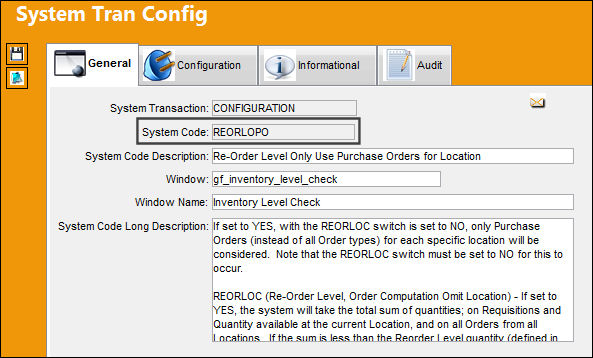
REORLOPO_configuration


Switch Set to Yes:

When set to Yes, with the Switch REORLOC set to No, only Purchase Orders (instead of all Order types) for each specific location will be considered.
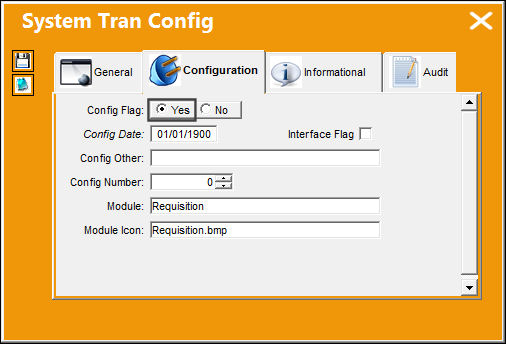
Requisition_Yes

Note: The Switch REORLOC must be set to No for this to occur.

REORLOC (Re-Order Level, Order Computation Omit Location) - If set to Yes, the system will take the total sum of quantities; on Requisitions and Quantity available at the current Location, and on all Orders from all Locations. If the sum is less than the Reorder Level quantity (defined in Settings/Update/ P/N/Inventory Levels Button), then the system will create a Requisition. If set to No, the system calculates the total sum per specific Location. If the sum is less than the Reorder Level for a specific Location, the system will create a Requisition for that specific location.

In the Summary view of the Inventory Transaction window, P/N 'R8119-2100' has an available quantity of '2.'
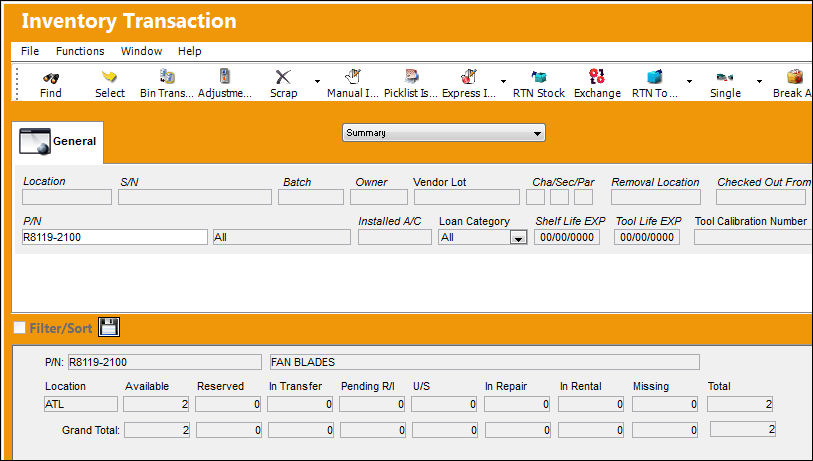
REORLOPO_YES 1

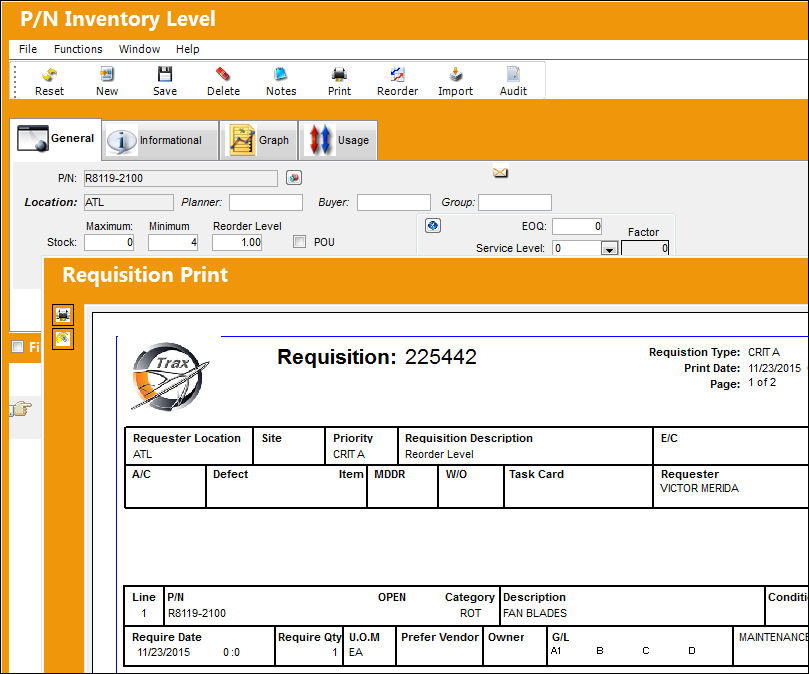
P/N 'R8119-2100' has a reorder level of '1' when a quantity of less than '4' is found in location 'ATL.'
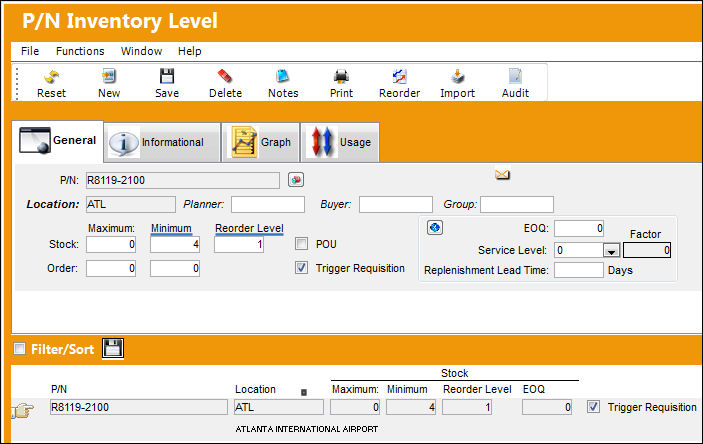
REORLOPO_YES 2

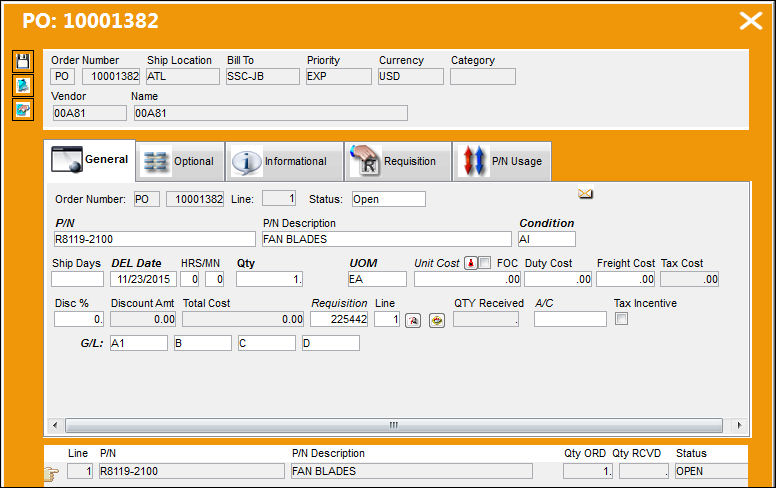
An open Purchase Order exists for P/N 'R8119-2100.'
REORLOPO_YES4

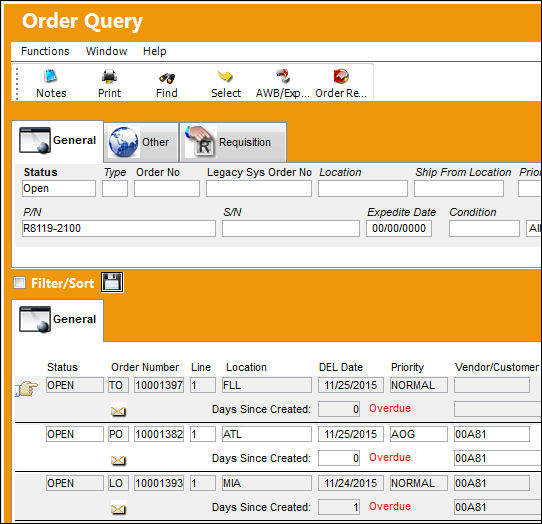
The Order Query window displays '3' open orders for P/N 'R8119-2100.'
REORLOPO_YES 5

However, despite the system having '3' open orders and an available quantity of '2' in inventory, the system still generates a requisition since location 'ATL' only has '2' available and '1' on an open purchase order.
REORLOPO_YES 3


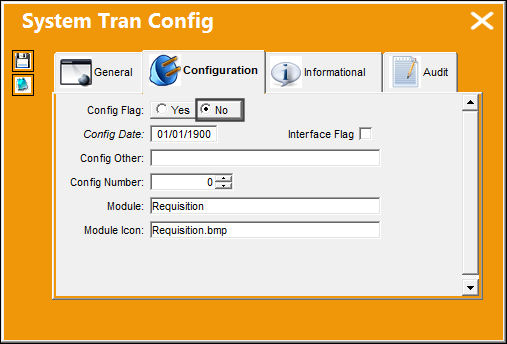
Switch Set to No:

When set to No, with the Switch REORLOC set to No, all Order types will be considered.
Requisition_No

In the Inventory Transaction window, Summary view, P/N '15124' has '2' available quantities in location 'MIA' and '1' in transfer.
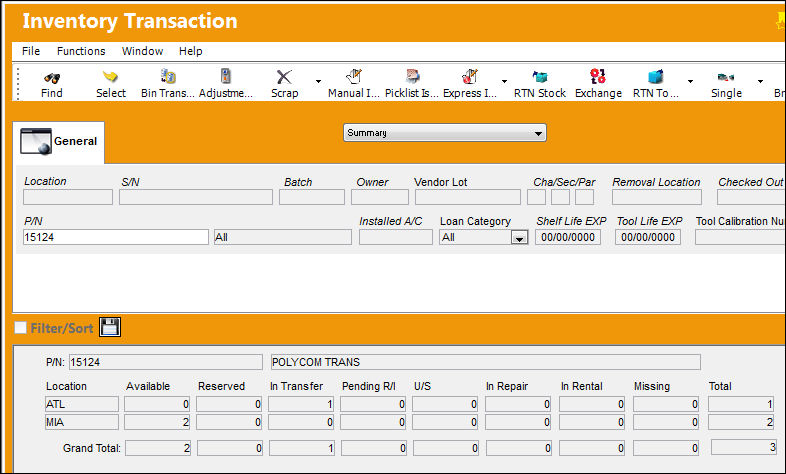
REORLOPO_NO 1

In the Order Query window, '2' open orders (T/O and P/O) exist for P/N '15124.'
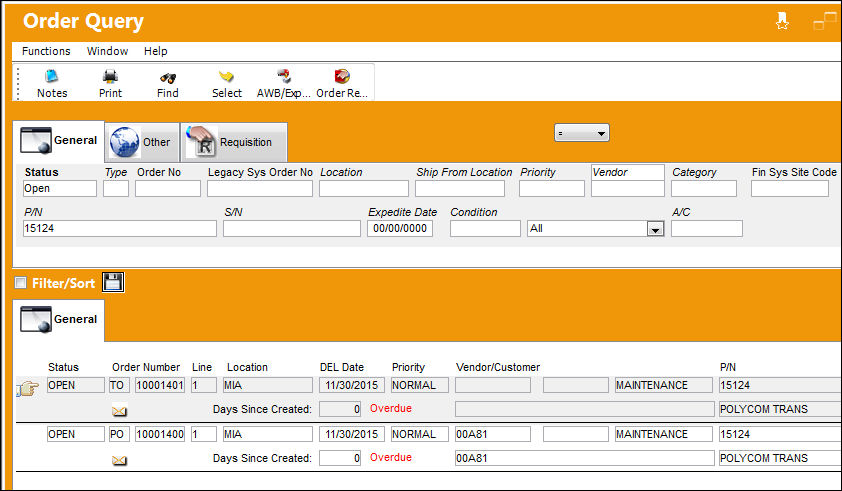
REORLOPO_NO 2

Inventory levels have been set up for this part number for location 'MIA.' No requisitions are created since the system is taking in consideration all order types and part availability in all locations.
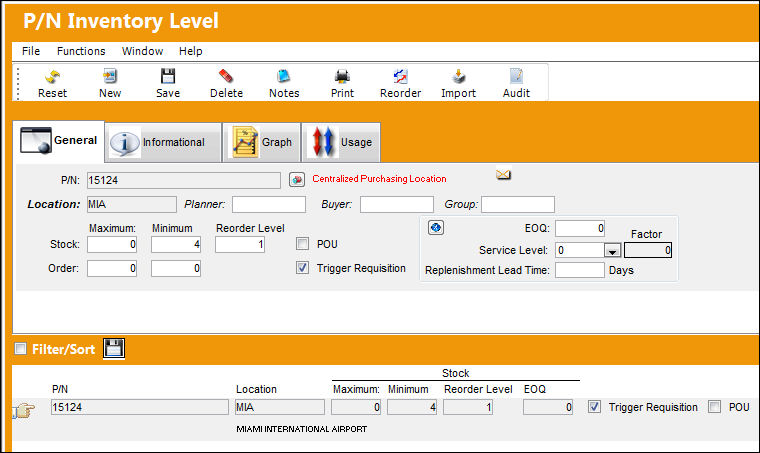
REORLOPO_NO 3

See Also

Requisition Switches

ASIGNTOSYSTRANCODE - Assign To Employees or Users

REORLCNT - Do Not Count Consigned Parts Or Parts In Location Work Order Reservation Routing

REORLOC - Re-Order Level, Order Computation Omit Location

REQANYOVRCOM - Requisition Analyzer P/O Company Override

REQATHNIV - Only Allow To Authorize Non Inventory Parts That Have Been Quoted

REQATHREL - Requisition Authorization

REQAUT - Authorized/Unauthorized Requisitions to Appear in Req. Analyzer window

REQAUTHEVAL - Enables the Requisition Evaluation Process for Requisition Authorization

REQAUTHFILTER - Enable Filter Functionality in the Requisition Authorization Explorer Window

REQAUTHNOPROMPT - Requisition Sent Automatically to Authorization

REQBUY - Send Requisition Notification To Buyer Instead Of Creator

REQCAPEX - Capital Expenditure Mandatory in Requisition Detail, Optional tab

REQCAPEXFLAG - Validate Capital Expenditure and P/N Category

REQDESCMAND - Make P/N Description of P/N Not In System Mandatory in Requisition Detail

REQDFTY - Requisition Default Type

REQEFFPN - Creating a Requisition for a Non-Effective P/N from Inventory Query

REQMANAC - A/C field Mandatory in Requisition Header

REQNOLOC - Requisition Management, Ignore Order Location

REQNOTIF - Send Requisition Notification To Authorizer Instead Of Creator

REQORDET - Do Not Allow Edit/Cancel of a Requisition on Order Status

REQPRINT - Print Requisition

REQPRINTOR - Change Size of the Requisition Print

REQPVAUT - Requisition Auto Populate Prefer P/N and Vendor

REQREORAUT - Requisition Authorization Status For Reorder Requisition

REQRSV - Requisition Automatic Reservation

REQSELVND - Paste Prefer Vendor or Select PO Vendor

REQSEQ - Next Sequential Number for a Requisition and Requisition Authorization

REQTRFOF - Automated Transfer Requisition Flag Off

RIPCMAND - Requisition Detail Make IPC (field) Mandatory

RIPCMANDNON - Set IPC field to be Mandatory for Non-Inventory P/N

RQTYPMDT - Requisition Type Mandatory in Requisition Header

RQUOTE - Requisition Quote Next Sequence Number

RQUOTEDATEMDT - Requisition Quoted Date Mandatory

RQUOTEFT - Requisition Quote Footer

RQVENFNIP - Require Vendor Name if Requester Creates a Requisition with a Non-Inventory Part

TPTOPRINT - Print TO/TP Orders at the From and To Locations

TSCRMDT - Make Task Card (field) Mandatory in Requisition Header

VENBESTPRICE - Always Use Best Price Offered by Selected Vendor in Requisition Vendor Analyzer

WODFMDT - Make Work Order and/or Defect field Mandatory

Top of Page Publication Date: 8/17/2026 Share Print