
 Share
Share
 Print
Print
|
|
|
|
|


REQATHREL - Requisition Authorization
Requisition Authorization
Affected Window: w_requisition_header_eu
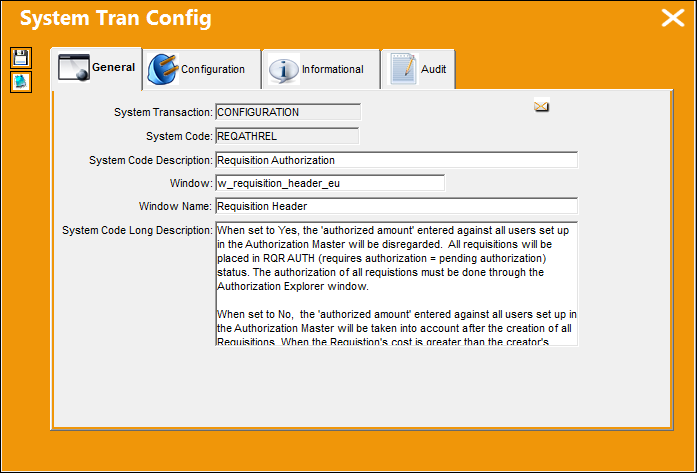
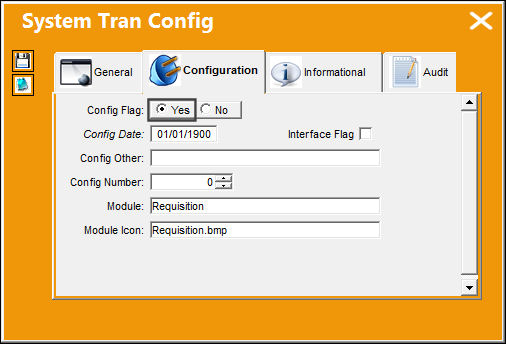
This switch does not function for Re-Order Level Requisitions because these types of Requisitions are designed to replenish inventory.
Switch Set to Yes:
When set to Yes, all Requisitions will require authorization once created. Requisitions must be authorized through the Authorization Explorer window. The 'Authorized Amount' entered against all users set up in the Authorization Master will be disregarded.
For example, when a Requisition is created, the Requisition Release For Authorization window will appear once the window is exited.
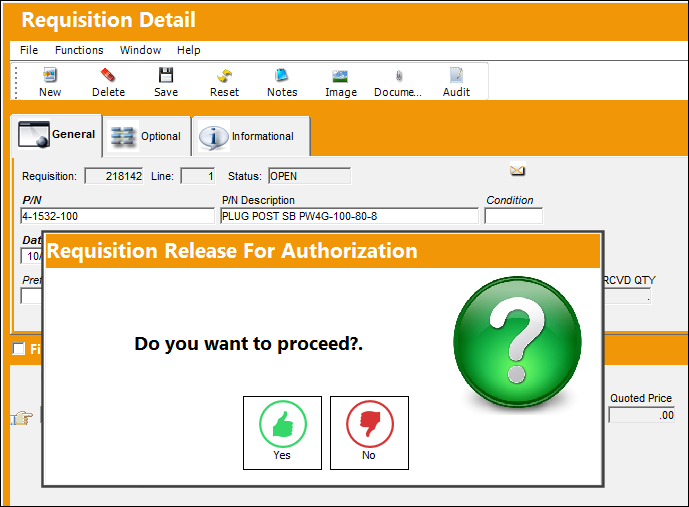
This pop up is asking the user if they are ready to release this Requisition to become authorized.
- When the user selects No, the Requisition will stay visible in the Requisition Header window in unreleased status (pending). In this status, the user who created the Requisition may re-open it at a later time to update the Requisition.
- When the user selects Yes, the Requisition will stay in the Requisition Header window, but will be in release status.
When there are no Authorization Steps set up in the Requisition Type transaction code, anyone who has security access to the Requisition Authorization Explorer window can authorize the Requisition and when finished can then release the Requisition to be authorized.
When there are steps set up against the specific Requisition Type transaction code, after the Requisition is released, all steps must be authorized. For more information on how to authorize a Requisition with steps, please refer to the Requisition Type section of the Requisition Transaction Codes manual.
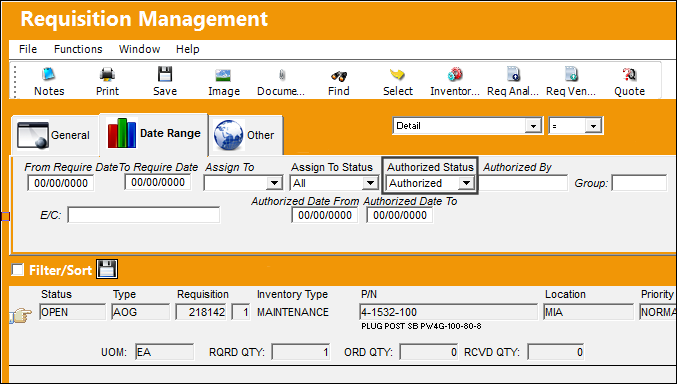
From the Requisition/Explorer/Requisition Authorization Explorer, the Requisition can be authorized.
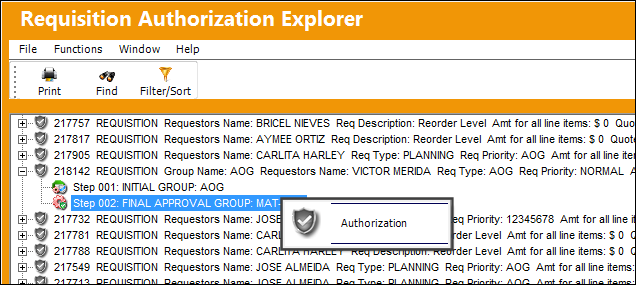
All steps must be authorized by the required Group member or Department member.
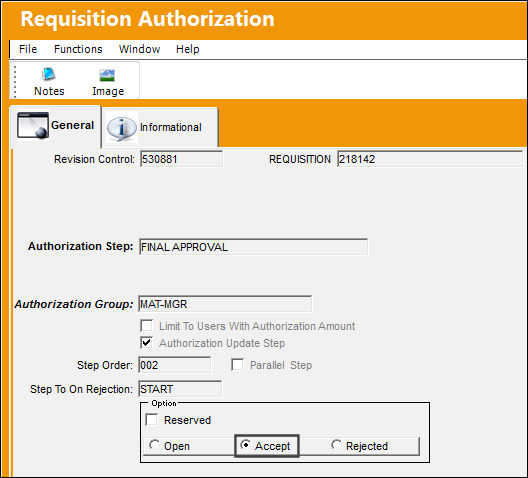
In order for the Requisition Authorization window to work, at least one user in the system must be defined in the Authorization Master with a financial limit capable of authorizing the Requisition. For more information on how to set up authorized users, please go to Settings/Update/Authorization. For more information refer to Authorization via the Settings Training Manual.
Once all Authorization Steps have been accepted, the Requisition's authorization process is complete.
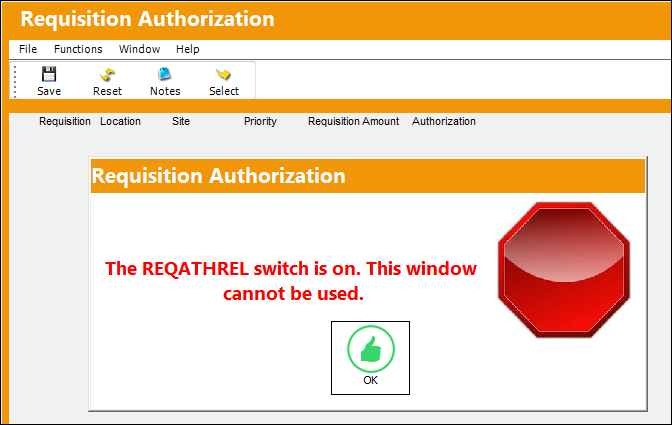
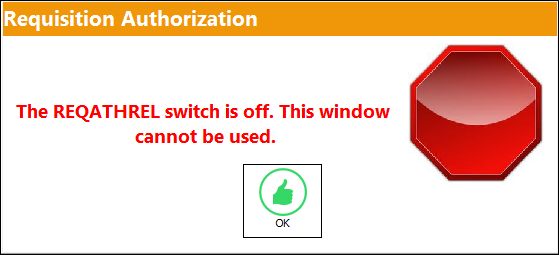
When this switch is set to Yes, the Requisition Authorization window cannot be used as an authorizing method. The following message blocks users from accessing the window.
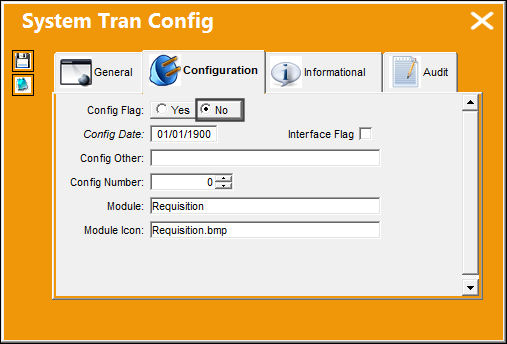
Switch Set to No:
When set to No, the 'Authorized Amount' entered against all users set up in the Authorization Master will be taken into account after the creation of each Requisition. When the Requisition's cost is greater than the Requisition creator's 'Authorized Amount,' the authorization must be done through the Requisition Authorization window by another user who has an 'authorized amount' greater than the Requisition's cost. (This switch is set to No by default.)
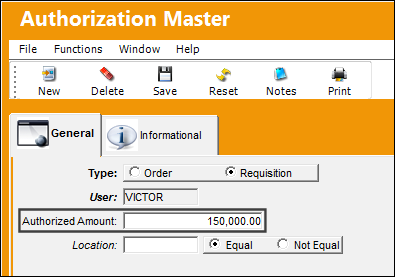
Requisition Authorization is set up at the user level according to company requirements. Each user is granted a financial limit (dollar amount) for Requisitions through the Settings/Update/Authorization window.
For example, notice that the following user has a Requisition amount limit of $150,000.00.
This user then creates a Requisition for a part that exceeds his Authorization Amount.
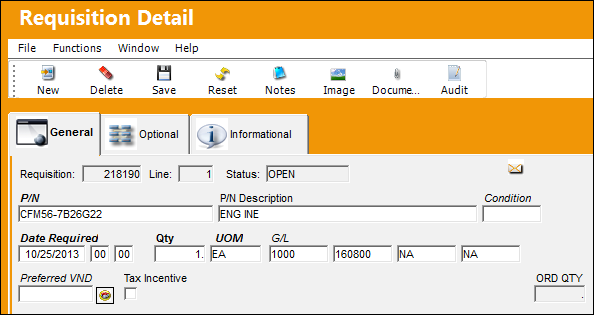
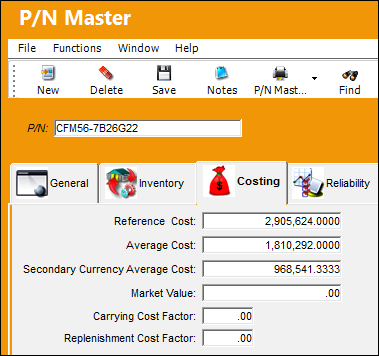
Because the part costs more than the user is allowed to authorize, the following warning message comes up when the Requisition window is exited.
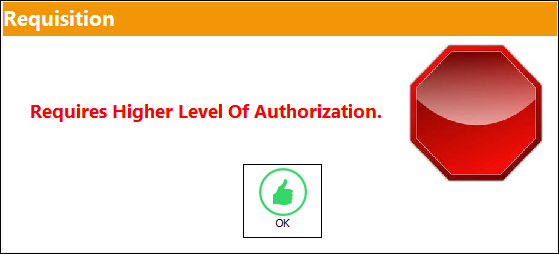
The system will automatically authorize all Requisitions that are less than or equal to that of the Requisition creator. All Requisitions greater than the financial limits of the Requisition creator will be sent to the Requisition Authorization window, as shown below.
Only users with authorization limits that exceed the cost of the requisitioned part can authorize the Requisition.
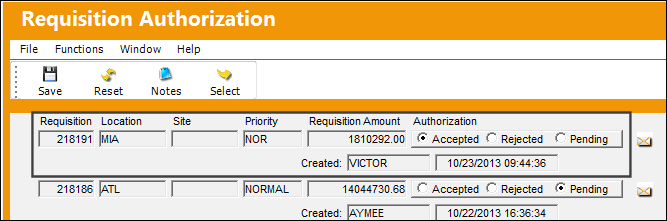
For more information on this window, refer to Authorization and the Authorization Master, General Tab via the Settings Training Manual.
Once authorized by an applicable user, the Requisition changes to Authorized status.
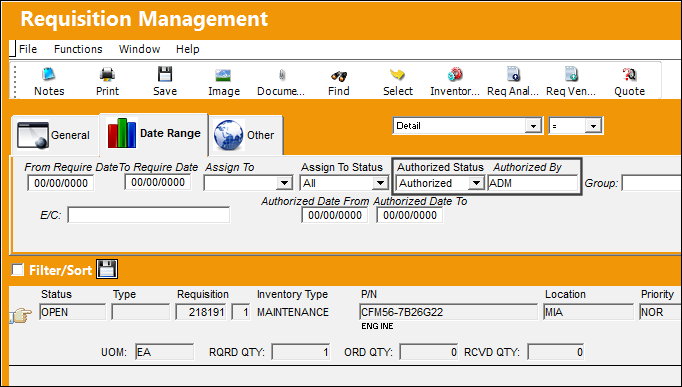
When the switch is set to No, the Requisition Authorization Explorer method of authorization cannot be accessed.
Share
Print
|
©1997-2026 Trax USA Corp. All rights reserved. This manual may not be copied, photocopied, reproduced, translated, or converted to any electronic or machine-readable form, in whole or in part, without prior written approval from Trax USA Corp. |
 |