
 Share
Share
 Print
Print
|
|
|
|
|


VENBESTPRICE - Always Use Best Price Offered by Selected Vendor in Requisition Vendor Analyzer

Always Use Best Price Offered by Selected Vendor in Requisition Vendor Analyzer
Affected window: w_requisition_vendor_analyzer
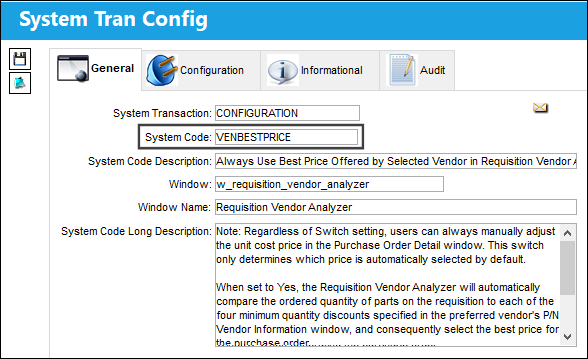
Note: Users can still manually adjust the unit cost price in the Purchase Order Detail window. This switch only determines which price is automatically selected by default.
Switch Set to Yes:
When set to Yes, the Requisition Vendor Analyzer will automatically compare the ordered quantity of parts on the requisition to each of the four minimum quantity discounts specified in the preferred vendor's P/N Vendor Information window, and consequently select the best price for the purchase order.
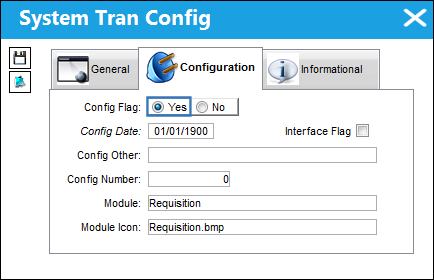
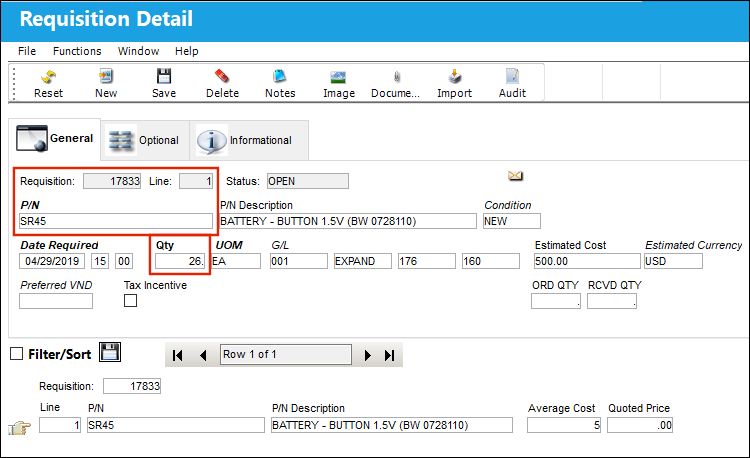
In this example, a requisition has been created for part SR45. The user has specified a quantity of 26.
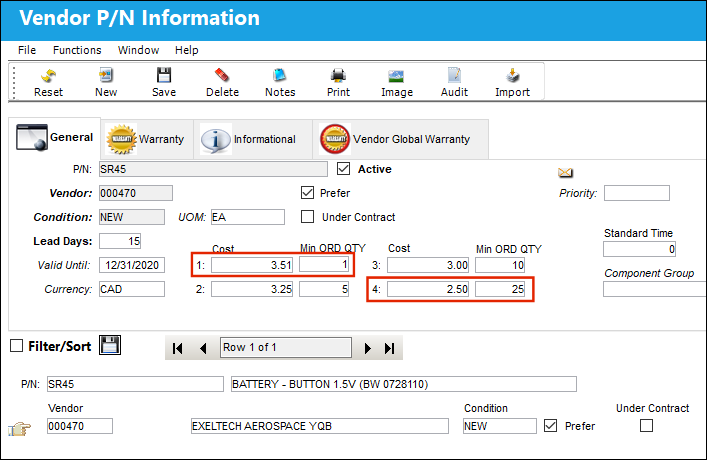
Part SR45 has a preferred vendor set up. Note the different prices that the specified vendor offers for the part depending on the minimum order quantity. The user would ideally create a purchase order for the individual item price specified under number 4, as the minimum quantity specified here is 25 (the requisition was for 26 parts).
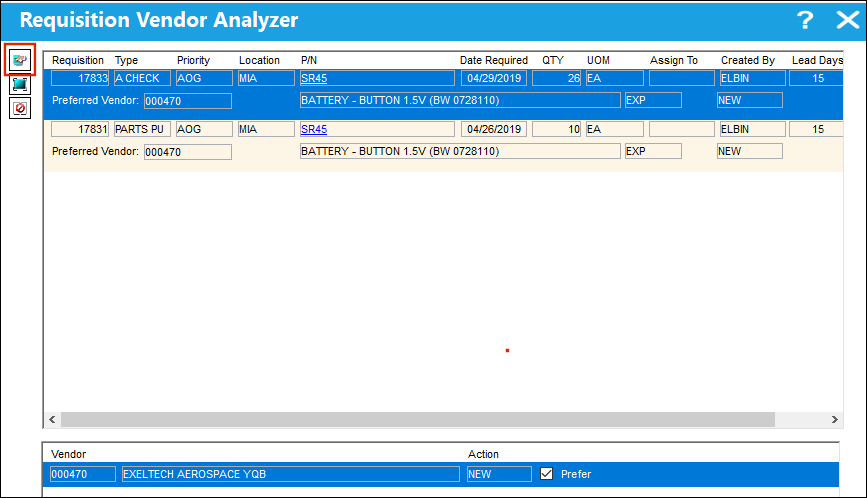
The user is now ready to purchase the parts and navigates to the Requisition Vendor Analyzer, which lists the requisition and the appropriate preferred vendor in the list. The user selects the P/O button to create a purchase order for the 26 parts.
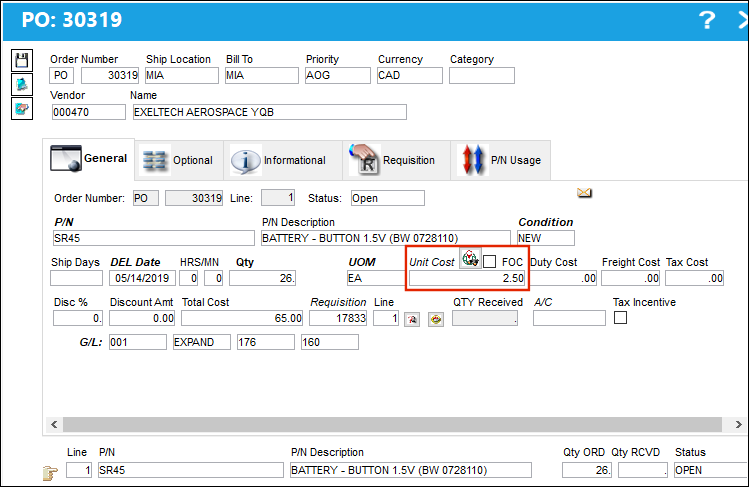
Inside the P/O Detail window, note that the unit cost has automatically been generated by the system and that it corresponds to the best price offered by the preferred vendor based on the minimum quantity.
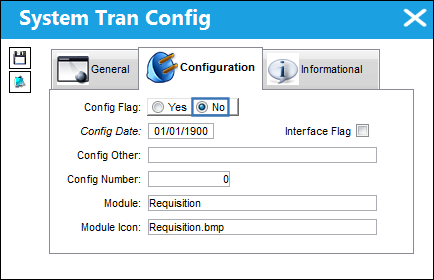
When set to No
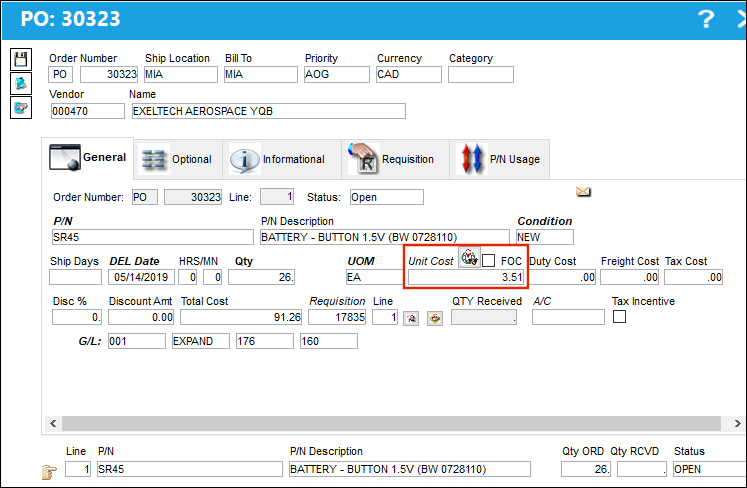
When set to No, the Requisition Vendor Analyzer will automatically pick the first price specified in the preferred vendor's Vendor P/N Information window when generating the purchase order.
In this example, a requisition has been created for part SR45. The user has specified a quantity of 26.
Part SR45 has a preferred vendor set up. Note the different prices that the specified vendor offers for the part depending on the minimum order quantity. The user would ideally create a purchase order for the individual item price specified under number 4, as the minimum quantity specified here is 25 (the requisition was for 26 parts). Also note the number 1 price, which is considered the default price.
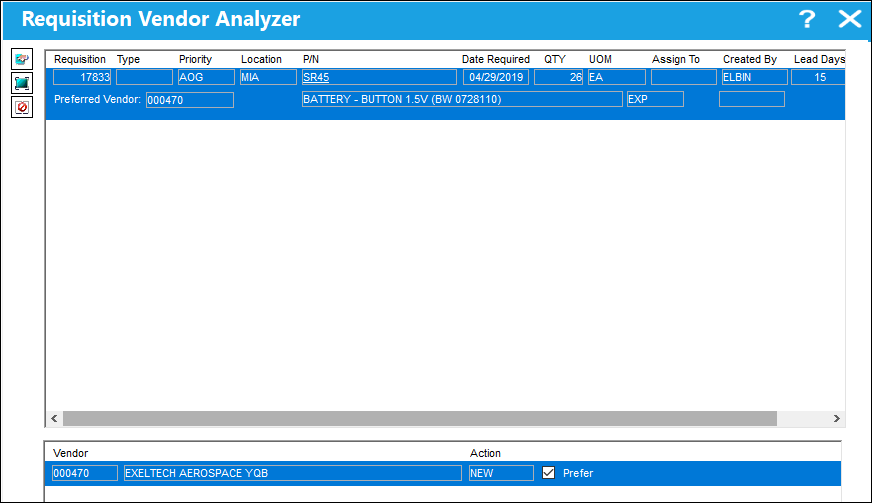
The user is now ready to purchase the parts and navigates to the Requisition Vendor Analyzer, which lists the requisition and the appropriate preferred vendor in the list. The user selects the P/O button to create a purchase order for the 26 parts.
Inside the P/O Detail window, note that the unit cost has automatically been generated by the system. However, it defaults to the preferred vendor's number 1 cost (3.51) which does not represent the best price for the user as it does not take advantage of the discount offered to the high order quantity. Ideally, the user would choose the vendor's significantly lower number 4 cost (2.50) which the user can take advantage of as a result of ordering 26 parts, which is higher than the minimum quantity (25) required for that discounted price.
Share
Print
|
©1997-2026 Trax USA Corp. All rights reserved. This manual may not be copied, photocopied, reproduced, translated, or converted to any electronic or machine-readable form, in whole or in part, without prior written approval from Trax USA Corp. |
 |