
 Share
Share
 Print
Print
|
|
|
|
|


This function will add a link to a Windows© application. This is used for manufacturers who provide electronic documentation in a proprietary application (Example Enigma by GEAE).
It is recommended that any application that will be linked in TraxDoc be installed on a server and not on a local computer. This will ensure that the application is available to all Trax users.
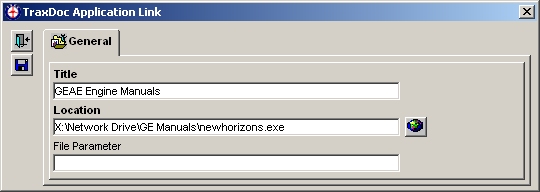
The following information/options are available in this window:
_____________________________________________________________________________________
Title
Enter a title to identify the application.
Location
Enter the location of the application.
File Parameter
Enter any configuration parameters necessary to run the application, if required.
_____________________________________________________________________________________
Click the Location  button to test the link. The application will open in Windows.
Share
Print
|
©1997-2026 Trax USA Corp. All rights reserved. This manual may not be copied, photocopied, reproduced, translated, or converted to any electronic or machine-readable form, in whole or in part, without prior written approval from Trax USA Corp. |
 |