|
TRAX MANUALS > Planning > Planning Module > Planning, Query Menu > A/C Planning Query > A/C Planning (Interactive Planner View), General Tab > A/C Planning (Interactive Planner View) Results > Planning Element Detail Area, via (A/C Planning) Interactive Planner > (A/C Planning) Interactive Planner, Planning Element Detail Area Buttons > Add Tasks Button, via (A/C Planning) Interactive Planner, Planning Element Detail Area
Add Tasks Button, via (A/C Planning) Interactive Planner, Planning Element Detail Area
With a Work Order selected and displaying in the Detail Area, the user can highlight a Maintenance Event and add it to a Work Order. Select the Add Task  button, and the event will be added to the Work Order. button, and the event will be added to the Work Order.
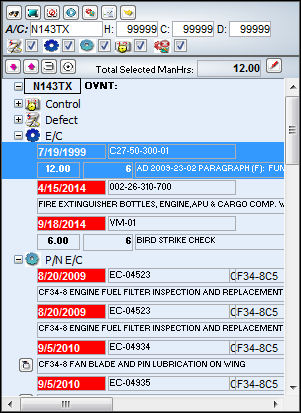
The task is added to the Work Order and can be seen in the E/C Tab as shown below:
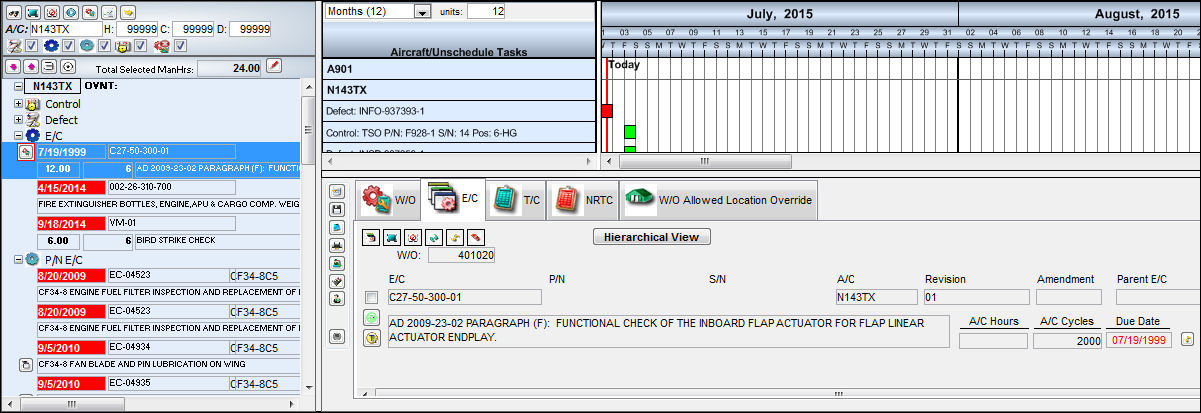
Note: Deferred Defects will be added to the Non-Routine Task Card Tab.
|
See Also (A/C Planning) Interactive Planner, Planning Element Detail Area Buttons Find Button, via (A/C Planning) Interactive Planner, Planning Element Detail Area Select All/De-select All Button, via (A/C Planning) Interactive Planner, Planning Element Detail Area Create Work Order Button, via (A/C Planning) Interactive Planner, Planning Element Detail Area Planning Query Button, via (A/C Planning) Interactive Planner, Planning Element Detail Area Expand All/Collapse All Button, via (A/C Planning) Interactive Planner, Planning Element Detail Area Remove Task Grouping Button, via (A/C Planning) Interactive Planner, Planning Element Detail Area Turn On Detail View Button, via (A/C Planning) Interactive Planner, Planning Element Detail Area |
|

 Share
Share
 Print
Print


