|
TRAX MANUALS > Planning > Planning Module > Planning, Query Menu > A/C Planning Query > A/C Planning (Interactive Planner View), General Tab > A/C Planning (Interactive Planner View) Results > Planning Element Detail Area, via (A/C Planning) Interactive Planner > (A/C Planning) Interactive Planner, Planning Element Detail Area Buttons > Expand All/Collapse All Button, via (A/C Planning) Interactive Planner, Planning Element Detail Area
Expand All/Collapse All Button, via (A/C Planning) Interactive Planner, Planning Element Detail Area
From the Planning Element Detail Area, select the Expand All  button. button.
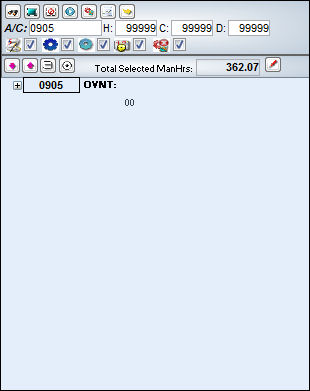
All maintenance events for that particular A/C are displayed as shown below: Select the Collapse All  button. button.
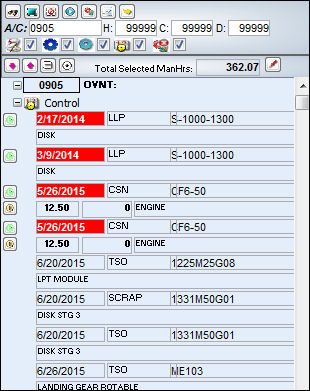
All maintenance events in the Planning Element Detail Area collapse as shown below:
|
See Also (A/C Planning) Interactive Planner, Planning Element Detail Area Buttons Find Button, via (A/C Planning) Interactive Planner, Planning Element Detail Area Select All/De-select All Button, via (A/C Planning) Interactive Planner, Planning Element Detail Area Add Tasks Button, via (A/C Planning) Interactive Planner, Planning Element Detail Area Create Work Order Button, via (A/C Planning) Interactive Planner, Planning Element Detail Area Planning Query Button, via (A/C Planning) Interactive Planner, Planning Element Detail Area Remove Task Grouping Button, via (A/C Planning) Interactive Planner, Planning Element Detail Area Turn On Detail View Button, via (A/C Planning) Interactive Planner, Planning Element Detail Area |
|

 Share
Share
 Print
Print


