
 Share
Share
 Print
Print
|
|
|
|
|


Select the Notes  button to enter any notes that will be associated with the currently selected item.
For additional information regarding the Notes button, refer to the Notes Button via Standard Buttons which can be found in the System Standards Training manual.
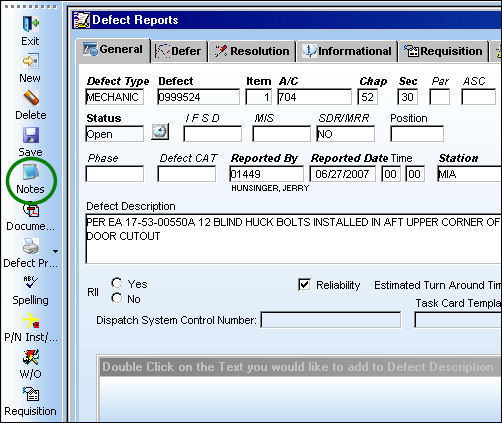
A/C Controller Panel Notes:
Any notes entered against the Defect Report via the A/C Controller Panel will appear in the A/C Controller Panel.
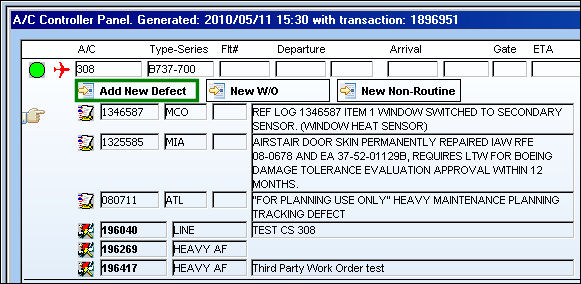
From the A/C Controller Panel, select the Add New Defect  button.
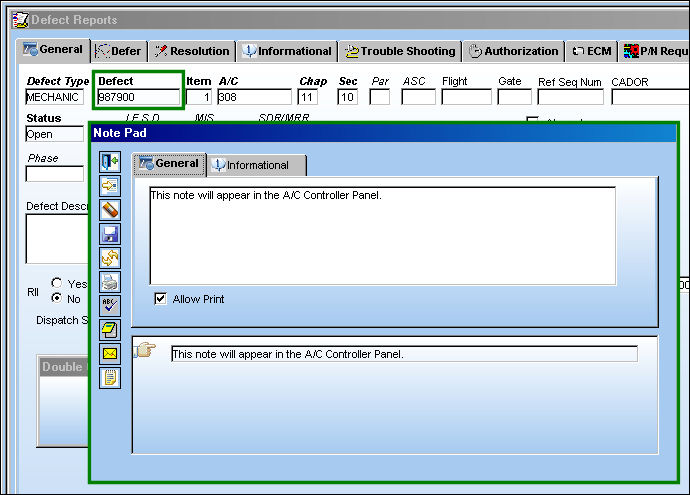
The following Defect Report is created with the below note. Return to the A/C Controller Panel.
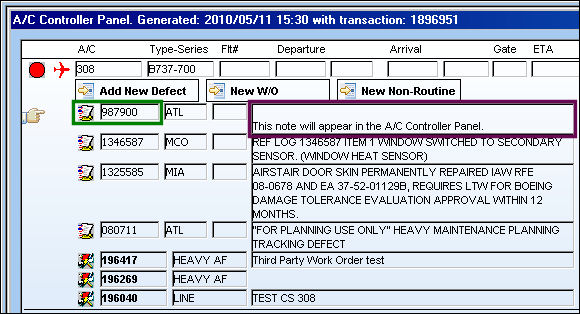
The new defect appears in the A/C Controller Panel along with the note:
Share
Print
|
©1997-2026 Trax USA Corp. All rights reserved. This manual may not be copied, photocopied, reproduced, translated, or converted to any electronic or machine-readable form, in whole or in part, without prior written approval from Trax USA Corp. |
 |