
 Share
Share
 Print
Print
|
|
|
|
|


The P/N Software to Upload at Compliance  button allows the user to view the Software parts from the P/N Software Configuration that are associated with the part number. The user also has the option to enable the software part to be uploaded once the E/C has been complied with.
This button is only visible if the P/N the E/C is associated to exists on a P/N Software Configuration.
In order for this to appear in this window, Engineering Switch  UPDATESWCOMPLEC must be set to No.
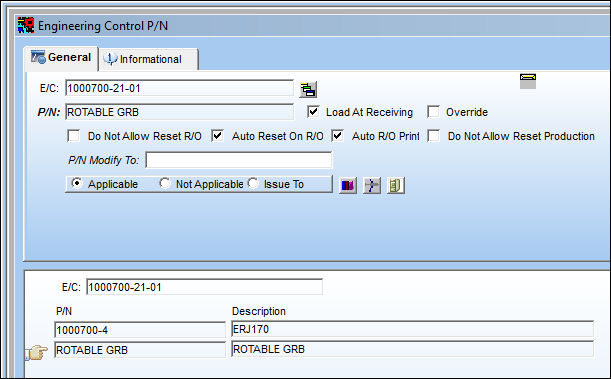
From Engineering Control P/N window, select the P/N Software to Upload at Compliance button.
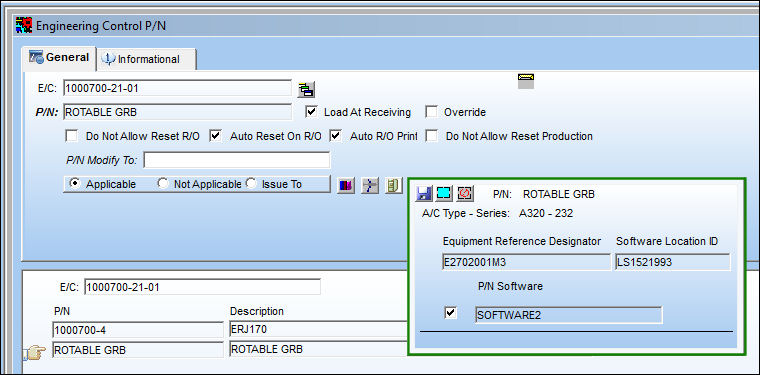
The following pop up window appears displaying the Software parts from the P/N Software Configuration that are associated with the part number. Select the checkbox to enable the Software part to be uploaded once the E/C has been complied with.
The ERD and the position of the hardware P/N already installed in the aircraft used for the Work Order E/C must be the same in order for the upload to function correctly.
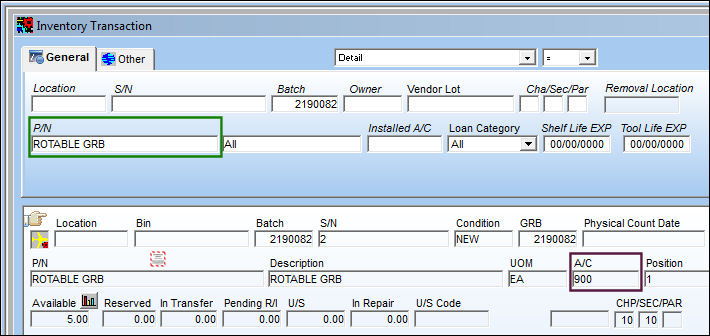
The ROTABLE GRB part is installed on A/C 900:
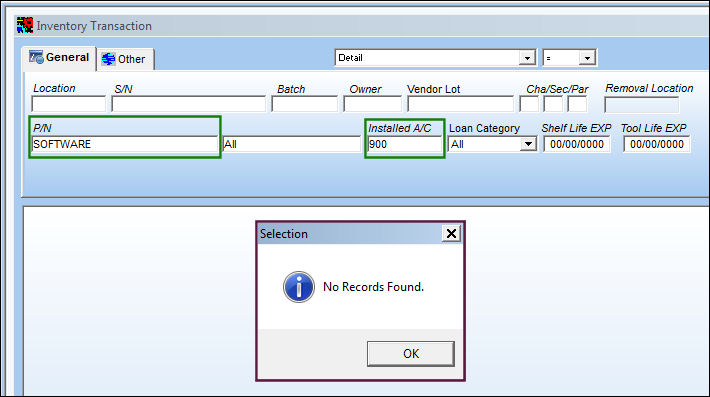
The SOFTWARE part is not installed on A/C 900:
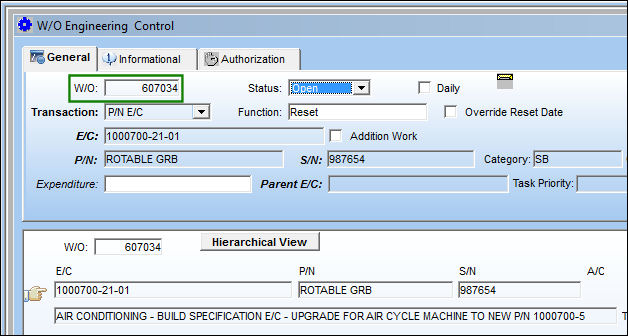
The E/C is associated to the following Work Order:
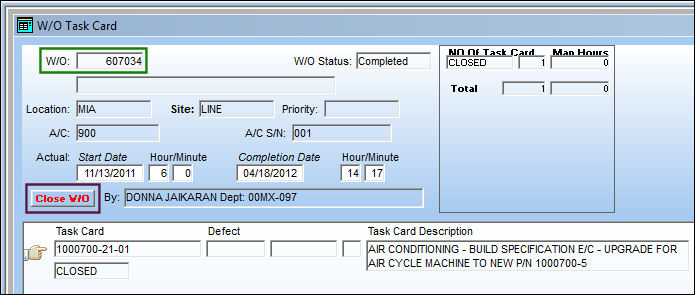
Close the Work Order:
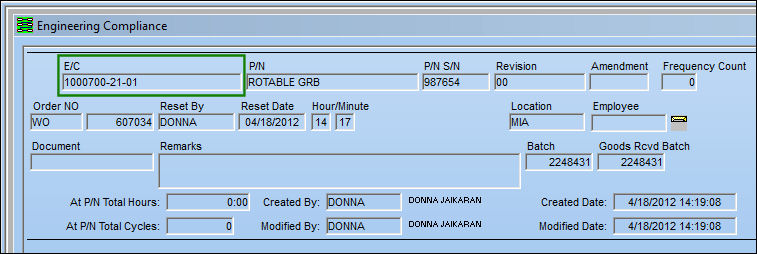
A compliance record has been created for E/C 1000700-21-01:
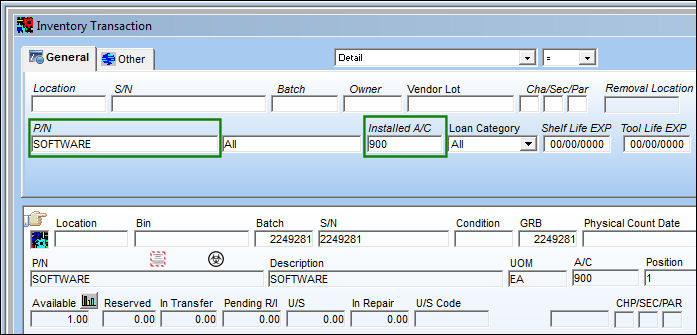
The SOFTWARE part is now installed on A/C 900 via the E/C Compliance:
The user may also manually upload an authorized Software part by utilizing the Up/Software transaction, via A/C P/N Transaction of the Technical Records Training Manual.
Share
Print
|
©1997-2026 Trax USA Corp. All rights reserved. This manual may not be copied, photocopied, reproduced, translated, or converted to any electronic or machine-readable form, in whole or in part, without prior written approval from Trax USA Corp. |
 |