
 Share
Share
 Print
Print
|
|
|
|
|


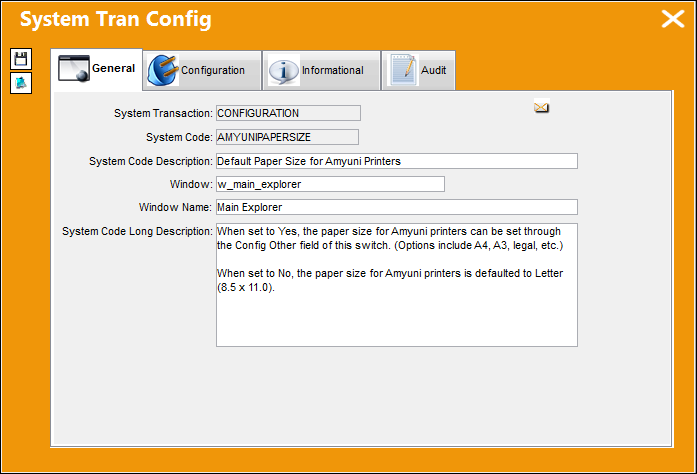
AMYUNIPAPERSIZE - Default Paper Size for Amyuni Printers

Default Paper Size for Amyuni Printers
Affected Window: w_main_explorer
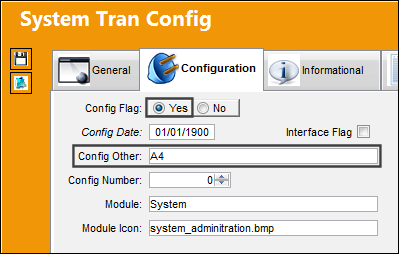
Switch Set to Yes:
When set to Yes, the paper size for Amyuni printers can be set through the Config Other field of this switch. (Options include A4, A3, legal, etc.)
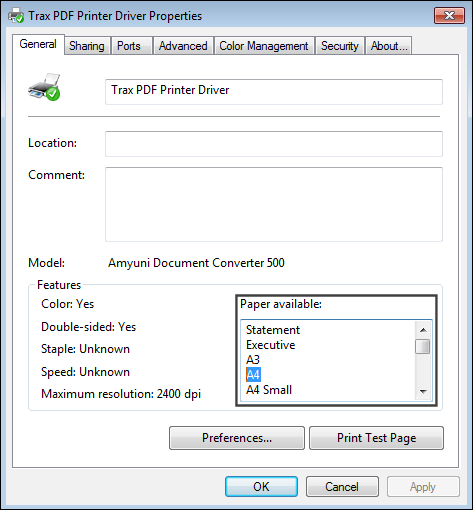
The paper size options are listed in the Trax PDF Print Driver's properties.
Now notice the paper size differences between A4 (the size listed in the switch above) and Letter.
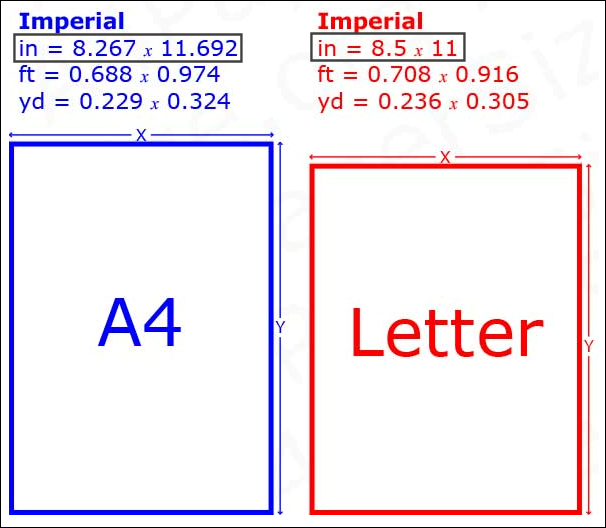
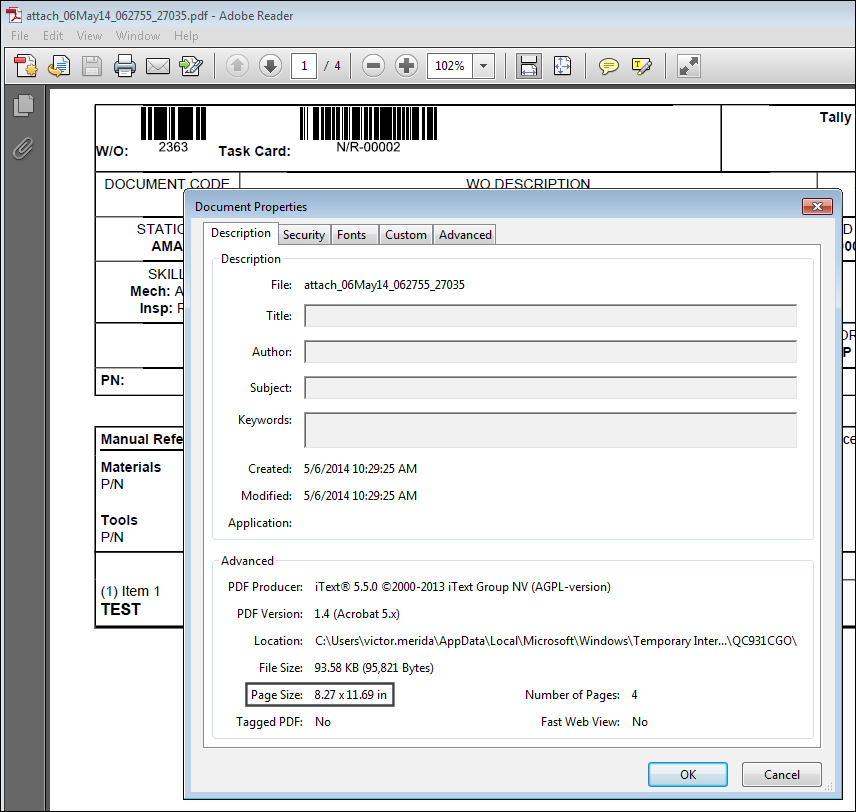
Because the switch is set to Yes and the Config Other field reads A4, the Amyuni prints will be printed in A4.
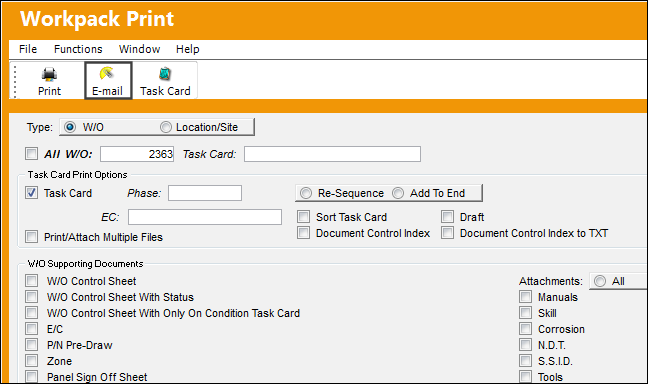
For example, generate a Work Pack Print then select the E-mail  button.
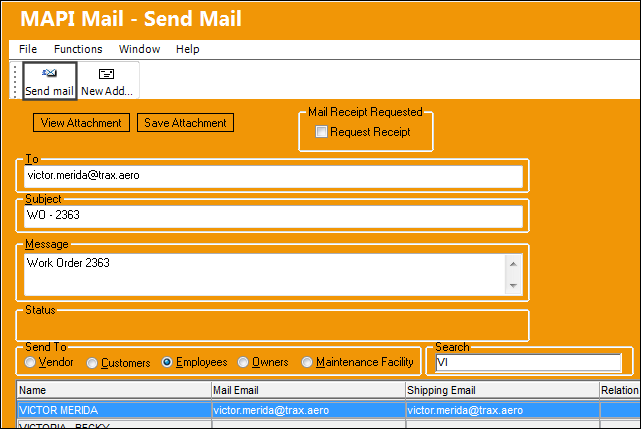
From the Email window, enter the To email address then select the Send Mail  button.
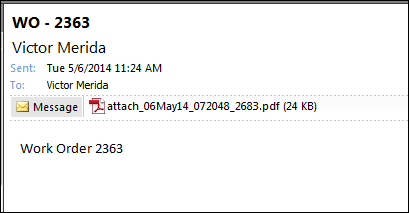
Once the email is sent, open the attachment.
Notice that the document's size is A4.
Switch Set to No:
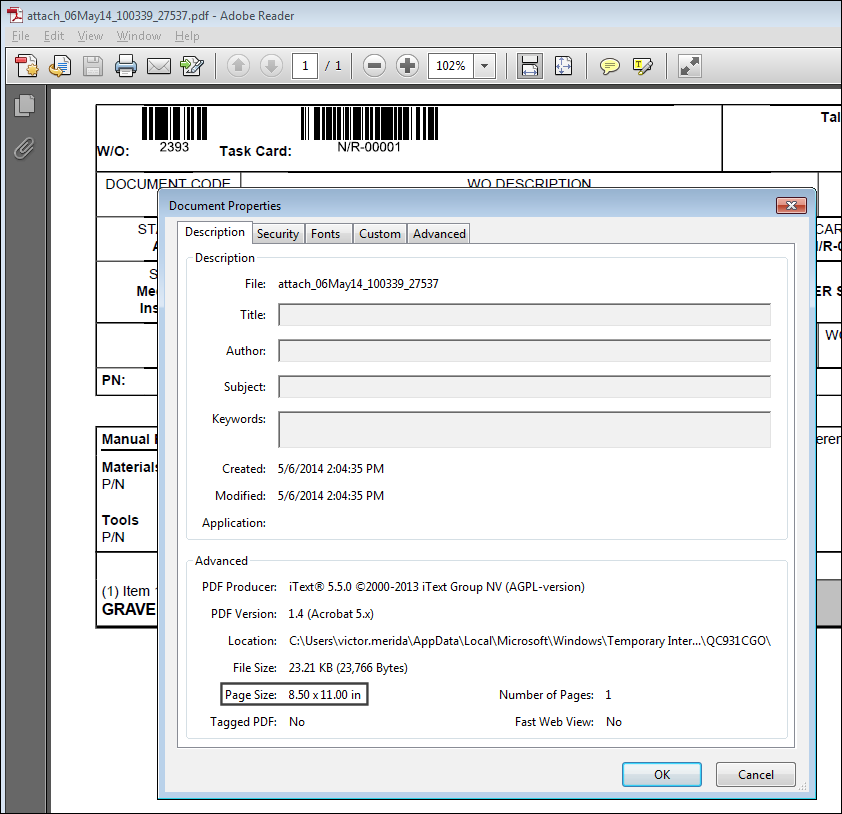
When set to No, the paper size for Amyuni printers is defaulted to Letter (8.5 x 11.0).
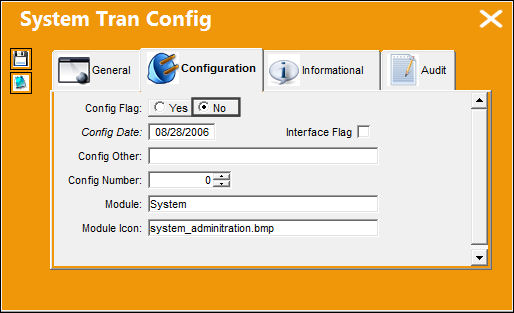
For example, generate a Work Pack Print then select the E-mail button.
From the Email window, enter the To email address then select the Send Mail button.
Once the email is sent, open the attachment.
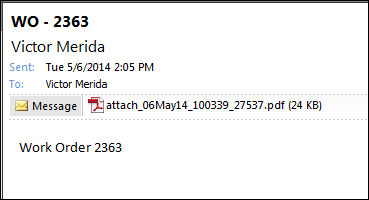
Notice that the document's size is Letter.
Share
Print
|
©1997-2026 Trax USA Corp. All rights reserved. This manual may not be copied, photocopied, reproduced, translated, or converted to any electronic or machine-readable form, in whole or in part, without prior written approval from Trax USA Corp. |
 |